

ArtArch 新闻中心
AI Video TechniquesHow to Write Layered AI Video Sound Prompts
Learn how layered AI video sound prompts organize dialogue, synchronized effects, ambience, music, timing, distance, and emotional priority.
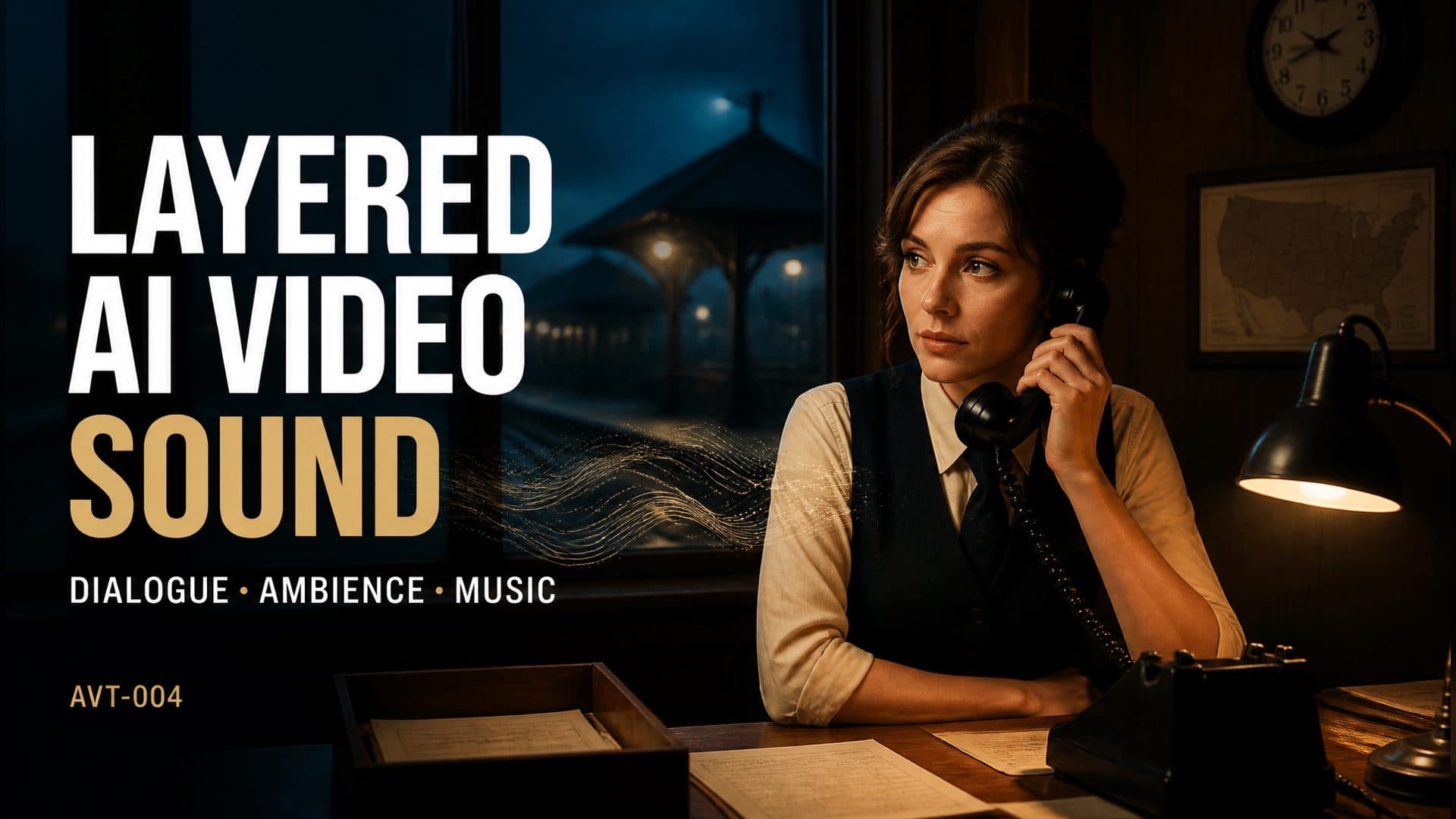
Provide a character reference and an empty location reference to create a dialogue-driven AI video with clear speech, synchronized object sounds, distant ambience, and restrained music. This AVT-004 scene follows a night station attendant in a small railway office as she answers a desk phone, delivers one quiet line, and sets down the receiver.
The visual action is simple so the sound hierarchy can carry the emotion. The audience should hear the line first, feel the empty station through its background sounds, register the receiver landing at the exact moment of contact, and sense low strings entering without overwhelming the performance.
Sound prompts need a clear priority structure
A prompt that asks for dialogue, wind, train sounds, a phone click, and sad music gives the model several valid ingredients. It leaves the relationship between those ingredients open. The voice may become difficult to understand, the music may arrive too loudly, or the object sound may drift away from the visible action.
A layered AI video sound prompt assigns every element a role:
- dialogue carries the story;
- music supports the emotional turn;
- ambience defines distance and location;
- synchronized effects confirm physical actions.
For this scene, the listening priority remains dialogue above music above ambience.
The control prompt
The control version describes the soundtrack broadly:
A night station attendant picks up the desk phone and quietly says, “The last train has already left.” After a pause, she slowly lowers the receiver. Generate synchronized sound with clear dialogue, nighttime ambience, and sad background music.
This identifies the essential content. It gives the generation system freedom to decide loudness, timing, spatial position, vocal delivery, and the way music enters.
The layered technique prompt
The technique version keeps the same performer, station office, framing, duration, and visual action. It defines the sound by time, distance, performance, and priority.
From 0–5 seconds, dialogue stays in the foreground. She speaks in restrained, tired American English with a slight breathiness: “The last train has already left.” The pace is slow, with a short pause after “already,” and the voice carries the brief natural reverb of a small wood-paneled office. From 0–8 seconds, low wind outside and an occasional distant rail-metal sound remain the quietest layer, positioned behind her to the right. At 5–6 seconds, the receiver lands with one soft plastic click synchronized to contact. From 2–8 seconds, very soft low strings enter gradually, below the dialogue but above the room noise, and remain restrained through the ending.
The added detail turns sound design into a sequence the viewer can follow. Speech has a performance direction. The room has acoustic character. The station ambience has distance and screen position. The receiver click has a visible sync point. Music has an entrance and a ceiling.
Build the soundtrack in four layers
1. Dialogue
Describe the voice as a performance, not only as text. Useful decisions include pace, breath, restraint, emphasis, pause placement, and the acoustic response of the room. A short line can feel completely different when it is rushed, projected, whispered, or allowed to hang in the air.
The station attendant speaks quietly because she is delivering final information, not making an announcement. The small pause inside the sentence gives the line weight without adding another gesture.
2. Synchronized effects
Connect important effects to a visible moment. “A phone sound” is broad. “One soft plastic click exactly when the receiver touches the cradle” identifies the object, texture, intensity, and sync point.
These effects make contact feel physical. The same technique works for a cup placed on a table, a latch closing, a page turning, a shoe landing, or a product snapping into position.
3. Environment
Ambience should tell the audience where the scene continues beyond the frame. Low wind outside the window and distant rail-metal movement suggest an almost empty station without introducing new visible action.
Distance language is valuable. A close sound attracts attention. A distant sound expands the world. Directional placement can connect an off-screen sound to a door, window, hallway, or platform.
4. Music
Music works best when its entry, intensity, and relationship to speech are clear. Here, low strings enter after the scene has begun, stay under the voice, and avoid a dramatic rise at the end. The music supports the silence after the line instead of announcing the emotion in advance.
A reusable sound-prompt structure
[Duration and framing]. [Character] performs [simple visible action] and says: “[line].”

Dialogue: foreground layer, [pace], [tone], [breath or emphasis], with [room acoustic]. Keep lip movement synchronized.

Synchronized effects: at [time or contact moment], add [object sound] with [material and intensity].

Ambience: throughout the scene, place [environment sounds] at [distance and direction], at the lowest level.

Music: enter at [time], use [instrument or texture], keep it below dialogue and above the environmental floor, and describe how it ends.

Overall priority: dialogue > music > ambience.
Where layered sound direction helps
A short-film creator can use it for phone calls, confessions, departures, and quiet discoveries. A product team can synchronize clicks, closures, taps, pours, and packaging sounds with a demonstration. A hospitality creator can establish a lobby, diner, motel, or station through room tone before showing a wider location. A social storyteller can make one line feel more intentional by controlling what the viewer hears before, during, and after it.
The strongest visual references are uncomplicated: one clear performer and one empty room with the relevant object already in place. This lets the soundtrack expand the scene without competing with unnecessary movement.
Frequently asked questions
How many sound layers should a short AI video use?
Four functional layers are enough for many scenes: dialogue, synchronized effects, ambience, and music. Each layer should have a distinct job.
How do I keep dialogue understandable?
Place dialogue at the top of the hierarchy, describe the vocal delivery, and keep music and ambience explicitly below it.
How can I make an object sound land at the right moment?
Tie the sound to visible contact and give it a narrow time range, material description, and intensity.
What makes ambience feel spatial?
Describe source, distance, direction, and loudness. A faint sound outside a rear window creates a different space from a close sound beside the character.
Click the template card on this page, enter the experience page, and try the layered AI video sound prompt workflow with your own dialogue scene.
继续探索
更多 AI Video Techniques 内容

Motivated Cut AI Video Continuity: Change the Shot for a Reason
Learn how a visible action trigger, clear shot-size change, and locked screen direction create more intentional same-scene AI video edits.

Deep Depth of Field AI Video: Keep Every Story Layer Readable
Learn how deep depth of field AI video prompts keep foreground tools, central action, and distant location cues readable in one layered shot.

Medium Depth of Field AI Video: Balance Subject and Setting
Learn how medium depth of field AI video prompts keep hands and active objects readable while preserving recognizable environmental context.

AI Video Character Reference Framing: Match Portraits to Landscape Shots
Prepare vertical character portraits for landscape AI video by matching aspect ratio, body scale, headroom, floor space, and movement room before generation.