How to Write AI Video Sound Prompts: A Controlled Dialogue and Ambience Test
Learn how to write AI video sound prompts that control dialogue, ambience, action sounds, music, timing, and priority through a matched Seedance 2.0 A/B test.
阅读约 10 分钟
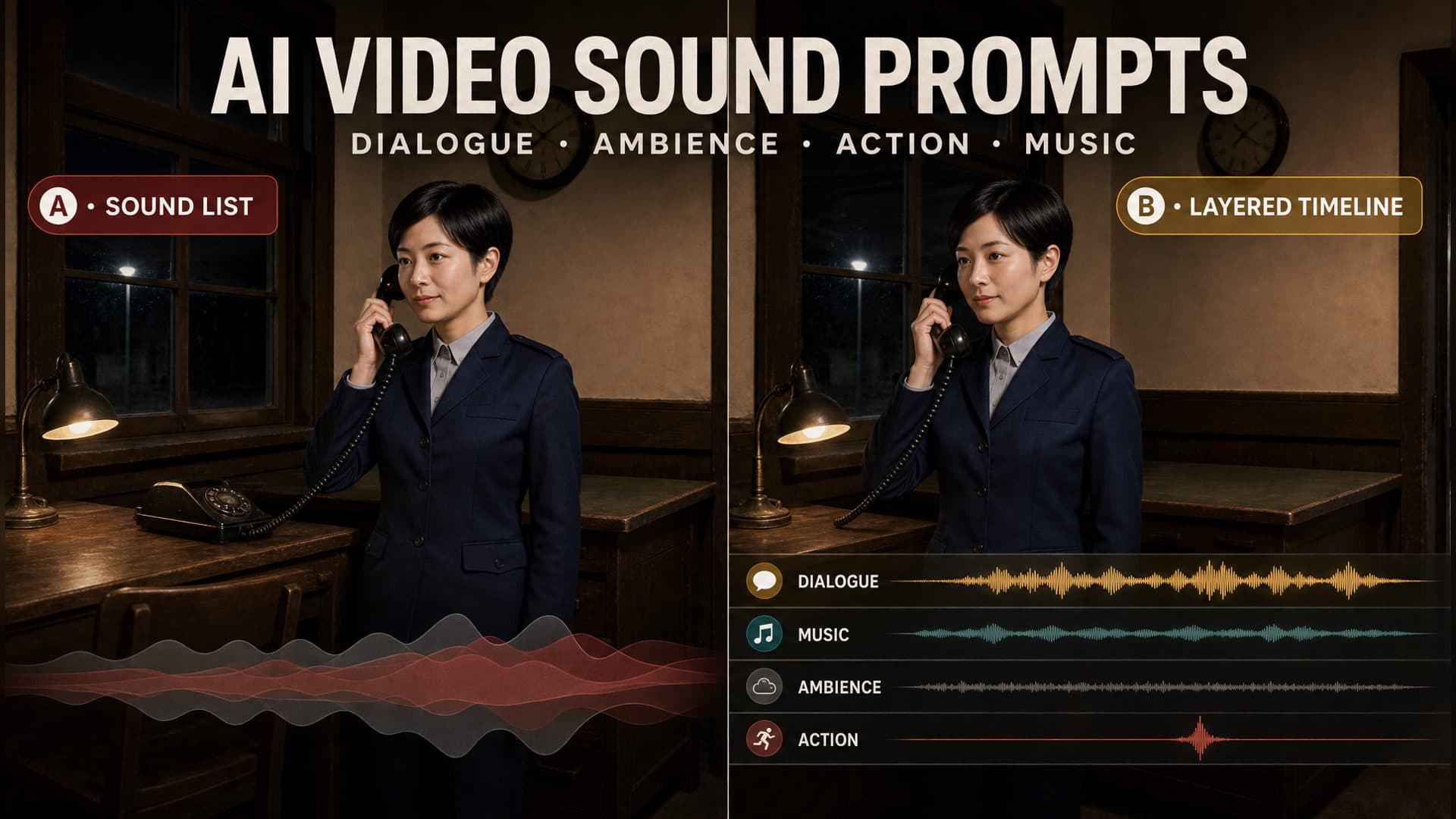
Learning how to write AI video sound prompts starts with one decision: which sound must the audience hear first? Once that priority is clear, dialogue, ambience, action sounds, and music can each receive a time range, position, level, and purpose. We tested that structure in an eight-second railway office scene using the same references, model, seed, framing, and action for both versions.
The control prompt asks for clear dialogue, nighttime ambience, and sad music. The technique prompt keeps the same scene but assigns each sound a specific job. Dialogue stays in front. Wind and distant rail noise sit at the bottom. A telephone click belongs to one visible contact, and low strings enter after the conversation begins.
This setup makes the comparison useful even when a generated sound misses its target. A vague prompt leaves the reviewer saying that the audio feels wrong. A structured prompt lets the reviewer identify whether the problem came from presence, priority, timing, synchronization, or space.
The matched A/B setup
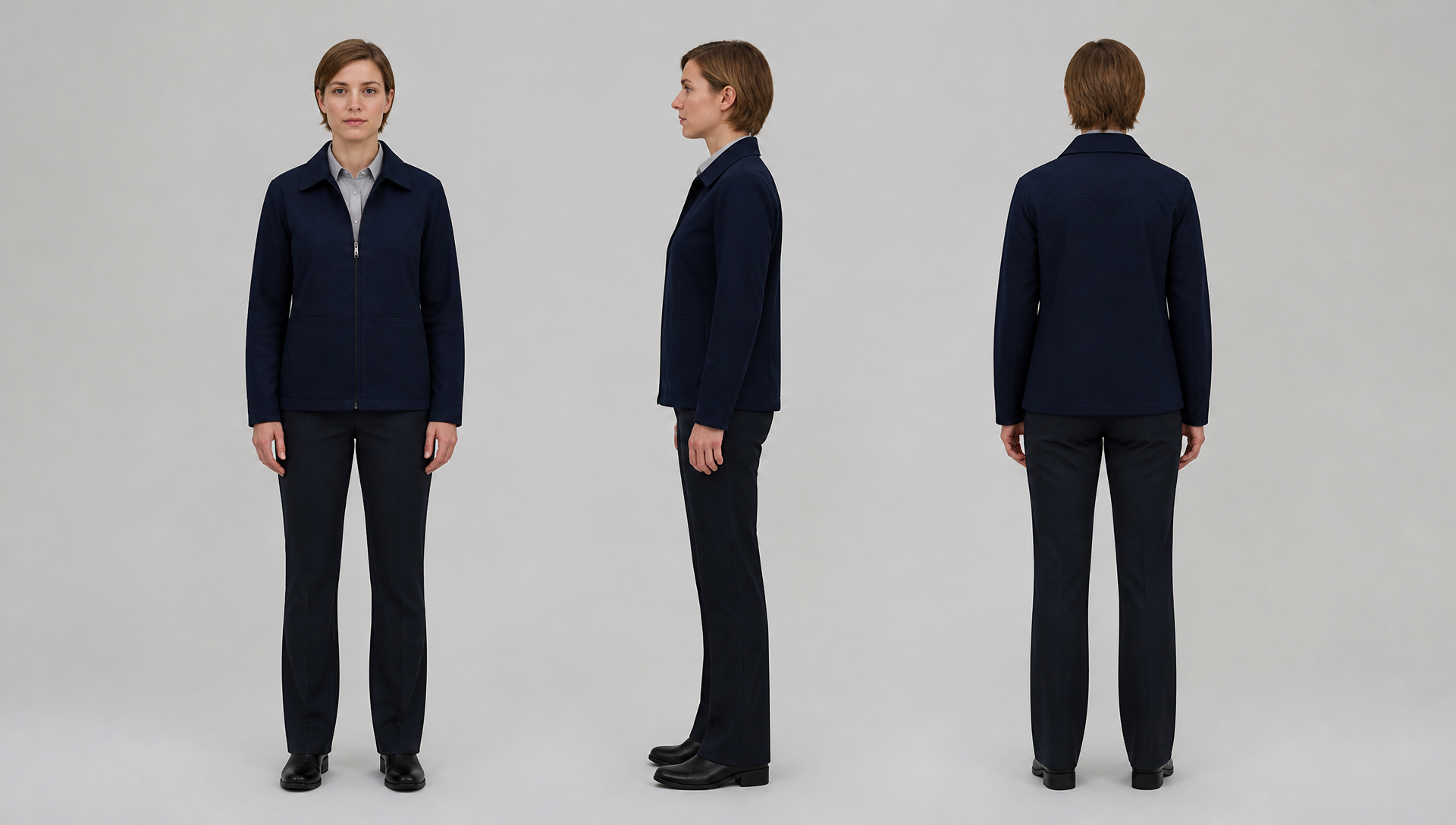
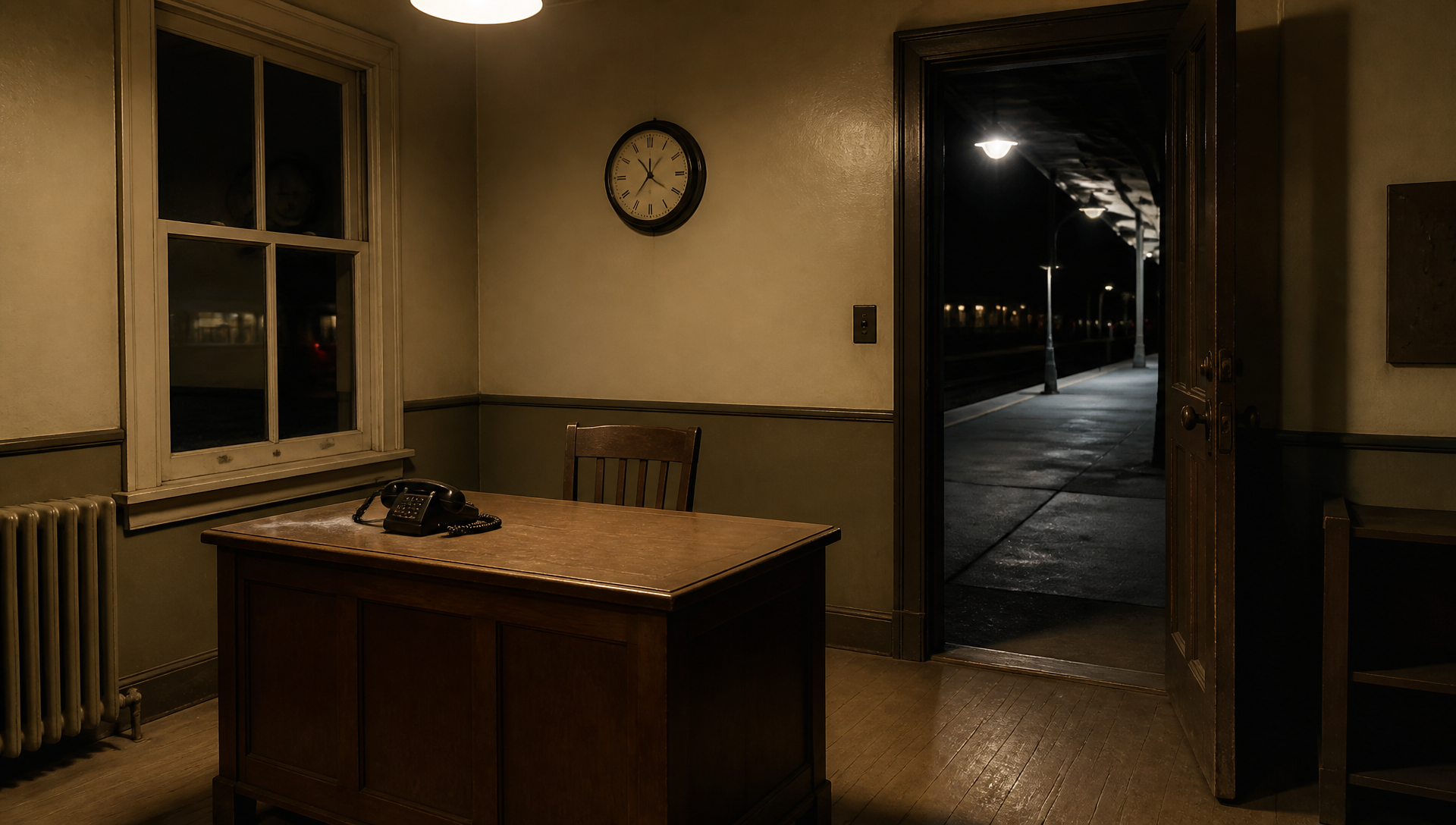
Both videos use the same fictional station attendant and the same empty late-night railway office. The character and environment were generated separately so the video model receives a clean identity reference and a clean scene reference.
Test condition
Version A: control
Version B: layered sound prompt
Video model
Seedance 2.0 Fast
Seedance 2.0 Fast
References
Same character and office
Same character and office
Seed
104103
104103
Duration
8 seconds
8 seconds
Output
720p, 16:9
720p, 16:9
Generated audio
On
On
Camera
Locked medium close shot
Locked medium close shot
Spoken line
“The last train has already left.”
Same line
Sound instruction
Clear dialogue, ambience, sad music
Priority, timing, delivery, space, action sync, music behavior
Open the AVT-004 workflow to inspect both prompts and their shared settings. Listen to the complete and with headphones if possible.
This is one matched A/B pair. The fixed seed removes one obvious source of variation, but a single pair cannot prove that every model or generation will follow the same hierarchy.
What changes between the two prompts
Version A gives the model a short sound list:
Generate synchronized audio with clear dialogue,
some nighttime ambience, and sad background music.
That sentence describes the desired ingredients. It does not decide when the dialogue should end, how the character should speak, where the ambience comes from, when the music enters, or what happens when the receiver touches the telephone.
Version B converts those open decisions into production instructions:
0–5 seconds: foreground dialogue in a restrained, tired voice.
Use a slow pace, slight breathiness, and a short pause after “already.”

0–8 seconds: low wind and an occasional distant rail sound
from the rear right. Keep ambience below every other layer.

5–6 seconds: one soft plastic click when the receiver lands.
Synchronize the sound with the visible contact.

2–8 seconds: very soft low strings enter gradually.
Keep music below dialogue and above room noise.

Priority: dialogue > music > ambience.
The longer prompt is useful because every sentence answers a production question. It does not merely add adjectives.
Start with the sound that carries the scene
Most short narrative shots have one sound the audience cannot afford to miss. In this test, it is the spoken line. In another scene it might be a warning alarm, a whispered name, a footstep outside a door, or the mechanical click that reveals a weapon is ready.
Name that sound first and protect it from the rest of the mix:
Keep the dialogue in the foreground throughout the line.
Music and ambience must leave enough space for every word to remain clear.
This relative instruction is more practical than asking a generative video model for a studio mixing target such as an exact LUFS value. The model needs a hierarchy it can interpret inside the scene.
Write dialogue as a performance, not a transcript
The exact line handles only the words. A useful dialogue prompt also describes delivery, pace, pauses, vocal texture, lip movement, and the acoustic character of the room.
From 0 to 5 seconds, the station attendant says,
“The last train has already left.”

Her voice is restrained and tired, with slight breathiness.
She speaks slowly and pauses briefly after “already.”
Match her lip movement to the line.
Use the short natural reverb of a small wooden office.
Each detail has an audible or visible consequence. “Tired” by itself is broad. Slower pace, light breathiness, and a deliberate pause tell the model how tiredness should sound.
The room matters too. A voice in a small duty office should not carry the long tail of a station hall. Short wooden-room reverb keeps the performance tied to the picture.
Give ambience a source and a position
“Nighttime ambience” could mean insects, traffic, rain, electrical hum, distant voices, or complete quiet. That breadth forces the model to invent the soundscape.
The AVT-004 technique prompt narrows the field:
From 0 to 8 seconds, keep low wind outside the office.
Add an occasional distant rail-metal sound from the rear right.
This is the quietest layer and must never mask the dialogue.
Source, distance, direction, and level now agree with the railway setting. The rear-right placement also gives the sound a relationship to the unseen platform beyond the room.
One or two ambient sources are enough for an early test. Adding wind, rain, traffic, insects, station announcements, fluorescent hum, and crowd noise at once makes it hard to tell which instruction failed.
Bind an action sound to visible contact
Action effects work best when the prompt describes the movement and its sound in the same block.
From 5 to 6 seconds, she lowers the receiver.
At the instant it touches the telephone, add one soft plastic click.
The click must match the visible contact.
This instruction separates two review questions. Did the sound meet the receiver on screen? Did both events happen during the requested time range? A clip can pass synchronization and still miss the schedule if the entire action arrives late.
Material words help. “Impact sound” is vague. “One soft plastic click” describes the object, intensity, and number of events without overloading the prompt.
Tell the music when to enter and when to yield
“Sad background music” names an emotion but gives the music no behavior. A more useful instruction chooses an instrument, entrance, relative level, and ending rule.
From 2 to 8 seconds, very soft low strings enter gradually.
Keep them below the dialogue and above the ambient noise floor.
Do not swell at the end.
The yielding rule matters during speech. Music can carry the late-night farewell mood without competing with the line. Preventing an end swell also avoids the automatic trailer-like rise that can make a restrained scene feel overstated.
If the music disappears across several attempts, simplify the rest of the soundscape or connect its entrance to a visible beat, such as the character looking away after the line.
A practical review method
Watch each video once without stopping. Then replay it and score five separate fields.
Presence: Did every requested sound appear?
Priority: Could you understand the core dialogue without strain?
Timing: Did each layer start and stop in its assigned interval?
Synchronization: Did the telephone click meet the visible contact?
Space: Did direction, distance, and reverb fit the room?
Do not use overall loudness as a substitute for this review. A louder track can still bury the dialogue, place ambience too close, or trigger the action effect at the wrong moment.
The two complete AVT-004 videos are included above so you can score the same five fields. Listening on phone speakers is useful for checking dialogue clarity. Headphones make quiet ambience, stereo position, and room reverb easier to judge.
Reusable AI video sound prompt
Create one continuous [duration] shot in [environment].
[Character] performs [visible action sequence].

DIALOGUE
From [time range], [character] says, “[exact line].”
Use a [delivery] voice, [pace], and [pause placement].
Add [breathiness, tremor, rasp, or another specific vocal detail].
Keep the voice in the foreground with the natural [room type] reverb.
Synchronize lip movement with the line.

AMBIENCE
From [time range], include [one or two sound sources].
Place them at [direction and distance].
Keep ambience in the quietest layer so it never masks dialogue.

ACTION SOUND
From [time range], [character] performs [visible movement].
At [contact moment], add one [material, intensity, and sound type].
Synchronize it with the visible contact.

MUSIC
From [time], [instrument or music type] enters [entrance behavior].
Keep it below dialogue and above ambience.
Hold it back during speech and [ending rule].

PRIORITY
Maintain this order: [core sound] > [music or action sound] > [ambience].
For a first test, use dialogue, one ambient source, and one synchronized action effect. Add music after those layers remain identifiable.
Common sound-prompt mistakes
Listing sounds without relationships
She speaks. Wind blows. Sad music plays.
The model still has to invent the mix. State which sound leads and which ones move back.
Asking every sound to be clear and loud
Five foreground sounds create competition, not clarity. Keep one core sound in front and assign quieter supporting roles to the rest.
Timing the effect without timing the action
If the receiver moves late, a synchronized click may move late with it. Put the action, contact, and sound inside the same time block.
Treating a requested layer as a confirmed layer
A written music cue does not prove that audible music survived generation. Review the full interval instead of checking only the opening frame or transcript.
Using emotion words without audible behavior
“Sad,” “tense,” and “lonely” leave room for many interpretations. Connect the emotion to instrument choice, pace, vocal texture, silence, and level.
Frequently asked questions
Do AI video sound prompts need exact decibel values?
Start with relative priority. Put dialogue in front, music below it, and ambience at the bottom. Exact numbers can describe a target for later editing, but the generative model still needs plain relationships.
How many sound layers should one shot contain?
Begin with three: one core sound, one ambient source, and one effect tied to a visible action. Add music or more spatial detail after those layers remain easy to identify.
Why can an action sound be synchronized but still mistimed?
Synchronization checks whether sound and picture meet. Timing checks whether that shared event lands inside the requested interval. Score them separately.
How should I describe ambience?
Name the source, distance, direction, duration, and relative level. “Distant low wind outside and behind the character, below the dialogue” gives the model far more guidance than “night ambience.”
Should I use headphones to review generated audio?
Use both headphones and ordinary phone speakers. Headphones reveal quiet layers and spatial placement. Phone speakers show whether the dialogue still reads under everyday playback conditions.
Run the same test with your own scene
Open the AVT-004 sound workflow, replace the character, room, spoken line, and action, then keep the A/B structure. Hold the references, model, seed, duration, framing, and action constant. Change only the sound instructions so the comparison stays readable.