

ArtArch 新闻中心
AI Video TechniquesHow to Write AI Video Power Effect Prompts With Clear Cause and Effect
Learn how to structure AI video power effect prompts into charge, release, impact, and aftermath beats, with a controlled 15-second A/B example.
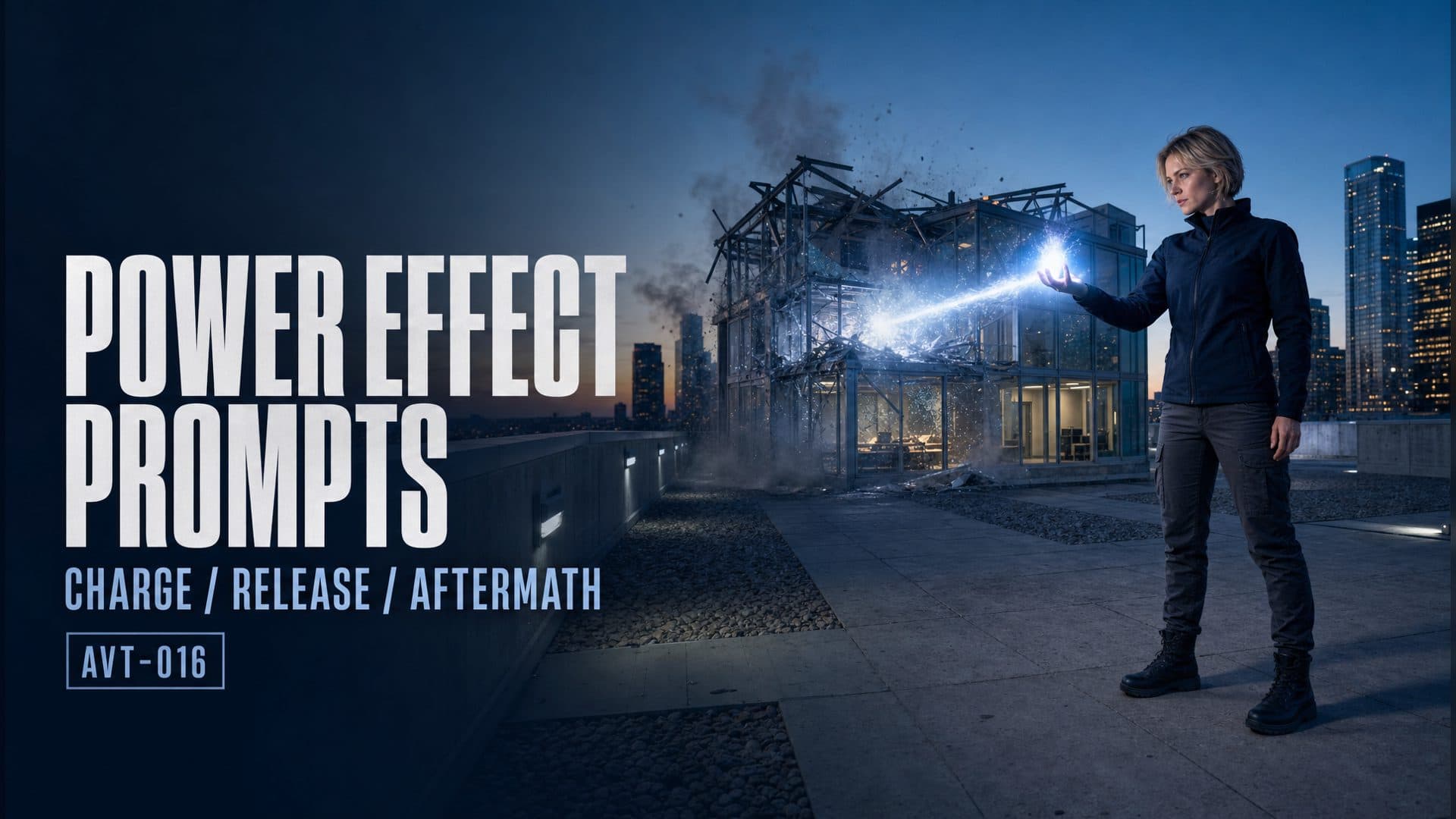
AI video power effect prompts become easier to read when the shot gives energy a visible origin, a release moment, a target, and a lasting result. A useful sequence is charge → trigger → release → impact → aftermath. Each beat answers a different question for the viewer: where the force came from, when it was released, where it traveled, what it hit, and what changed.
We tested that structure in one 15-second rooftop comparison. Both versions used the same first frame, character, target building, model, aspect ratio, resolution, and audio setting. The control version released the effect immediately. The technique version reserved time for charge, release, and aftermath.
Open the power-effect A/B canvas on ArtArch.
The short answer
Write the power effect as a chain of visible states. Establish one energy source, let it build while the character stays readable, use one physical action as the release boundary, keep the energy traveling on a clear axis, then widen enough to show a specific environmental result. Hold that result before the clip ends.
The test also exposed an important second constraint: a wider aftermath shot still needs to preserve the target building's identity, location, and surrounding geometry. A readable explosion feels disconnected when the shot appears to move to a different building.
What the A/B test kept fixed
The first frame placed a short-haired blonde woman on the left side of a contemporary office rooftop. A glass-and-steel mechanical penthouse stood across the roof on the right. Both video versions started from that exact image.
| Setting | A group | B group |
|---|---|---|
| Character and wardrobe | Same | Same |
| Rooftop and target | Same | Same |
| Starting image | Same | Same |
| Video model | Seedance 2.5 | Seedance 2.5 |
| Duration | 15 seconds | 15 seconds |
| Aspect ratio and resolution | 16:9, 720p | 16:9, 720p |
| Audio | Enabled | Enabled |
| Prompt difference | Immediate release | Charge, trigger, release, aftermath, hold |
The downloaded files both measured 15.042 seconds at 1284×716 and each contained one audio track. Each version was generated once with provider-managed randomness. The evidence scope is one single-run comparison.
At three seconds: immediate blast versus visible charge
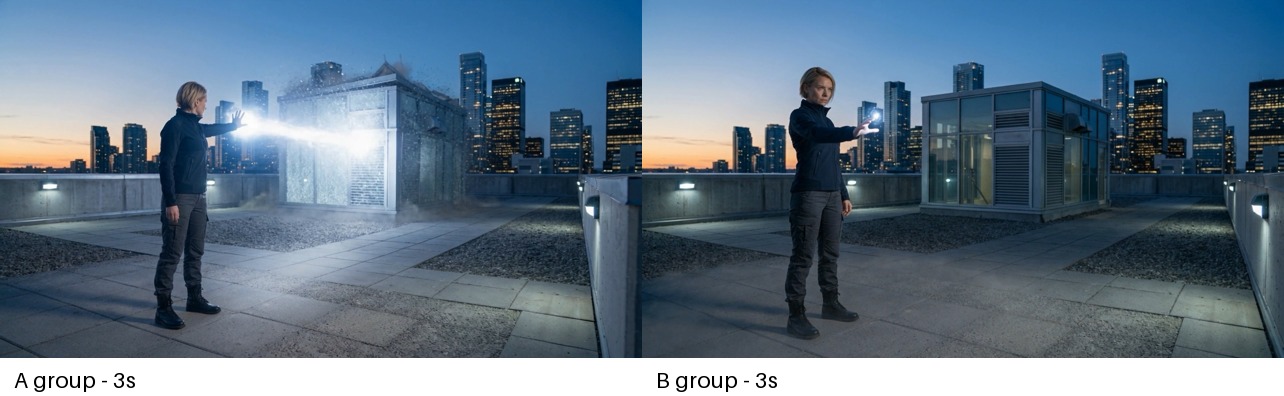
At three seconds, the control is already firing while the technique version still shows a compact energy source in the character's hand.
The control enters the main effect almost immediately. By two seconds, a bright beam already connects the character to the penthouse. The viewer can read the direction and target, though the shot provides little time to inspect how the force formed.
The technique version uses roughly two to five seconds for the energy core. The light remains close to the hand and grows before the beam appears. This separates the source from the later release and gives the opening a distinct job.
At six seconds: the beats reach different stages
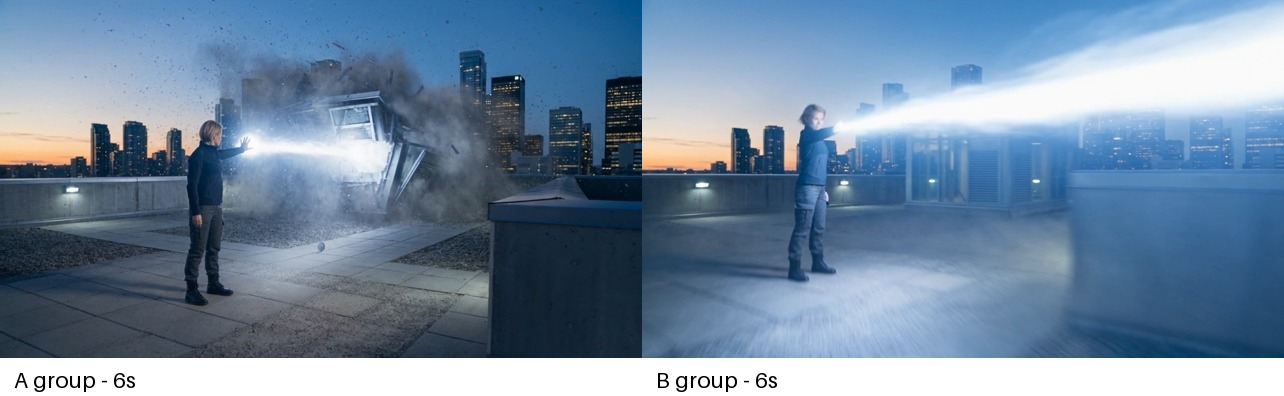
At six seconds, the control has already damaged the target while the technique version has just entered its release stage.
The control reaches impact between roughly four and seven seconds. Glass, panels, dust, and the bright beam occupy the same composition. The action remains spatially connected to the original rooftop.
The technique version shifts from the hand-held core into the beam at about six seconds. The character, energy direction, and target share one readable axis through the release. The extracted frames verify the larger transition from contained core to traveling beam. They provide insufficient visual evidence for the smaller requested fist closure, so the release boundary is attributed to the energy-state change.
At ten seconds: smoke versus structural aftermath
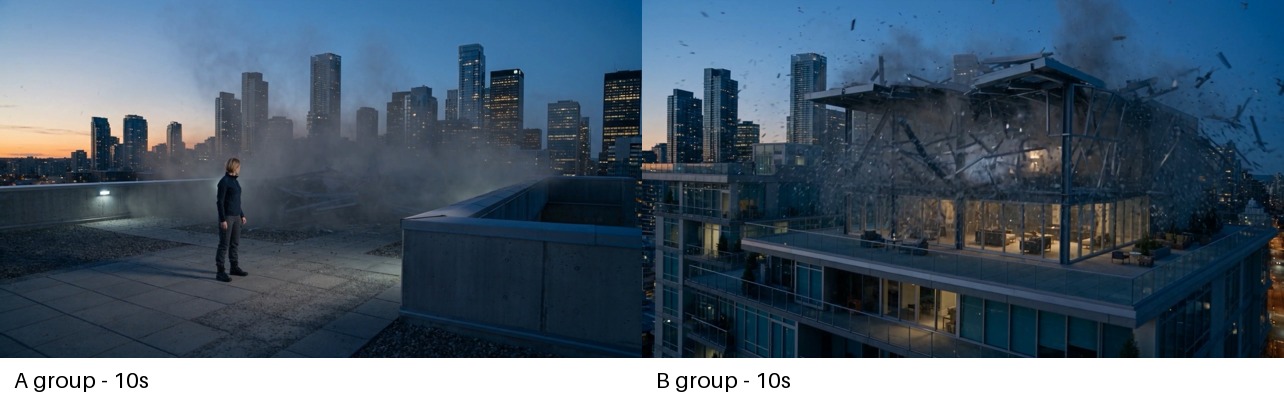
At ten seconds, the control holds on rooftop smoke while the technique version shows a wider structural result.
The control spends its final section on drifting smoke with the character still visible. That preserves the rooftop relationship, although the building's final structural state becomes harder to inspect through the dust.
The technique version uses roughly ten to fourteen seconds for the damaged building. Buckled framing, missing panels, loose debris, and interior light remain visible through the final seconds. The result receives a longer reading window.
That wider view also changes the apparent size and position of the target. The original rooftop penthouse becomes a much larger structure seen from another exterior angle. The aftermath is detailed, while the spatial handoff is weaker. This is the main repair target for the next prompt.
Build the shot as five visible beats
1. Give the force one origin
Choose the palm, chest, weapon chamber, machine core, or another single physical source. Keep its color and location stable. A fixed origin lets the viewer connect the later beam or shockwave to the character's action.
2. Let the charge change only a few properties
Increase brightness, size, pulse rate, particle density, or the reaction of nearby dust and fabric. Keep the character's large body movement limited during this phase. Too many simultaneous changes make the source harder to track.
3. Use one visible release boundary
A hand closure, weapon drop, button press, eye movement, or completed stance can separate charge from release. The action needs enough screen space to be visible. When the exact trigger is subtle, the transition from contained energy to traveling energy can provide a second readable boundary.
4. Keep the release on an established axis
Place the source and target in the opening composition. Let the beam, wave, projectile, or physical force follow that relationship. One motivated pullback can reveal more of the impact without breaking the direction.
5. Hold a specific result
Name what changes: glass breaks inward, metal panels buckle, concrete cracks, lights fail, dust settles, or machinery stops. Hold the final state long enough to compare it with the opening. A stable aftermath is more informative than ending on the brightest frame.
Lock space when the aftermath gets wider
A scale change needs identity anchors. Repeat the target's glass-panel grid, vent placement, roofline, distance from the parapet, and skyline direction. Keep the camera on the same rooftop and describe the move as a pullback or rise from the established position.
Use a line such as:
Widen from the established rooftop position without changing buildings. Preserve the mechanical penthouse's glass-panel grid, right-side vents, roofline, distance from the concrete parapet, and the skyline behind it.
This adds a continuity contract to the aftermath. The prompt still allows a wider result while specifying which visual facts must survive the transition.
A reusable AI video power effect prompt
Create one continuous power-release sequence.

Opening
Keep the approved character, wardrobe, target, camera axis, and environment stable. Place the character at [position] and the target at [position].

Charge
The character completes [one readable preparation action]. A [color and form] energy source appears at [single physical origin]. It grows through [two controlled changes]. Nearby [dust, fabric, lights, or loose objects] respond toward the source.

Trigger and release
When [one visible physical trigger] completes, the contained energy launches along the established line toward [specific target]. Use one [pullback, track, or rise] that preserves screen direction.

Impact
The force reaches the target before any damage begins. Show [specific materials] reacting through [two or three visible consequences].

Aftermath
Widen from the same established location. Preserve [target identity anchors and surrounding geometry]. Hold on [specific final state] while debris and dust settle.

Continuity
Keep the character's identity, wardrobe, energy color, source location, target design, rooftop layout, skyline direction, and lighting stable. Use one main effect and one clear target.
Review the generated result
Check the clip in the same order as the event:
- Pause before release and identify the energy source.
- Find the frame where contained energy becomes traveling energy.
- Follow the direction from character to target.
- Confirm that damage begins after contact.
- Compare the final target with its opening identity and location.
- Hold the last frames long enough to inspect the result.
This review separates two qualities that can move in different directions: causal readability and spatial continuity. The B group improved the first in this run while exposing a weakness in the second.
Where this structure is useful
A filmmaker staging a superhero confrontation can show the source, release direction, and damaged environment as separate dramatic beats. The method gives the editor a clear escalation instead of one continuous flash.
A science-fiction creator can use the same chain for a reactor, energy weapon, or defensive field. Mechanical lights, vents, panels, and alarms can carry the charge and aftermath without changing the core structure.
A game-cinematic artist can adapt it to a boss attack, special ability, or environmental hazard. The target and final state become explicit review points for storyboards and generated takes.
Frequently asked questions
How long should an AI power-effect shot spend on charging?
Reserve enough time for the source to appear and change before release. In this 15-second test, the technique version used roughly two to five seconds for the hand-held energy core, then entered release around six seconds.
What makes an energy blast feel connected to the character?
Use one physical origin, one release boundary, and one direction toward a visible target. Let damage begin after the force reaches that target, then preserve a final state that the viewer can compare with the opening.
How do I keep the aftermath in the same location?
Repeat the target's structural anchors and its relationship to the parapet, rooftop, and skyline. Describe the camera as widening from the established position so the scale changes while the location remains continuous.
What did this A/B test show?
In this single run, the structured version made charge, release, and aftermath easier to separate. It also changed the target building's apparent scale and position in the wider aftermath. The result supports combining causal beats with explicit spatial locks.
继续探索
更多 AI Video Techniques 内容

Motivated Cut AI Video Continuity: Change the Shot for a Reason
Learn how a visible action trigger, clear shot-size change, and locked screen direction create more intentional same-scene AI video edits.

Deep Depth of Field AI Video: Keep Every Story Layer Readable
Learn how deep depth of field AI video prompts keep foreground tools, central action, and distant location cues readable in one layered shot.

Medium Depth of Field AI Video: Balance Subject and Setting
Learn how medium depth of field AI video prompts keep hands and active objects readable while preserving recognizable environmental context.

AI Video Character Reference Framing: Match Portraits to Landscape Shots
Prepare vertical character portraits for landscape AI video by matching aspect ratio, body scale, headroom, floor space, and movement room before generation.