

ArtArch 新闻中心
AI Video TechniquesAI Video Motion Reference Prompt: Plan a Controlled Long Take
Use an AI video motion reference prompt to guide character routes, camera movement, pacing, and final framing in a controlled long take.
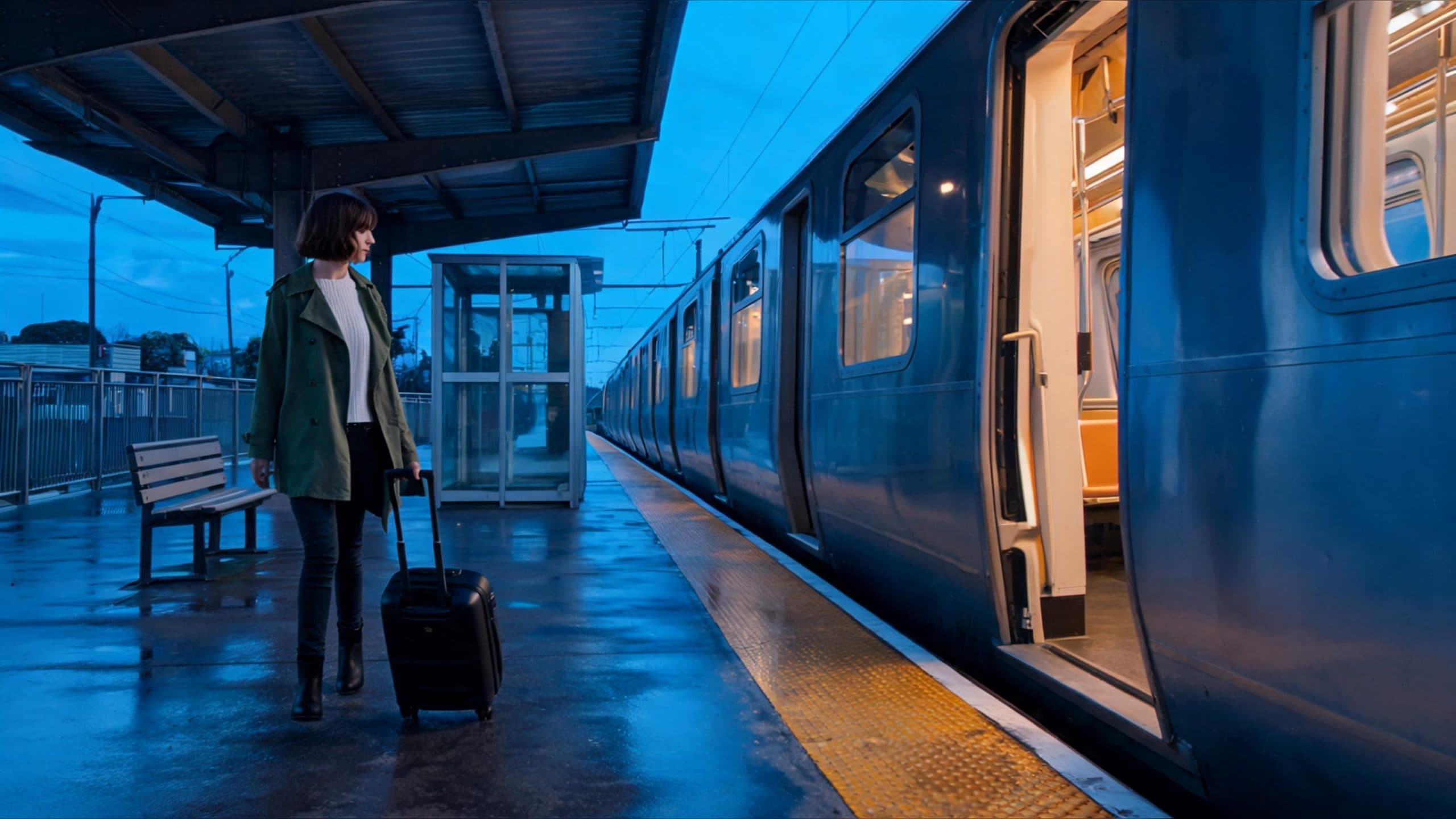
An AI video motion reference prompt helps turn a planned route into a cinematic long take. Start with a character and setting reference, then use a simple motion clip to guide where the character travels, how the camera moves, and where the shot lands. The result is a continuous scene with a readable destination instead of a collection of disconnected actions.
For a train-platform scene, the character begins on the left with a suitcase, walks along the platform, and arrives at an open carriage door on the right. The still reference carries the character, wardrobe, station layout, evening light, and train design. The motion reference carries the travel path, pace, camera direction, and final framing. This division gives every source one clear job.
What to put in a motion reference
Build the reference as a simple animatic or proxy pass. A human-shaped stand-in, basic geometry, and an outlined destination are enough when the movement reads clearly. Focus on six pieces of information:
- The character's starting position and facing direction
- A single route through the space
- The camera's starting viewpoint
- The main camera move and its pace
- A pause, turn, or interaction point when the scene needs one
- The final frame and the information it should hold
Keep the motion clip visually simple. The character image and scene image establish the visible world, while the motion pass establishes the timing and spatial plan.
Write the AI video motion reference prompt by role
Use a prompt that names the authority of each source before describing the scene:
Character reference: identity, face, hairstyle, clothing, and suitcase.
Scene reference: platform layout, train, lighting, materials, and atmosphere.
Motion reference: starting position, left-to-right route, camera path, pace, stop point, and final framing.

Create one continuous eye-level tracking shot. The character walks at an even pace from the left side of the platform to the open train door on the right, pulling the same suitcase. Preserve the character, wardrobe, train, platform layout, dusk light, and route. End with the character beside the door.
This structure is especially useful when the same shot needs a character move, a camera move, and a final story beat. Each instruction has a specific place, so the final prompt stays readable even when the scene becomes more detailed.
Three practical long-take scenes
Arrival at a destination
A travel-film creator can begin with a portrait or character image and a platform, airport, hotel, or street reference. The motion reference sets the walk from the arrival point to a clearly visible destination. The final frame can hold a door, sign, vehicle, or waiting person so the shot ends with a usable narrative beat.
Choreographed product movement
A product team can plan a handoff, tabletop pass, or showroom walk-through with a simple proxy motion clip. The product reference holds the object shape and label treatment, while the motion reference establishes its route through the scene and the camera's final product-facing angle.
A character crossing a dramatic space
A filmmaker can use a rough blocking pass for a character moving across a hall, rooftop, forest path, or ritual space. The reference clarifies where the character enters, when the camera travels alongside them, and where the scene settles. This gives the final frame a deliberate composition for the next shot.
Check the route before you keep the take
Review the beginning, middle, and ending frames as one sequence. Confirm that the character appears at the planned start, carries the same key prop through the middle, and reaches the intended destination in the final image. Review the background landmarks alongside the character so the camera move and spatial direction remain readable.
When a long take contains a specific starting state, treat that opening frame as its own acceptance point. A strong end frame becomes more useful when the opening position, route, and hero prop are equally clear.
Frequently asked questions
What is the best format for a motion reference?
A simple animatic or proxy clip works well when it clearly shows the character path, camera path, pace, and final framing.
Which reference should control visual style?
Use the character and scene references for face, wardrobe, objects, environment, materials, and lighting. Reserve the motion reference for movement and framing.
What should a long-take prompt include?
Name the start position, travel direction, camera move, speed, destination, and the final frame, then list the character, environment, and key props that stay consistent.
How should I review the finished video?
Compare the beginning, middle, and ending frames for character presence, route continuity, key-prop continuity, camera direction, and the final destination.
Build your own controlled long take in ArtArch Studio.
继续探索
更多 AI Video Techniques 内容

Motivated Cut AI Video Continuity: Change the Shot for a Reason
Learn how a visible action trigger, clear shot-size change, and locked screen direction create more intentional same-scene AI video edits.

Deep Depth of Field AI Video: Keep Every Story Layer Readable
Learn how deep depth of field AI video prompts keep foreground tools, central action, and distant location cues readable in one layered shot.

Medium Depth of Field AI Video: Balance Subject and Setting
Learn how medium depth of field AI video prompts keep hands and active objects readable while preserving recognizable environmental context.

AI Video Character Reference Framing: Match Portraits to Landscape Shots
Prepare vertical character portraits for landscape AI video by matching aspect ratio, body scale, headroom, floor space, and movement room before generation.