AI Video Insert Shot Prompts: Build Suspense One Clue at a Time
Learn how AI video insert shot prompts use prop close-ups, spatial reveals, environmental changes, reactions, and action returns to build suspense.
阅读约 11 分钟
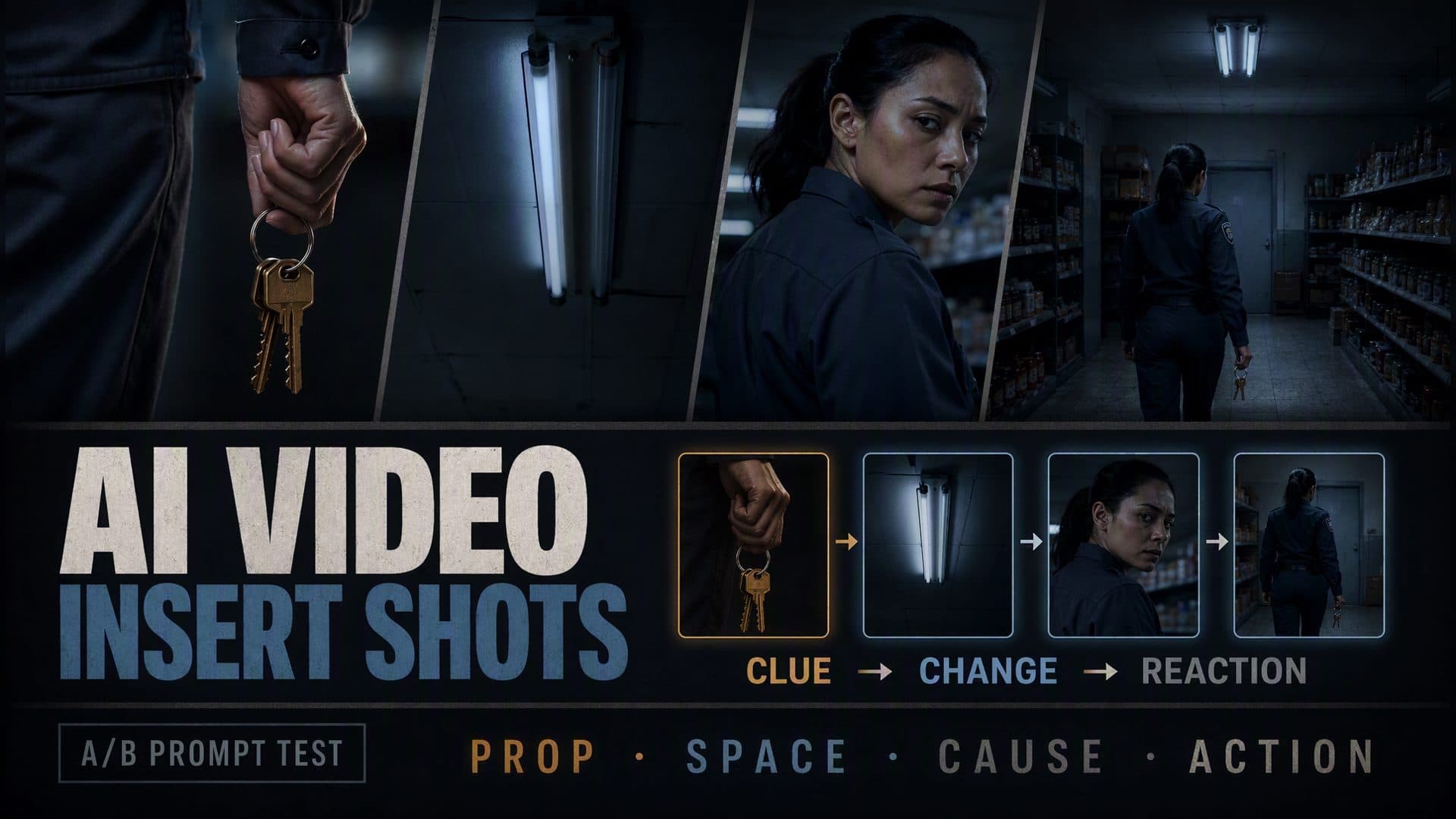
AI video insert shot prompts become useful when every cut changes what the viewer knows. A close-up can introduce a key ring before the location is revealed. A ceiling-light insert can turn vague unease into a visible electrical problem. A reaction shot can prove that the character noticed it. AVT-008 tests that information chain against a continuous suspense shot in the same closed grocery store.
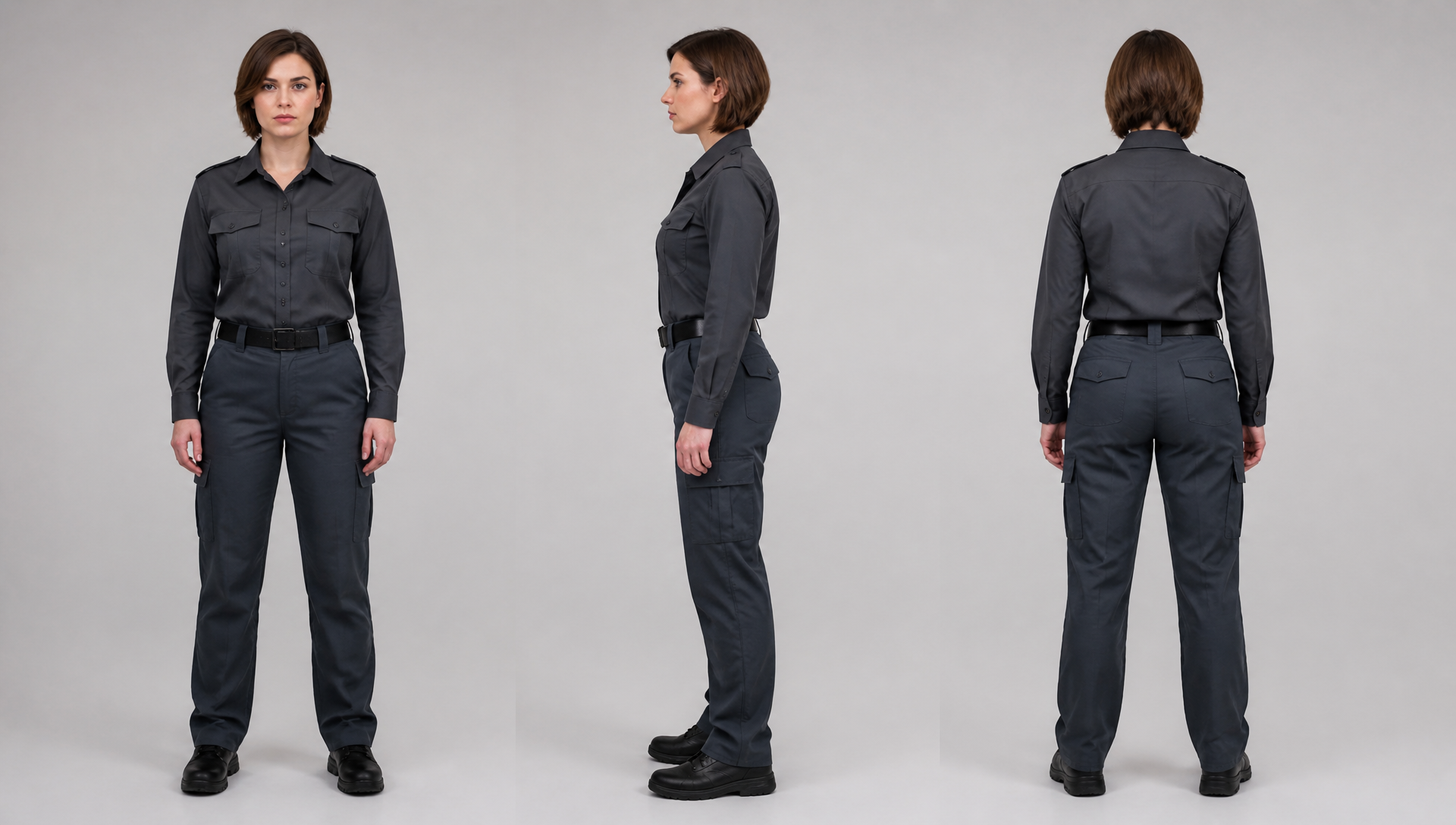
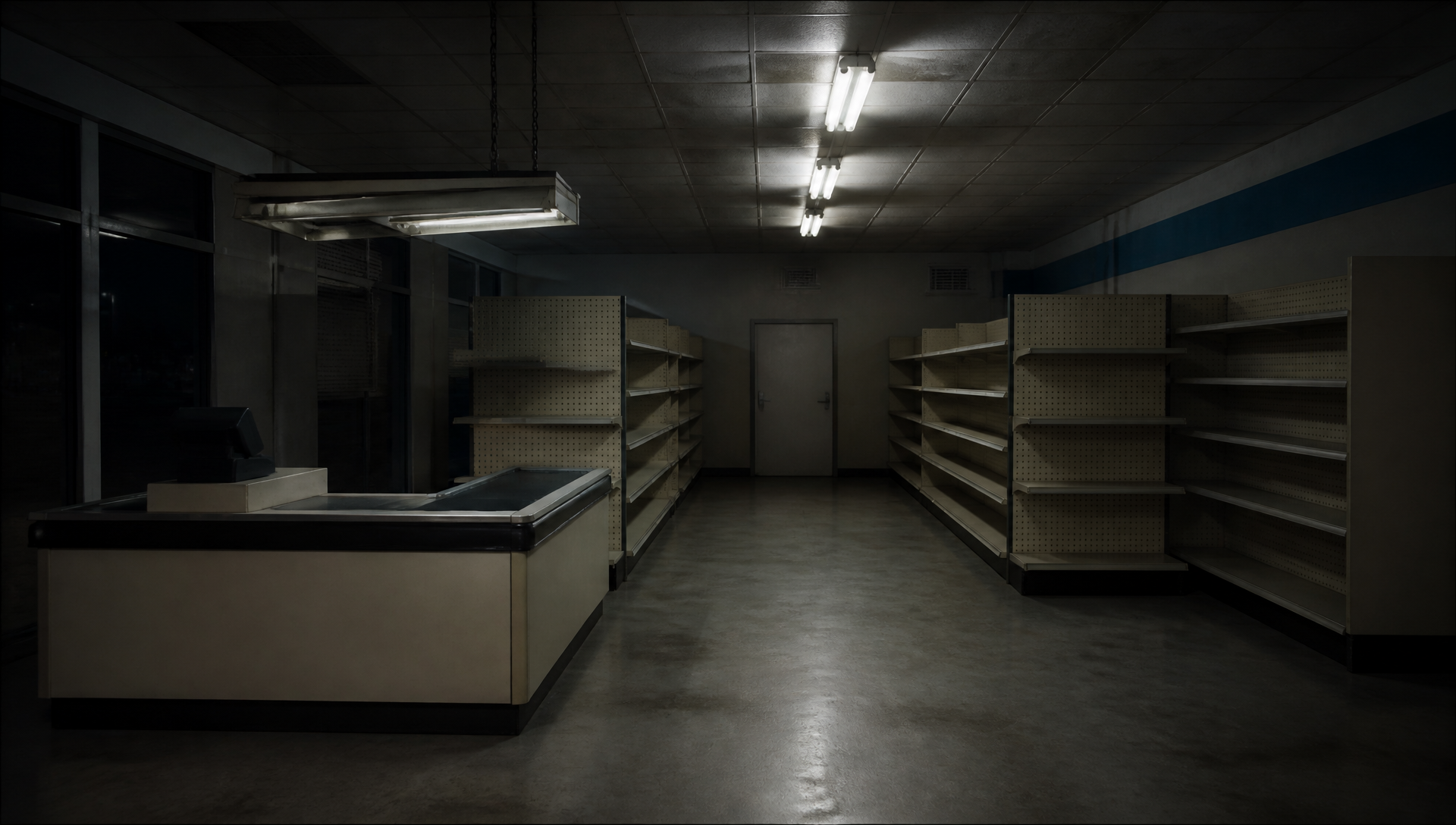
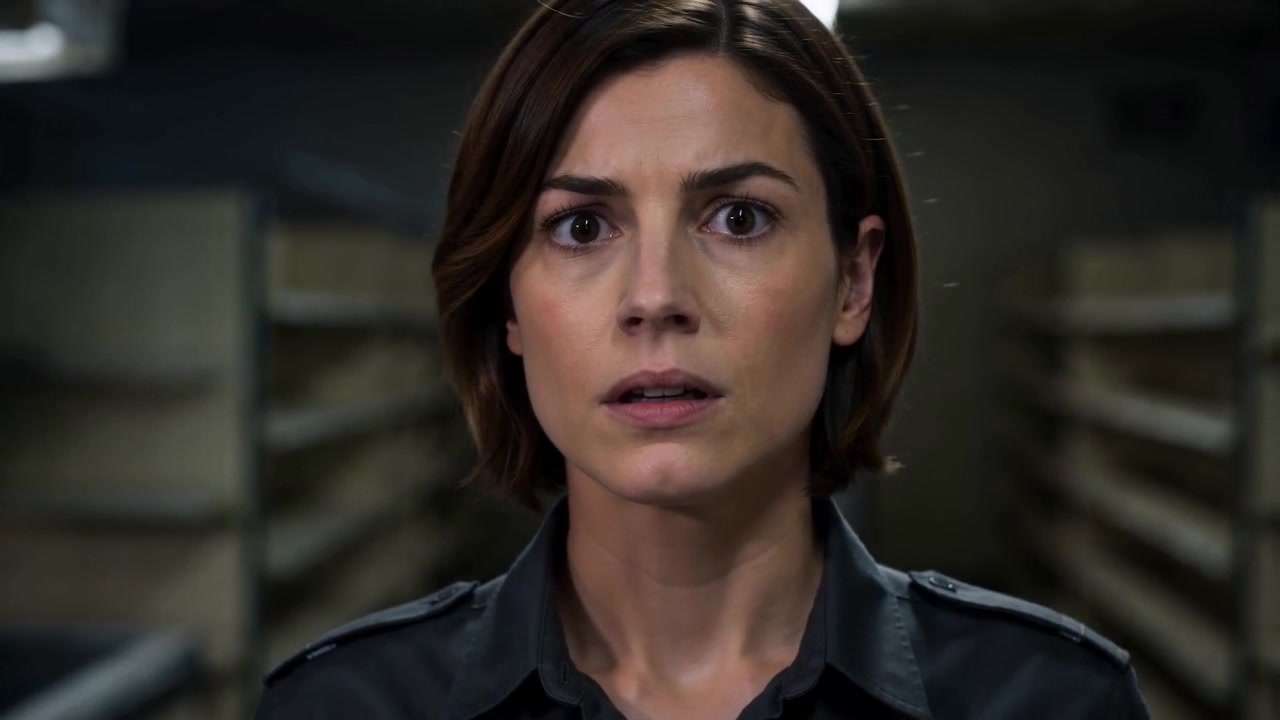
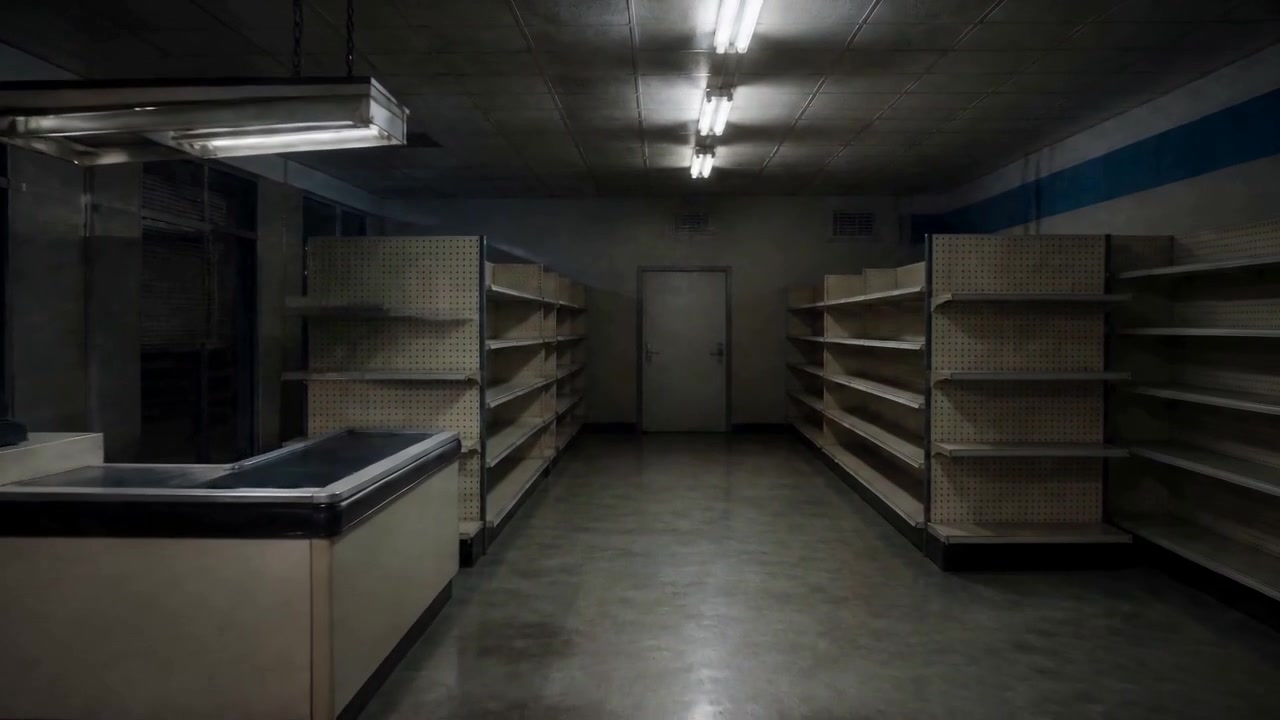
Both versions use the same security guard and the same empty store. The guard is a short-haired woman in a dark gray uniform. The location has a checkout counter, two aisles, ceiling fixtures, and a storage door at the rear.
Character reference: the guard's identity, uniform, and silhouette are separated from the location.
Location reference: fixed shelves, checkout area, ceiling lights, and rear door provide spatial anchors.
Both prompts requested Seedance 2.0 Fast, 720p, 16:9, an eight-second duration, and generated audio. The A result used for this article completed as a new eight-second run. The existing B file ends before the planned final beat and supports frame extraction only through roughly 4.8 seconds. That difference matters: the structured prompt can still be studied for information order, but the result does not prove that all five planned beats completed.
Group A gives the model a compact dramatic instruction: a guard patrols the store, notices something behind her, and turns toward the storage door. The camera can decide how to cover the moment.
Group B assigns a separate information task to each shot:
The advantage is auditability. Instead of asking whether the clip “feels suspenseful,” you can check whether each cut added the intended fact. The limitation in this run is equally easy to see: Group B reaches the environmental and reaction material, but the planned return to action is not fully available in the file.
Group A: suspense carried by performance
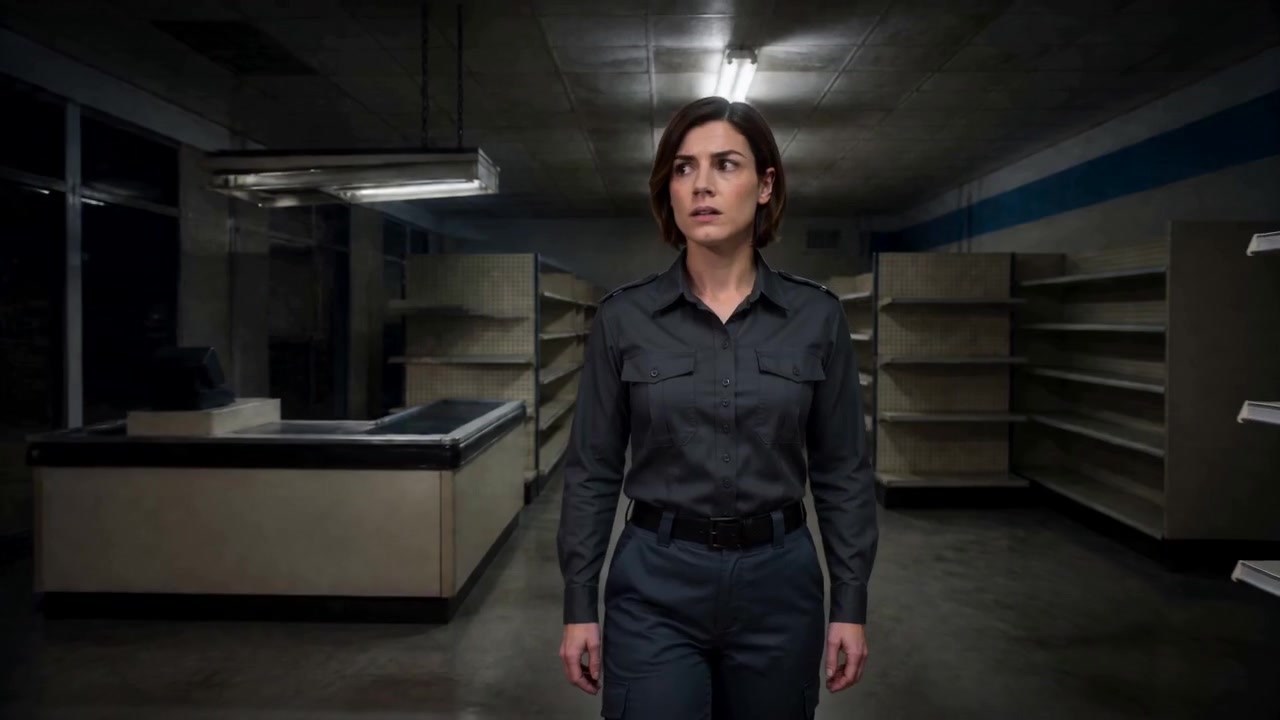
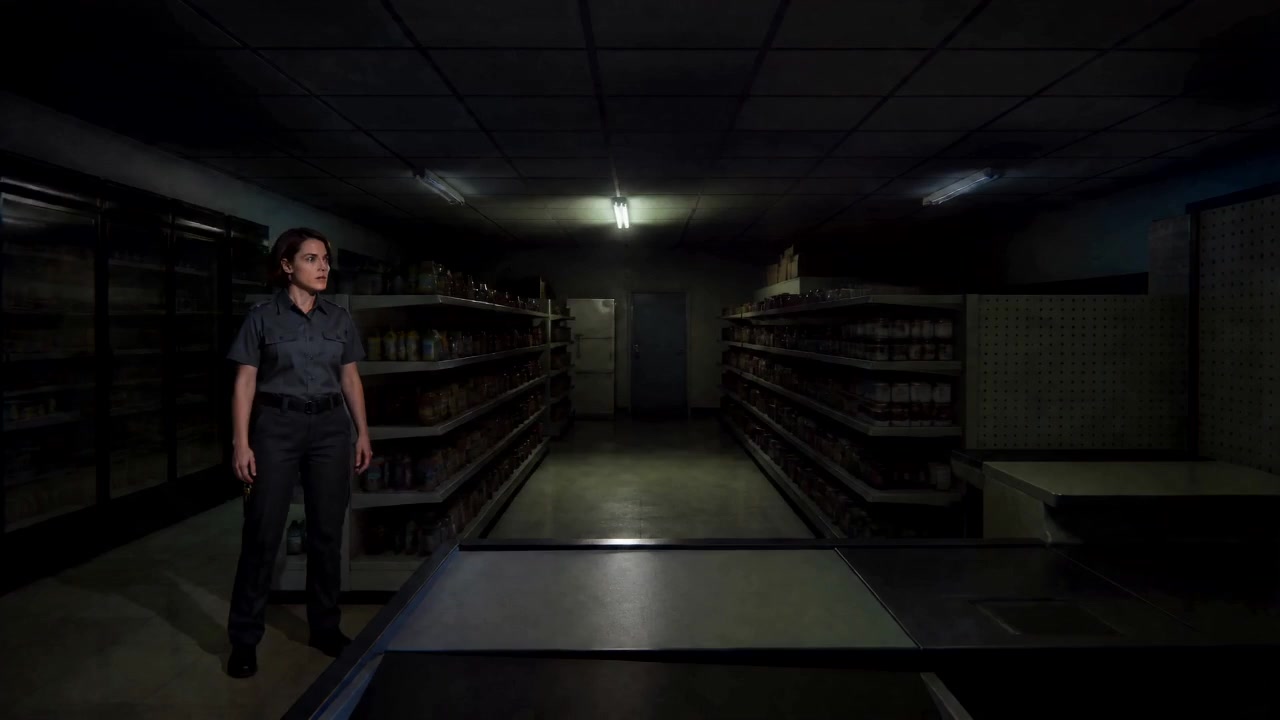
The continuous version begins with the guard already inside the store. At 0.2 seconds, the viewer receives the character and location together.
Group A opening: the medium view immediately supplies identity and context.
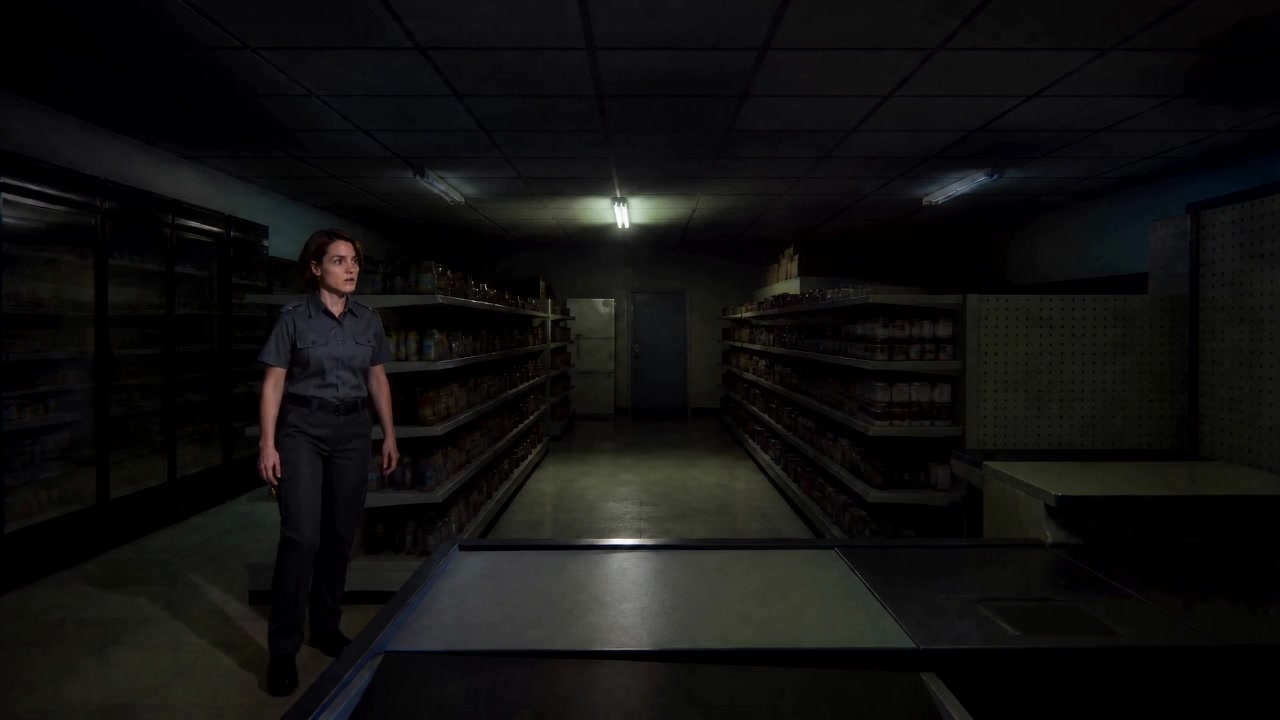
By four seconds, the performance has become the main source of information. Her body and gaze turn as she reacts to the unseen problem.
Group A at four seconds: the reaction carries the suspense without a separate event insert.
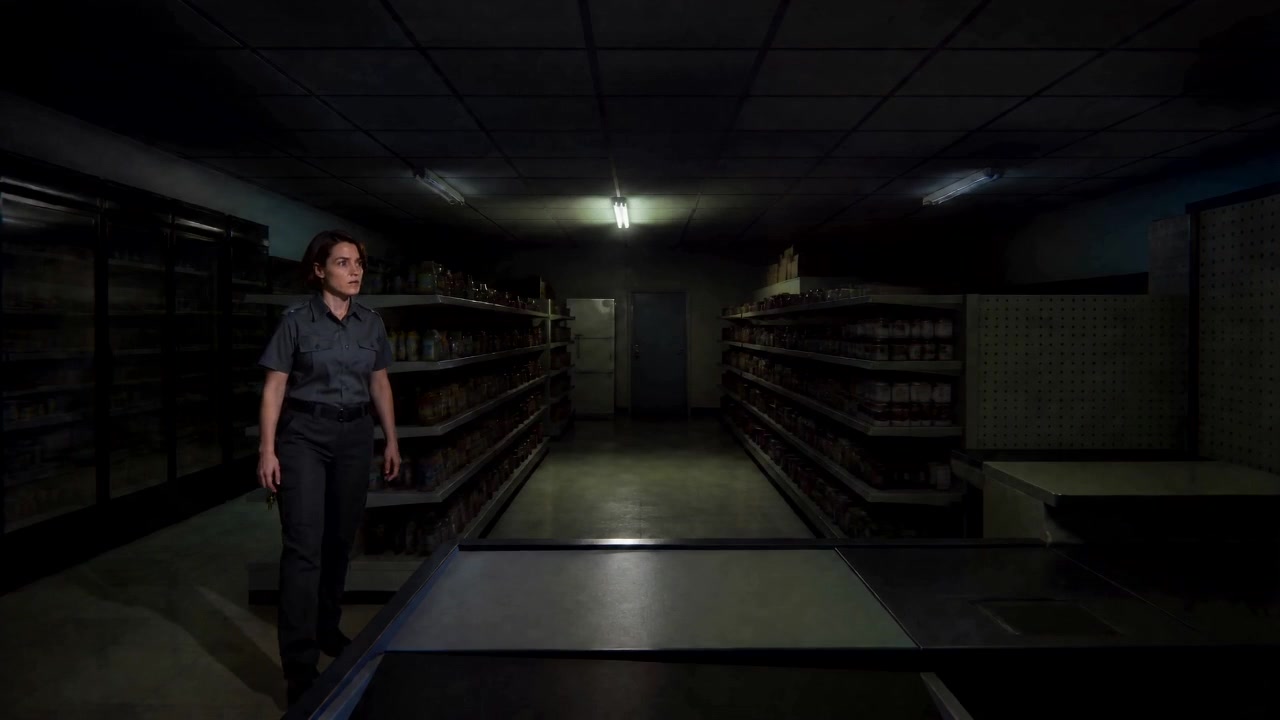
At 7.5 seconds, the shot has progressed toward the rear area. The continuous approach keeps the viewer close to the guard, which suits a scene built around performance and anticipation.
Group A ending: the camera maintains one uninterrupted dramatic line.
This version is not a failed control. It shows what continuous coverage does well: identity, mood, and physical reaction stay together. What it leaves open is the exact cause of the disturbance.
Group B: make each cut add a fact
1. Open on a clue
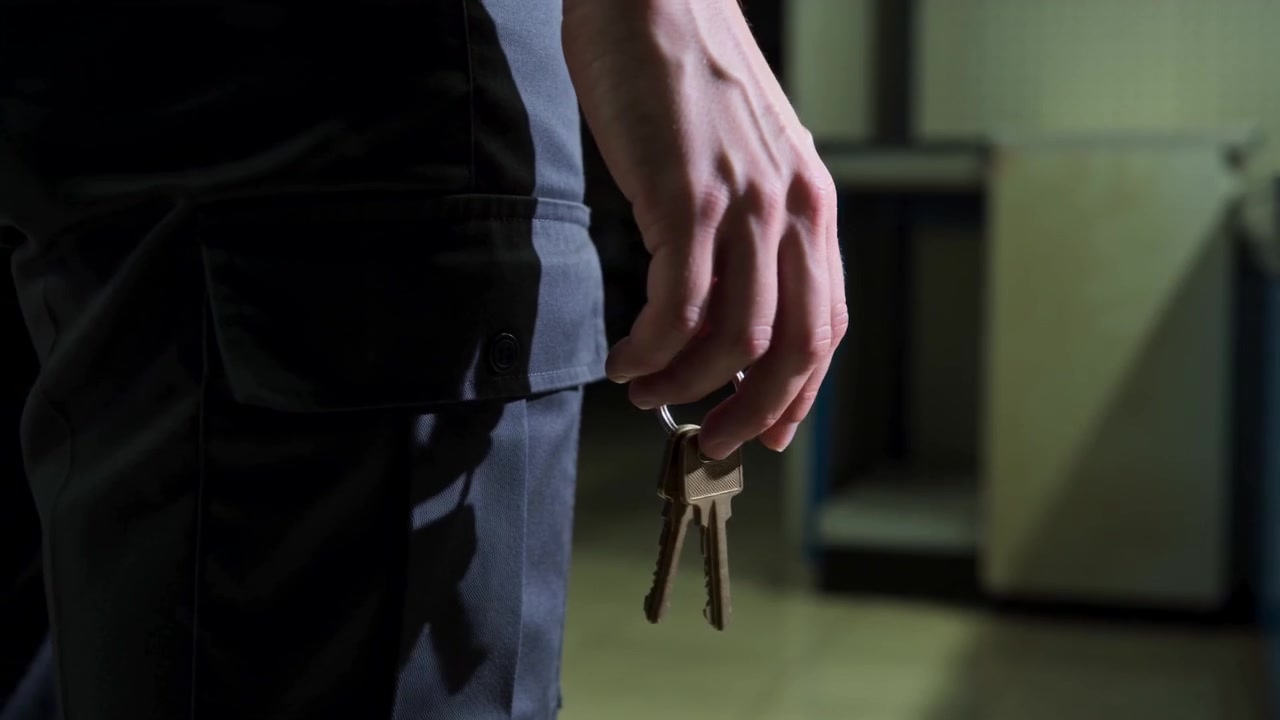
The structured prompt begins with the keys. The full store is withheld so the object arrives before its context.
Group B at 0.2 seconds: the insert introduces access and responsibility before revealing the room.
A useful prop insert answers one question and opens another. The viewer can identify the object, but still wonders where the person is going and what it will unlock.
Close-up of the key ring in the guard's right hand.
Let the keys move slightly.
Keep the complete store outside the frame.
2. Reveal the spatial relationship
At two seconds, a wider view connects the earlier clue to the grocery store and its rear area.
Group B at two seconds: the wide view supplies the context withheld by the close-up.
This is the main reason to place an insert before an establishing shot. The first image creates a question; the next image answers it while introducing a destination.
3. Let the environment change
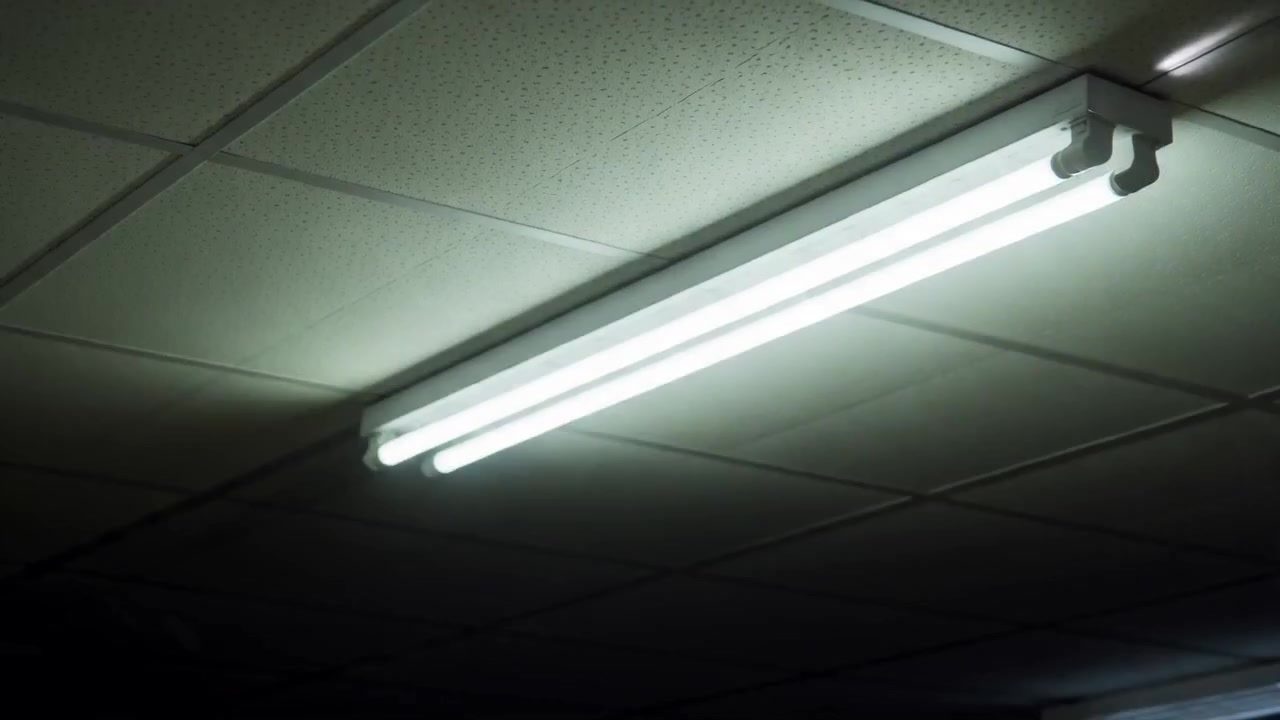
The next pair of frames covers the ceiling-light insert. At roughly 3.6 seconds, the fixture and surrounding ceiling become the subject.
Group B at 3.6 seconds: attention leaves the guard and moves to the environment.
At four seconds, the later frame provides a second state for comparison.
Group B at four seconds: the environmental beat has a visible progression rather than serving as an unrelated cutaway.
The prompt planned two flickers and a partly dark fixture. These frames support a change across the insert, but they are not enough to certify an exact flicker count. That level of timing requires the full motion and audio to agree.
4. Return the information to the character
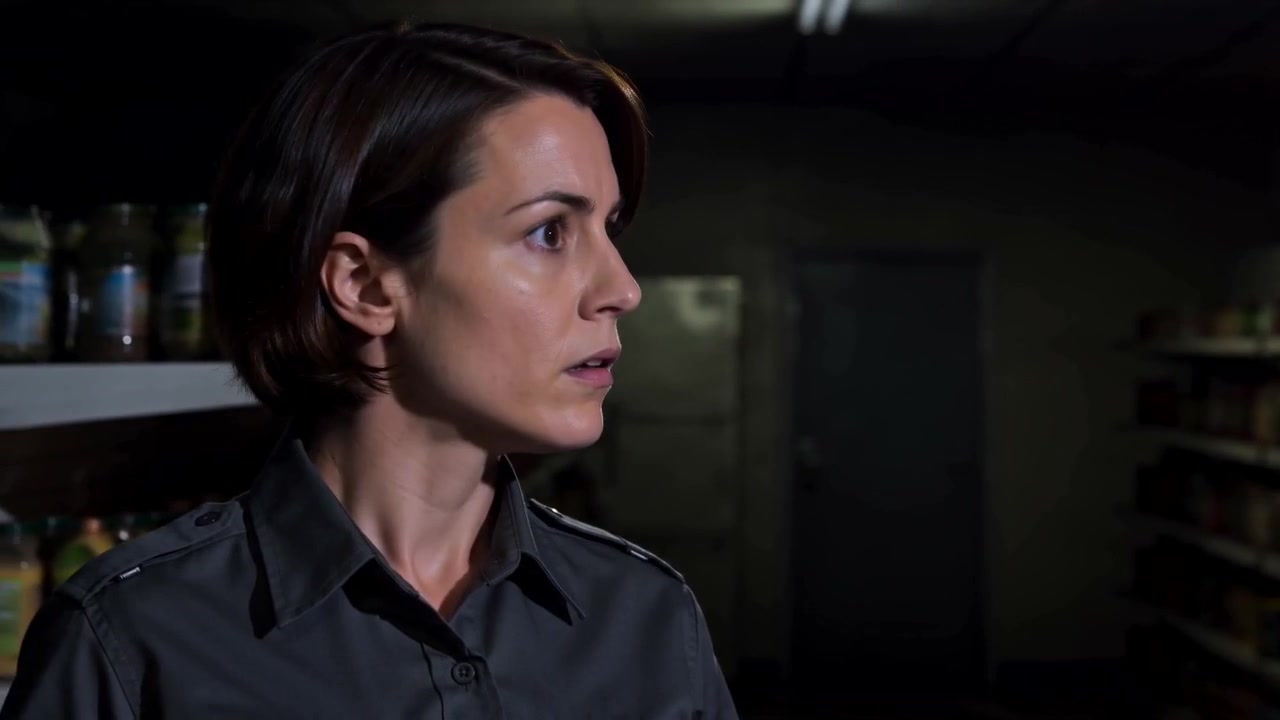
At 4.8 and five seconds, the sequence returns toward the guard's response. The cut now has a causal purpose: the environment changed, and the character receives that information.
Group B at 4.8 seconds: the last verified portion begins the handoff from event to reaction.
Group B at five seconds: the reaction is the last independently verified beat in this file.
The intended internal order remains useful as a writing method:
She stops her current movement.
Her gaze shifts toward the rear-right area.
Her head follows the gaze.
But the planned 6.5-to-8-second return shot cannot be claimed from this result. A production test should regenerate the B clip before judging prop continuity and the final move toward the door.
Four jobs for insert shots
Reveal a clue that disappears in a wide shot
Keys, a phone notification, a broken seal, a folded note, or a small mechanical state may be too small to read in normal coverage. The close-up earns its place by making that fact legible.
Delay context
Show the detail first when the viewer should form a question. Reveal the room afterward. Reverse the order when spatial clarity matters more than suspense.
Build cause and effect
Place an event before the reaction. A light changes, then the guard looks. A glass falls, then the conversation stops. A hand hides a letter, then the other person notices. The edit supplies the causal grammar.
Bridge into a decision
After the reaction, return to a medium or wide shot and show what changes. The character approaches the door, hides the object, calls for help, or abandons the original task. Without this return, the scene can stop at awareness instead of reaching action, as this B result did.
A five-step method for writing insert shots
First, write the new information in plain language: “The guard carries the storage-room keys.” Then translate it into a shot. This prevents composition from replacing story function.
Second, choose the reveal order. A clue-first sequence creates curiosity. A wide-first sequence gives orientation before detail.
Third, describe environmental changes with a before and after state. “The light becomes strange” is hard to inspect. “Both tubes begin lit; one side goes dark” provides visible checkpoints.
Fourth, direct the reaction toward the source. Name the gaze direction, head turn, or body orientation that connects the performer to the previous shot.
Finally, return to action and repeat the continuity constraints that matter: the same key ring, the same holding hand, stable wardrobe, and fixed positions for the checkout counter, aisles, and rear door.
An eight-second insert-shot prompt template
Create an eight-second suspense or investigation scene.
Give each insert shot one new piece of information.

0-1.5 seconds, clue:
Use a close-up of [prop] held by [character].
Show one readable state or small movement.
Keep the complete location outside the frame.

1.5-3.5 seconds, spatial reveal:
Cut to a wider shot.
Place the character at [set anchor A].
Place the target at [set anchor B].
Connect the opening clue to the location.

3.5-5 seconds, environmental insert:
Show [environmental object].
Change it from [initial state] to [new state].

5-6.5 seconds, reaction:
Return to the character.
The character first [stops or shifts gaze], then [turns head or body].
Aim the reaction toward the established source.

6.5-8 seconds, action return:
Return to a medium or wide shot.
The character keeps the same [prop] and moves toward [target].

Keep identity, wardrobe, prop appearance, holding hand, and set layout continuous.
Treat these windows as a planning grid. A model may compress a cut or miss a late beat. Review the result against the information tasks, and regenerate when a required ending is absent.
Where this structure helps
In a mystery scene, a broken lock can precede the office reveal. A moving curtain becomes the environmental insert, the detective reacts, and the return shot carries her toward the window.
In a restrained argument, a hand tightening around a folded letter can interrupt medium dialogue coverage. The other person notices, and the return shot shows whether the letter is revealed or taken away.
In a workplace incident, a key card can lead into a hallway reveal. A warning light changes color, the technician reacts, and the final wide shot moves the technician toward the control panel.
Each case follows the same logic: clue, context, change, reception, decision.
How to review the result
Write one sentence for what the viewer learns from each shot. If two adjacent sentences say the same thing, one cut may be redundant.
Then check the connections. Does the prop remain with the same person? Does the environmental change happen before the reaction? Does the gaze point toward the correct area? Does the final action respond to the new information? Can the viewer still locate the important set anchors after the cut?
And check completion separately from composition. A strong opening does not compensate for a missing final beat. In this AVT-008 B file, the clue, spatial reveal, environmental insert, and reaction can be inspected, while the planned action return still needs a successful full-length generation.
Frequently asked questions
What is an insert shot in an AI video?
It is a brief view of a prop, environmental detail, secondary action, or reaction that changes what the viewer knows. Its placement controls when that information enters the scene.
Should the insert come before or after the wide shot?
Put it first when the detail should create a question. Put the wide shot first when the viewer needs immediate orientation before examining the clue.
How long should an insert shot last?
Match the hold to the reading task. A familiar object can register quickly. Written text, machinery, or a multi-part clue needs more screen time.
What should I do when the final beat is missing?
Do not infer it from the prompt. Mark the completed beats, adjust the timing or reduce the shot count, and regenerate before making claims about the ending.
Open the AVT-008 ArtArch workflow to inspect the prompt structure, available videos, and all comparison frames.
AI Video Insert Shot Prompts: Build Suspense One Clue at a Time | ArtArch