

ArtArch 新闻中心
AI Video TechniquesHow to Write AI Video Character Continuity Prompts
Learn how AI video character continuity prompts track wardrobe, accessories, prop ownership, orientation, and motivated state changes across shots.
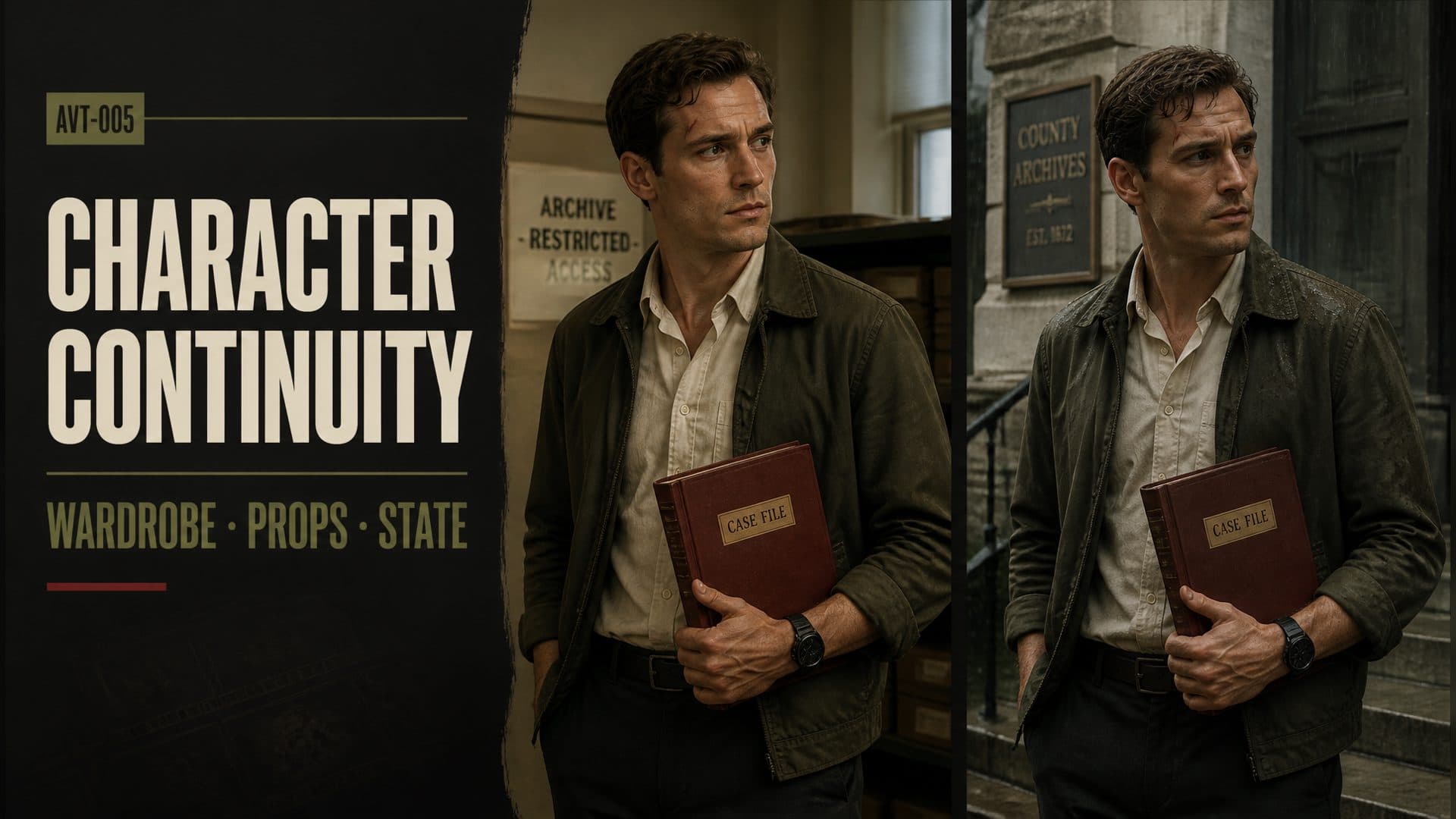
Provide one character reference and one empty environment reference to create a multi-shot AI video with stable wardrobe details, persistent props, and believable state changes. This AVT-005 experiment follows a reporter through an old archive building and tests three continuity problems across paired shots: clothing and accessories, object handling, and the gradual effect of rain.
The character has a small set of recognizable anchors: a lean face, short wavy brown hair, a faint scar above the left eyebrow, an open olive cotton jacket, an off-white shirt, dark trousers, and a narrow black watch on his left wrist. The environment adds a long table, wooden archive cabinets, a glass door, wet stone steps, and a dark red hardback file book.
Continuity begins with a state record
Each new shot should inherit a clear state from the previous one. A useful record answers four questions:
- Who is the character?
- What is the character wearing and where are the accessories?
- What object is being held, by which hand, and in what orientation?
- Which changes have already happened in the story world?
Repeating these facts is purposeful. It gives each shot the same visual contract while allowing the action and framing to change.
Test 1: wardrobe and accessory continuity
The first pair moves from a wide entrance shot to a closer view at the archive table. The reporter enters from frame left, walks to the table, opens the file book, and looks toward the glass door.
The continuity prompt repeats the fixed anchors in both shots:
Keep the same lean face, short wavy brown hair, and faint scar above the left eyebrow. The olive cotton jacket remains open over the off-white shirt, the dark trousers remain unchanged, and the round watch with a narrow black strap stays on the left wrist.
The second shot adds direct inheritance language: it begins with the same person already standing at the table. That sentence connects the new composition to the previous ending.
Wardrobe descriptions work best when they specify state as well as appearance. “Olive jacket” describes color. “Olive cotton jacket, still open” also controls material and closure. “Watch on the left wrist” controls accessory location and screen logic.
Test 2: prop ownership and orientation
The second pair follows the dark red file book from the center of the table to the glass door. The reporter picks it up, examines the cover, turns, walks right, stops at the door, and looks back.
The state record includes five properties:
- holder: the reporter;
- hand: right hand;
- position: beside the right side of his body;
- orientation: cover facing outward and spine facing down;
- quantity and appearance: one dark red hardback book.
The first shot establishes the transfer from table to hand. The second shot begins after that transfer and repeats the resulting state:
The dark red hardback file book remains in his right hand beside his right side, with the cover facing outward and the spine facing down. His left hand remains empty.
This approach turns a prop into tracked story information. The prompt records where the object started, how ownership changed, and what must persist after the cut.
Test 3: motivated state change
Continuity can include controlled change. The third pair tests a change caused by the environment. The reporter begins inside the glass door with dry hair and clothing. He adjusts his collar, opens the door, crosses the threshold, stands on the exterior steps, and looks back as light rain falls.
The transition is divided by a physical boundary:
Shot one ends with the reporter inside the threshold, still dry. Shot two begins outside. Fine rain gradually creates small wet marks on the ends of his hair and the shoulders of the olive jacket, while the shirt, trousers, and watch retain their established appearance.
This is a legal continuity change because it has a cause, a start point, an affected area, and a gradual progression. The rain changes only the surfaces exposed to it. The rest of the character remains anchored.
Write continuity in fixed and variable layers
Separate every shot into two layers.
Fixed layer
The fixed layer contains identity, facial anchors, hairstyle, garment pieces, garment state, accessory placement, prop appearance, and the stable layout of the location.
Variable layer
The variable layer contains the current action, camera distance, screen position, gaze, prop transfer, and motivated environmental changes.
This separation helps a creator decide what the model may reinterpret and what the sequence needs to preserve.
A reusable two-shot continuity template
Shared character state:
[identity anchors], [hair], [distinctive feature], [wardrobe pieces and closure state], [accessory and side].

Shared environment state:
[room layout], [fixed furniture], [door or boundary], [important prop starting position].

Shot 1:
[starting position and framing]. [Action with intermediate steps]. End with [exact body position, wardrobe state, prop state, and gaze].

Shot 2, directly continuing from Shot 1:
Begin with [inherited ending state]. Preserve [fixed identity, clothing, accessory, prop hand, prop orientation, and screen direction]. Perform [next action]. End with [new state].

Allowed state change:
[cause] begins at [story moment] and gradually affects only [specific surfaces or objects].
Practical use cases
A short-film creator can keep a detective, witness, or reporter recognizable across changes in shot size. A product team can track which hand holds a package and how its label faces the camera. A fashion creator can preserve layering, buttons, jewelry, and sleeve state across a sequence. A travel or hospitality creator can show dry-to-wet, indoor-to-outdoor, or clean-to-dusty transitions with a visible cause.
Use a simple full-body character reference with all continuity-critical details visible. Build the environment reference without people and place important fixed props where the sequence begins.
Frequently asked questions
Which character details should be repeated in every shot?
Repeat the few details that identify the person and affect continuity: face anchors, hair, distinctive marks, garment pieces and state, and accessory placement.
How should a prop be tracked across a cut?
Record the holder, hand, body-side position, orientation, appearance, quantity, and the action that transferred it.
Can clothing change during a continuous sequence?
Yes. Describe the cause, timing, affected area, and progression so the change belongs to the story.
What should the second shot say first?
Begin by restating the exact ending state inherited from shot one, then introduce the next action and framing.
Click the template card on this page, enter the experience page, and try the AI video character continuity prompt workflow with your own multi-shot sequence.
继续探索
更多 AI Video Techniques 内容

Motivated Cut AI Video Continuity: Change the Shot for a Reason
Learn how a visible action trigger, clear shot-size change, and locked screen direction create more intentional same-scene AI video edits.

Deep Depth of Field AI Video: Keep Every Story Layer Readable
Learn how deep depth of field AI video prompts keep foreground tools, central action, and distant location cues readable in one layered shot.

Medium Depth of Field AI Video: Balance Subject and Setting
Learn how medium depth of field AI video prompts keep hands and active objects readable while preserving recognizable environmental context.

AI Video Character Reference Framing: Match Portraits to Landscape Shots
Prepare vertical character portraits for landscape AI video by matching aspect ratio, body scale, headroom, floor space, and movement room before generation.