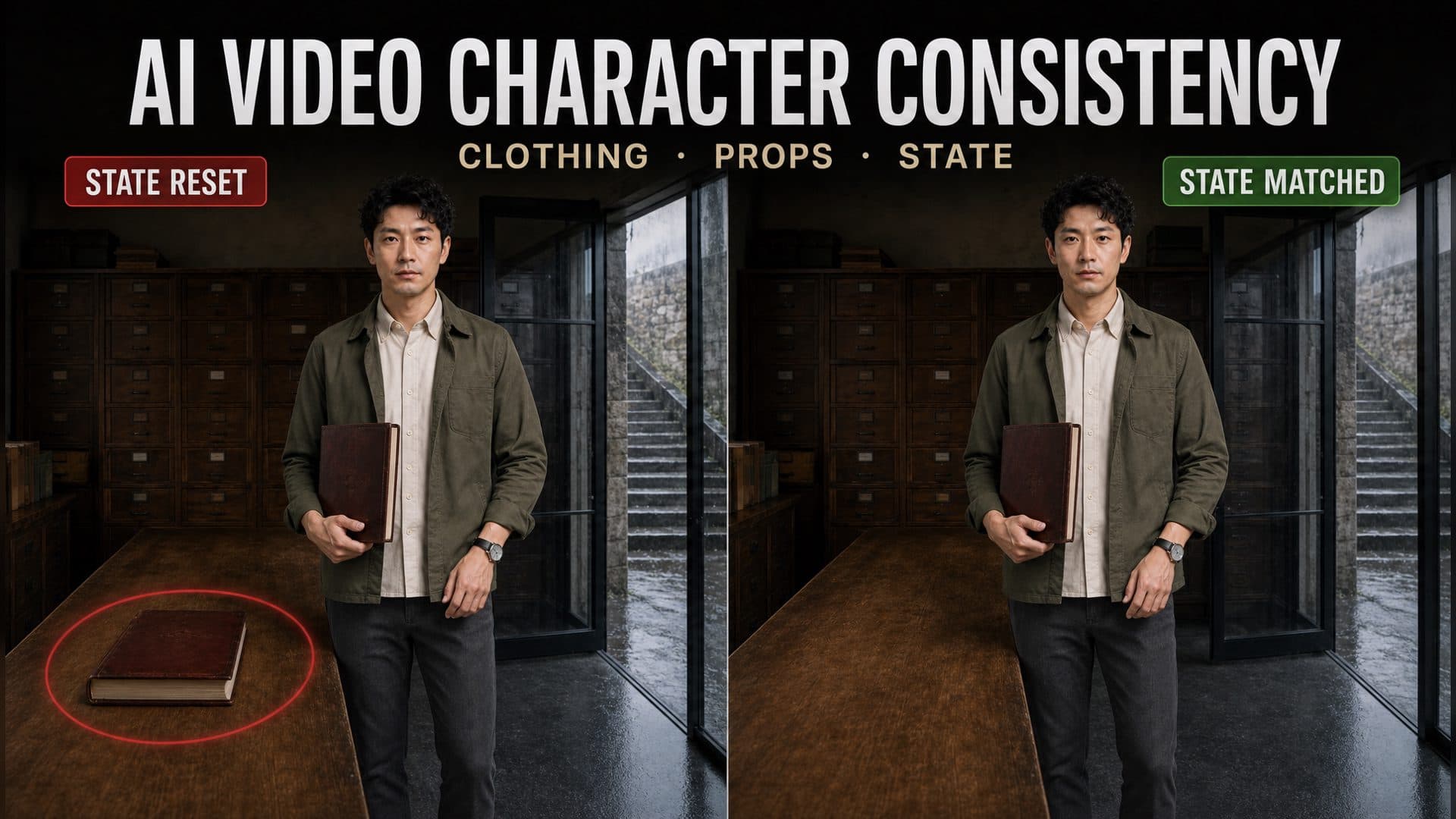
AI Video Character Consistency Across Shots: A 12-Clip Continuity Test
Learn how to improve AI video character consistency across shots by testing identity, wardrobe, props, hand position, and controlled state changes in 12 clips.
阅读约 11 分钟
AI video character consistency across shots depends on more than repeating a character description. A sequence also needs to remember clothing, accessories, held objects, left-versus-right placement, and changes caused by the story. AVT-005 turns those continuity problems into three matched A/B tests with twelve eight-second clips.
Every pair uses the same character sheet and archive setting. Each test has two consecutive shots for the control prompt and two for the continuity prompt. The three groups isolate different questions: can the character keep the same wardrobe, can a prop remain in the same hand, and can rain change only the details that should become wet?
The goal is a reviewable continuity system. Instead of asking whether two clips “feel consistent,” you can check named attributes at the cut.
Shared references and test conditions
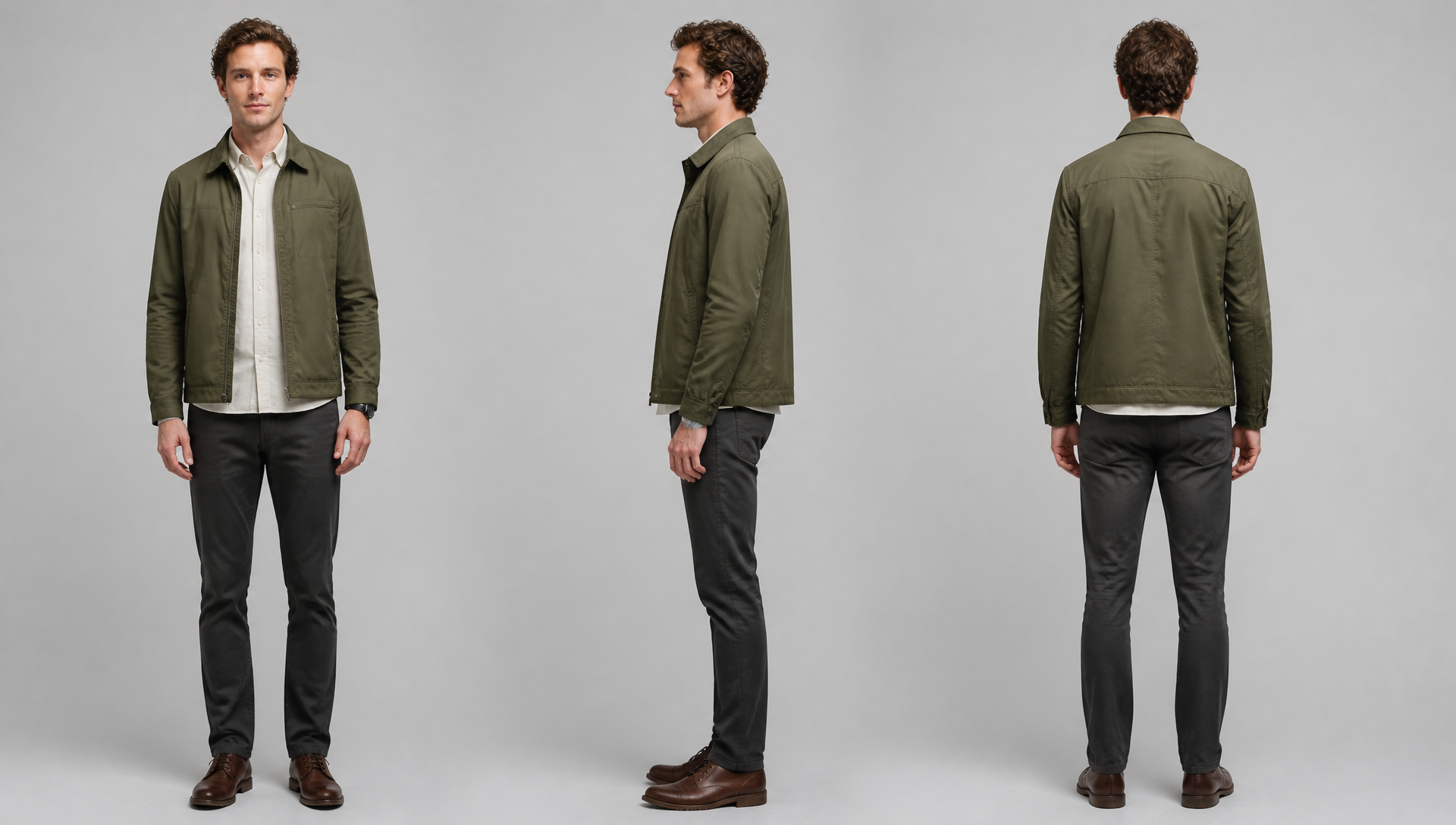
The character reference defines one reporter: a slim man in his early thirties with short curly brown hair, a small scar above his left eyebrow, an open olive cotton jacket, an off-white shirt, charcoal trousers, and a round watch with a narrow black strap on his left wrist.
The environment reference shows an old archive room with a long table, wooden filing cabinets, a glass door on the right, rainy stone steps outside, and one dark red archive book on the table.
All twelve clips use Seedance 2.0 Fast, an eight-second duration, 720p output, a 16:9 frame, and generated audio. The control and continuity prompts receive the same two reference images. The prompt wording is the main experimental variable, though the video seeds were left open and each clip was generated once.
The first pair follows the reporter entering the archive room and then reading at the long table.
The control prompts identify the same reporter and describe the action in each shot. They do not restate the scar, jacket position, shirt color, trousers, or watch placement.
The continuity prompts repeat the attributes that a viewer could notice at the cut:
Same slim face, short curly brown hair, and small scar above the left eyebrow.
The olive cotton jacket remains open.
The off-white shirt and charcoal trousers do not change.
The round watch with a narrow black strap remains on the left wrist.
Do not mirror the character, close the jacket, change colors,
remove accessories, or introduce new stains.
Review this pair at the cut, not only within each clip. Check face shape, hair silhouette, scar side, jacket opening, shirt color, trouser color, and watch wrist. A character can look convincing in both shots while still failing continuity on one small anchor.
Test 2: prop ownership, hand, direction, and count
The second group tests a harder state change. The reporter picks up a dark red archive book, walks toward the glass door, and should still hold it when the next shot begins.
The control version says that the book remains in his hand but does not lock the hand, orientation, or number of copies.
The continuity version treats the prop as a compact state record:
Object: one dark red hardcover archive book.
Owner: the reporter.
Hand: right hand; left hand remains empty.
Position: beside the right side of his body.
Orientation: cover facing outward, spine facing down.
State: held continuously from the end of shot 1 into shot 2.
Do not switch hands, duplicate, disappear, recolor, deform,
or return the book to the table.
This structure matters because “keep the same book” leaves several visible decisions unresolved. A reviewer should score ownership, hand, position, orientation, color, shape, and count separately. Duplication is a different failure from a hand switch, even if both break the scene.
Test 3: legal state change across a cut
Continuity does not mean freezing every detail. The reporter starts dry inside the archive, opens the door, steps into light rain, and looks back from the stone steps. Hair and jacket shoulders are allowed to become slightly wet. The shirt, trousers, watch, and overall wardrobe should remain unchanged.
The control version describes the indoor and outdoor actions without recording exactly when the rain can alter the character.
The continuity prompt divides the transition into protected and permitted states:
Shot 1 ending state:
The reporter remains inside the threshold.
Hair, jacket, and shirt are dry and clean.
No water marks appear before he enters the rain.

Shot 2 allowed change:
After he steps onto the exterior stone stairs,
light rain gradually darkens only the tips of his hair
and creates small wet marks on both jacket shoulders.

Protected details:
The shirt, trousers, watch, identity, and wardrobe remain unchanged.
Do not make the clothing instantly soaked, switch garments,
shift colors, or add unexplained dirt.
This is the useful distinction: preserve what should persist, then authorize only the changes caused by the story. Without an allowed-change list, a prompt may either reset the character to a clean reference or let too many details drift.
Build a continuity ledger before writing shot prompts
A continuity ledger is a short record carried from one shot to the next. It should contain only attributes that matter on screen.
Field
AVT-005 example
Review question
Identity
Slim face, curly brown hair, left-eyebrow scar
Does the same person remain recognizable?
Wardrobe
Open olive jacket, off-white shirt, charcoal trousers
Did any garment close, change color, or disappear?
Accessory
Round black-strap watch on left wrist
Did the watch move, mirror, or vanish?
Prop
One dark red archive book
Is the same object still present?
Prop state
Right hand, cover out, spine down
Did hand, orientation, or position change?
Environment state
Indoors and dry, then outdoors in rain
Does location progression follow the story?
Allowed change
Wet hair tips and jacket shoulders
Did only the permitted details change?
Write the ending ledger for shot 1 before drafting shot 2. Then open shot 2 by restating that ending state in present tense. This is more precise than “continue from the previous shot,” which gives the model no concrete state to continue.
Four prompt rules that improve multi-shot continuity
Repeat visual anchors, not the whole character biography
Use traits visible in the frame: hair shape, scar side, jacket color, watch wrist. Background history and personality do not help the model keep a sleeve or prop consistent.
Assign props with nouns and coordinates
Name the object, owner, hand, position, direction, and quantity. “He still has it” depends on a pronoun and leaves the visual arrangement open.
Separate protected details from allowed changes
Protected details stay fixed. Allowed changes need a cause, start point, affected area, and rate. Rain begins after crossing the threshold and gradually affects hair tips and shoulders. That is a usable change rule.
Write negative constraints around likely failures
Target the failure modes created by the shot: mirroring, hand switching, duplication, sudden wetness, wardrobe replacement, or a reset to the original room position. A long generic negative list adds noise.
Reusable multi-shot continuity prompt
SHOT [NUMBER]
[Duration, framing, camera movement, action, and end position.]

IDENTITY ANCHORS
Same [face shape], [hair], [distinctive mark and side], and [body type].

WARDROBE AND ACCESSORIES
[Garment, color, material, and open/closed state] remain unchanged.
[Accessory] remains on [left/right body location].

PROP STATE
Object: [one specific object].
Owner: [character].
Hand or position: [exact placement].
Orientation: [visible direction].
End state: [where it is when the shot ends].

ENVIRONMENT AND STORY STATE
Start location: [place and position].
End location: [place and position].
Protected state: [details that cannot change].
Allowed change: [cause, start point, affected area, and degree].

CONTINUITY BRIDGE
Shot [number] starts with the exact ending state of shot [previous number]:
[compact state ledger].

FAILURE CONSTRAINTS
Do not [mirror, switch hands, duplicate, reset position,
replace wardrobe, or introduce unexplained state changes].
How to review two consecutive clips
Do not rely on memory. Pause on the last clear frame of shot 1 and the first clear frame of shot 2, then compare them side by side.
Score each field as pass, partial, or fail:
Identity and facial anchors
Clothing color, material, and configuration
Accessories and body side
Prop ownership, hand, direction, and count
Character location and screen direction
Protected state
Allowed story change
Keep the scores separate. A sequence can preserve the face while duplicating the book, or keep the wardrobe while resetting the character to the wrong side of the door.
Common continuity mistakes
Using “same character” as the entire bridge
The phrase does not say which visible traits should remain fixed. Carry four or five strong anchors into the next shot.
Treating a prop as part of the character description
Props have their own state. Record ownership, hand, placement, direction, and count after every shot that changes them.
Starting the next shot from the original reference image
The original environment may contain an earlier object position or location state. Shot 2 should begin from shot 1's ending ledger, and a matched ending frame is useful when the workflow supports it.
Blocking every change
A character who enters rain should change in a controlled way. Protecting every pixel can conflict with the story. Define legal changes instead.
Judging the clips independently
Continuity lives at the cut. Two attractive clips can still fail as a sequence when the watch changes wrists or the prop returns to the table.
Frequently asked questions
How many character anchors should repeat in every shot?
Use the smallest set that identifies the person and catches likely drift. Four to six visible anchors usually cover face, hair, one distinctive mark, clothing configuration, and a key accessory.
Should every shot use the same character and scene references?
Shared references help stabilize identity and environment. They do not carry the latest prop or story state by themselves, so each shot still needs a continuity ledger.
How do I stop a prop from switching hands?
Name the hand in both shots, keep the other hand explicitly empty, state the object's position and orientation, and forbid switching or duplication. Review the cut frame by frame.
How should prompts handle dirt, damage, rain, or blood?
Describe the cause, the moment the change becomes legal, the affected area, and the permitted degree. Protect every unrelated detail.
Does a longer prompt guarantee consistency?
No. Length helps only when it resolves a visible decision. Repeated adjectives add less control than a compact record of hand, position, direction, quantity, and state.
Reuse the full continuity test
Open the AVT-005 multi-group workflow to inspect all three A/B groups and twelve complete videos. Replace the reporter, archive, prop, and weather transition with your own scene, then preserve the same experimental structure: two adjacent shots per condition, one continuity variable per group, and a written ledger at every cut.