

ArtArch Newsroom
Producer's NoteStructure-Preserving Dirty-Point Repair for AI Images
Clean localized stains and smeared textures in an AI image while keeping the subject, framing, depth layers, and lighting relationship visually stable.
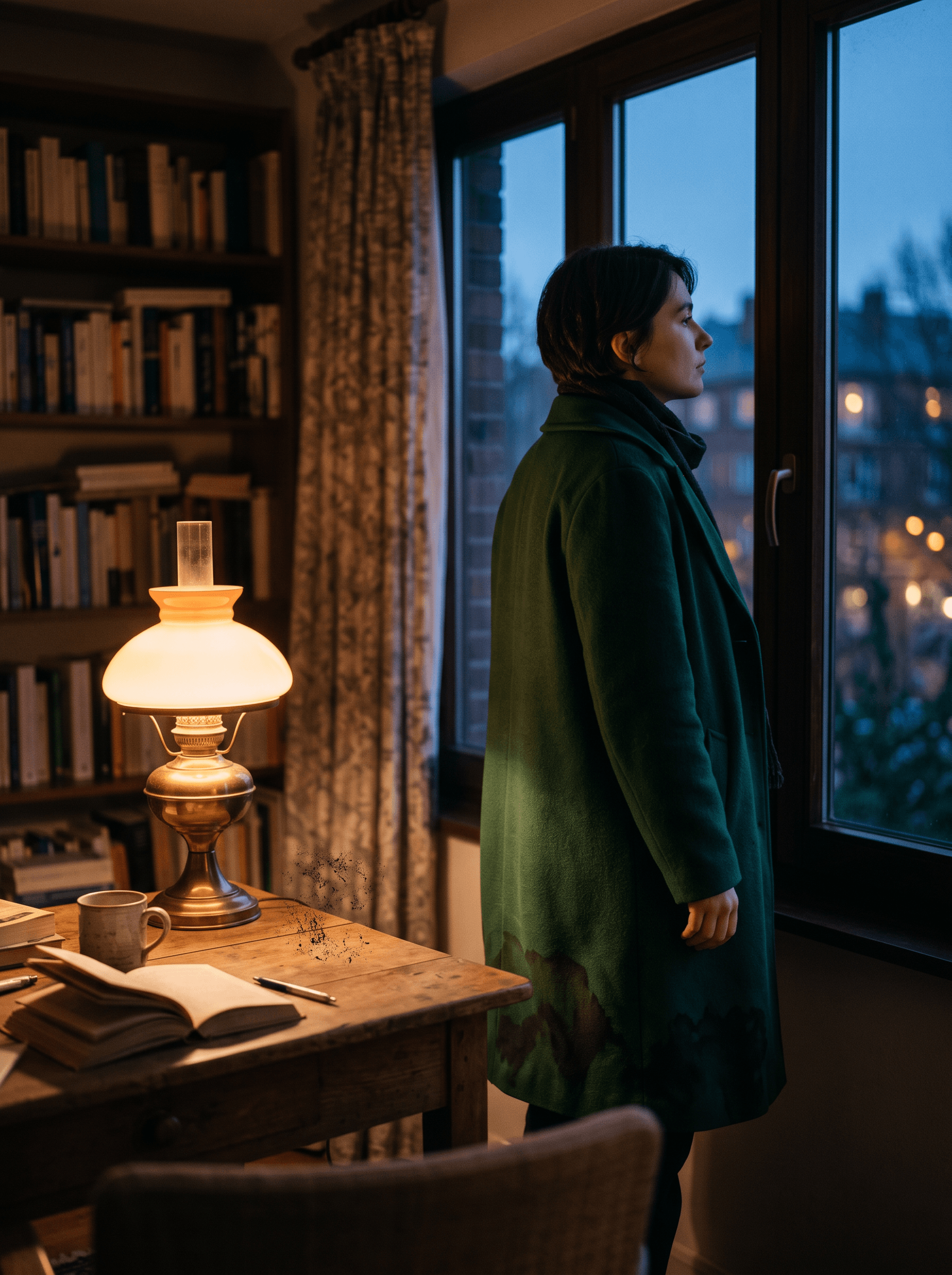
Upload an AI image with localized color stains or smeared textures to create a cleaner version that keeps the same subject, framing, and spatial depth. This repair recipe is useful when the scene is already composed correctly and the problem is concentrated in a few visible patches.
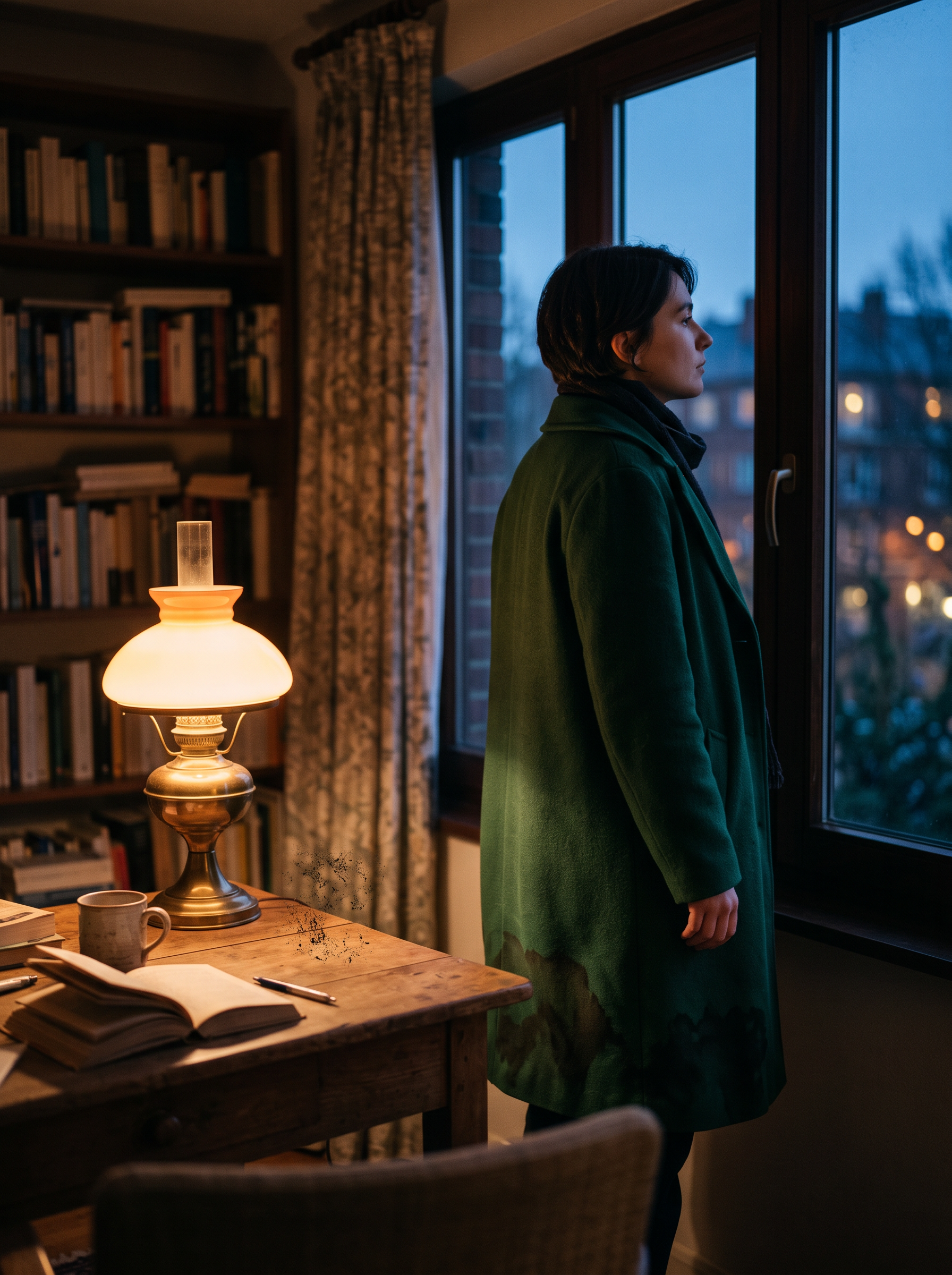
The test image keeps a clear foreground table, middle-ground subject, and deep window background while exposing small dirty patches for repair.
What the repair changes
The output focuses on three local areas: the irregular stains on the coat, the smeared texture along the curtain edge, and the dark marks on the tabletop. The person remains in profile beside the window, with the warm lamp on the left and the cool evening light outside.
In the direct-redraw version, the instruction names the dirty areas and locks the original composition, camera, depth layers, palette, and lighting. In the structure-anchor version, the instruction first treats composition and depth as a stable visual scaffold, then asks for a color-fusion redraw of the same dirty areas.
A compact creation flow
- Start with an image whose subject placement and depth already feel right.
- Name the exact stains or smeared regions that should be cleaned.
- Preserve the subject identity, camera angle, framing, background layout, and light relationship while making the repair.
The structure-anchor wording is especially useful when the scene contains several depth layers, a recognizable person, or a carefully balanced foreground object. It gives the repair a visible spatial reference before the color cleanup is described.
What this test showed
Both versions removed the main visible dirty patches and retained the window-side composition, the person, and the foreground-to-background depth relationship. In this single test, the two outputs were visually close and neither produced a clear, repeatable advantage. The result supports using either wording for a first cleanup pass; it does not establish that the structure-anchor sequence will always outperform a direct redraw on more complex images.
When to use it
This recipe fits an AI portrait with a correct pose but a muddy sleeve, a product scene with a dirty tabletop, or an environment image where a curtain, wall, or prop has a small smeared region. The common condition is that the scene layout is worth preserving and the repair target can be named locally.
Frequently asked questions
What kind of image is a good starting point?
Choose an image with a usable subject, stable framing, and a clear spatial relationship between foreground, middle ground, and background.
Which areas should I name in the prompt?
Keep creating
Explore the idea, then make it yours.
Discover more creative workflows in Spotlight, or open ArtArch Studio to start creating now.
Keep exploring
More in Producer's Note
AI Video Action Verb Motion Control for Walking Speed
Learn how action verbs such as fast-walks and briskly strides shape walking speed and stride length in an AI video scene.

Remove Pseudo Quality Words from AI Image Prompts
Replace generic 4K and 8K slogans with concrete material, lighting, and texture constraints when you want a cleaner AI image prompt.
Sticky Note Portrait Collage from Photo: Make a Personal Visual Story
Upload one portrait to create a sticky note portrait collage from photo with layered fragments, handwritten notes, paper shadows, and magazine styling.

Family Trauma Short Film: After the Silence
Watch a family trauma short film told through Lydia's childhood drawings, fractured memories, her mother's courage, and the silence a child remembers.