

ArtArch Newsroom
AI Video TechniquesMedium Depth of Field AI Video: Balance Subject and Setting
Learn how medium depth of field AI video prompts keep hands and active objects readable while preserving recognizable environmental context.

Use a character reference and an empty environment reference to create a medium depth of field AI video where the active subject stays readable and the setting still explains where the action happens. In a ceramics-studio test, the artist, her hands, the wet clay, the kiln, and the bowl shelves all remained visible across a continuous six-second shot.
What medium depth of field should communicate
The practical goal is an information hierarchy. The viewer should notice the face, hands, and changing object first, while a few selected background elements continue to identify the location. This sits between a strongly isolated close-up and an image where every layer competes for equal attention.
For the studio scene, the foreground priorities were the ceramic artist, both hands, the clay, and the pottery wheel. The background priorities were a charcoal kiln and shelves of blue, white, and terracotta bowls. Naming those background objects made the intended context concrete instead of asking for a generally detailed room.
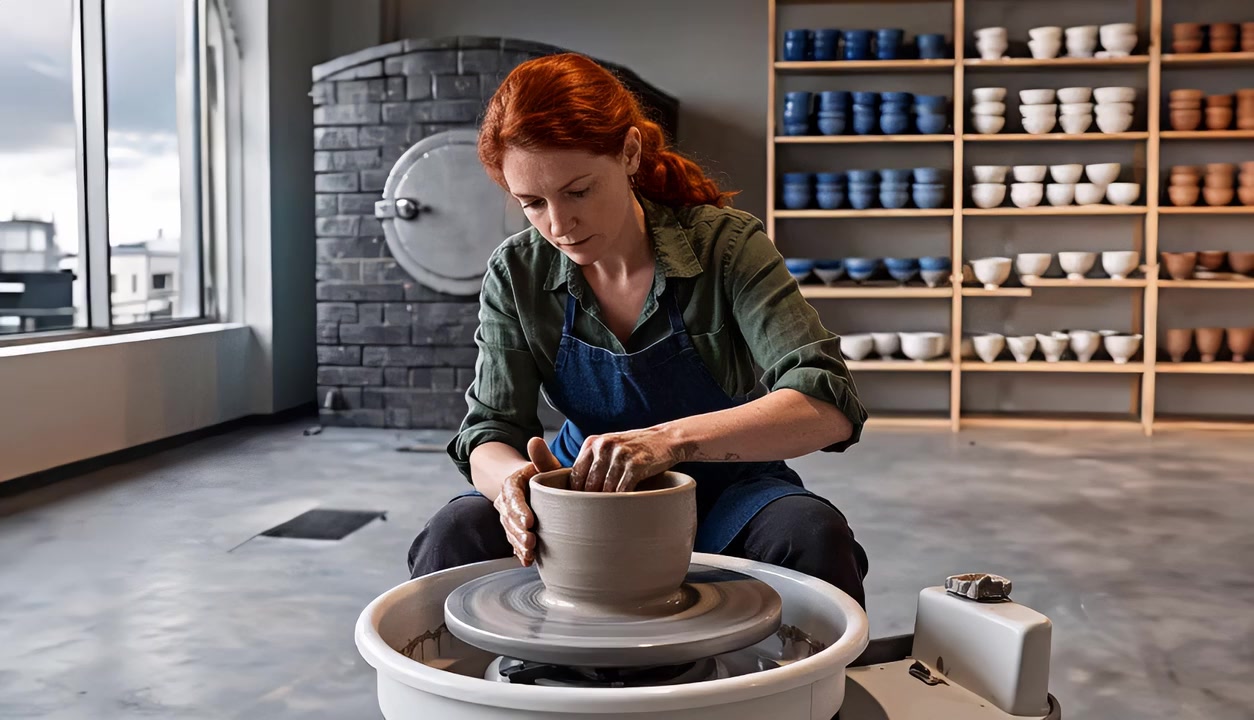
The opening keeps the artist and clay prominent while the kiln and colored bowls establish the ceramics studio.
Write the prompt as a focus hierarchy
A useful medium-depth instruction has three parts:
- Lock the sharp subject. Name the face, hands, active prop, and work surface that must remain readable.
- Select the context anchors. Choose two or three background objects whose outline, color, and position matter.
- Control competition. Ask for gentle background softness while preserving enough structure to recognize the location.
For this scene, the working instruction was: keep the woman, both hands, wet clay, and pottery wheel sharply readable; retain recognizable outlines, colors, and positions for the kiln and rear bowl shelves with gentle softness; preserve the studio context while keeping attention on the active hands and clay.
This structure gives the model visible priorities. “Cinematic depth of field” alone leaves the subject plane and the useful background information open to interpretation.
What the six-second comparison showed
Two videos used the same fictional ceramic artist, clothing, empty studio reference, pottery action, eye-level medium shot, slow lateral camera move, model, duration, resolution, and audio setting. One prompt kept the artist, hands, and clay clear. The other added the medium-depth hierarchy for the kiln and bowl shelves.
Both versions preserved a readable artist and a recognizable studio. The medium-depth version added mild background softness, especially around the kiln and shelves, while their shapes and colors remained legible. The visual difference stayed modest across the opening, midpoint, and final image because the baseline generation already rendered the room with broad clarity.
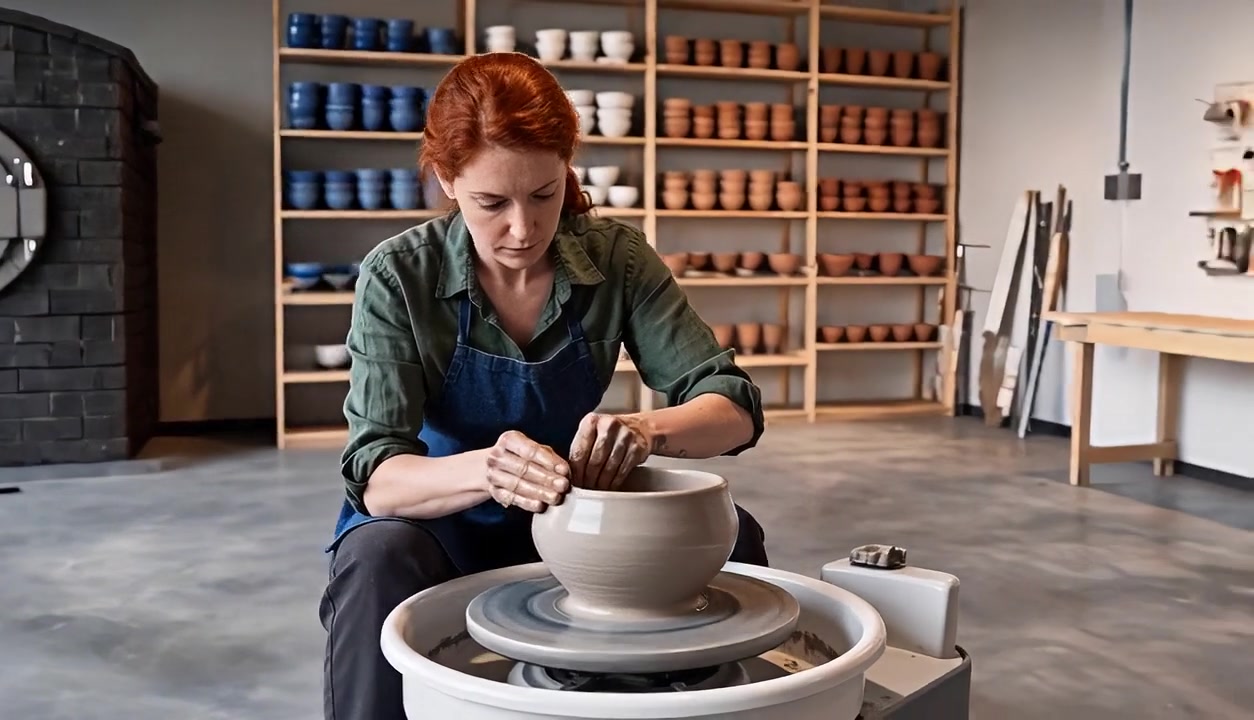
At the end of the shot, the bowl and hands remain the action center while the shelves still identify the working environment.
The useful takeaway is to treat medium depth of field as a direction for information priority and review. In this single scene, the wording clarified what should stay readable, while the generated blur difference remained subtle.
Build the shot in three decisions
1. Choose one active plane
Place the character, hands, and changing object close enough to share one readable focus region. A pottery wheel, repair bench, cooking counter, or product table gives the action a clear spatial center.
2. Choose only the background facts that matter
Retain objects that answer a viewer's immediate question about place or activity. The kiln and glazed bowls identify a ceramics studio. Extra furniture and wall decoration can remain secondary.
3. Review the beginning, middle, and end
Check whether the subject remains readable as hands move, the camera shifts, and the foreground object changes shape. Then confirm that the selected context anchors remain recognizable without becoming the main point of attention.
Where this composition is useful
A craft instructor can keep hands and materials prominent while tools and finished examples explain the workshop. A chef can hold attention on the food and utensils while ovens and ingredient shelves identify a professional kitchen. A product presenter can keep a demonstration clear while selected fixtures establish a showroom or laboratory setting.
The same planning pattern applies to each scene: define the action plane, select a small set of location anchors, and describe the intended visual priority between them.
Medium depth of field prompt template
Create a [shot size and camera position] of [subject] performing [action].
Keep [face, hands, active object, and work surface] sharply readable throughout.
Use medium depth of field so [two or three background context anchors]
retain recognizable outlines, colors, and positions with gentle softness.
Preserve the location context while keeping attention on [primary action].
Replace every bracket with a visible object or action. Specific context anchors are easier to review than broad requests for a detailed or cinematic background.
Frequently asked questions
What should be sharp in a medium depth of field AI video?
Keep the face, hands, active object, and immediate work surface readable when they carry the action. Grouping them in one spatial region makes the intended priority clear.
How much background information should remain?
Choose two or three objects that identify the place or explain the activity. Preserve their outline, color, and position while giving them gentler detail than the active subject.
What reference images work well for this setup?
Use a clean character reference for identity and clothing, plus an empty environment reference that clearly shows the layout and the background objects you want to retain.
How should I evaluate the result?
Inspect the opening, midpoint, and final image. Compare subject readability, context recognition, background competition, and focus stability across the full action.
Keep exploring
More in AI Video Techniques

Motivated Cut AI Video Continuity: Change the Shot for a Reason
Learn how a visible action trigger, clear shot-size change, and locked screen direction create more intentional same-scene AI video edits.

Deep Depth of Field AI Video: Keep Every Story Layer Readable
Learn how deep depth of field AI video prompts keep foreground tools, central action, and distant location cues readable in one layered shot.

AI Video Character Reference Framing: Match Portraits to Landscape Shots
Prepare vertical character portraits for landscape AI video by matching aspect ratio, body scale, headroom, floor space, and movement room before generation.
AI Video Action Continuity Prompt: Match Contact Points Across Segments
Write an AI video action continuity prompt that matches hand contact, prop position, body direction, and movement across connected video segments.