

ArtArch Newsroom
AI Video TechniquesAI Video Action Continuity Prompt: Match Contact Points Across Segments
Write an AI video action continuity prompt that matches hand contact, prop position, body direction, and movement across connected video segments.
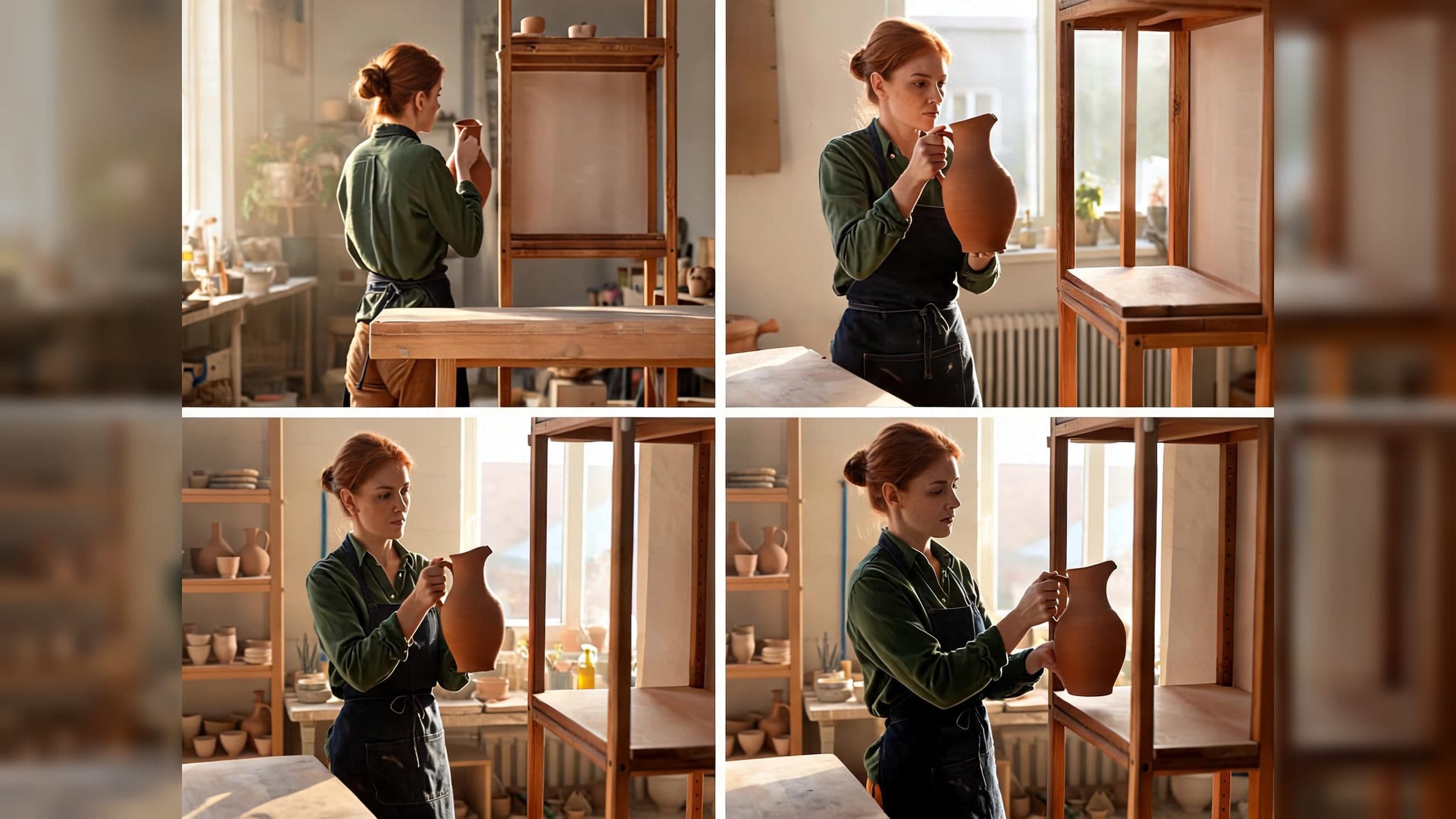
Provide a clear first frame and an ordered action to create two connected video segments that carry the same movement through the edit. An AI video action continuity prompt becomes easier to evaluate when the end of one segment and the start of the next share one precise physical contact point.
Define the action state at the cut
“Continue the action” names an intention, while a contact point describes a visible state. Record which hand touches the object, where the supporting hand sits, how high the object is, which direction the body faces, and where the movement is traveling.
For a person lifting a pitcher, the shared state can be written as: right hand closed around the handle, left palm under the base, pitcher just clear of the tabletop, torso facing right, motion traveling right and upward. The next segment begins from that same arrangement and completes the lift.
This approach gives the edit several concrete continuity anchors. Hands, prop, body, direction, and height can all be checked on both sides of the cut.
Keep the rest of the shot stable
Hold character identity, wardrobe, prop design, environment, framing, camera height, lens feel, lighting, duration, and final action constant. The contact-point instruction should be the meaningful change between the two versions.
A fixed side-on view is useful for early tests because it exposes hand placement and direction clearly. Once the action state works, the same structure can support a motivated angle change in a separate experiment.
What the pottery test showed
The comparison used a fictional American potter, one terracotta pitcher, a wooden worktable, and an empty display shelf to her right. Both versions began from the same frame and aimed for the same result: lift the pitcher and place it on the shelf.
In the broad continuation version, the sampled images around the transition changed the camera position, the woman’s orientation, and the workshop composition. The hand-to-pitcher relationship remained generally readable, but the spatial jump made the edit harder to use as one continuous action.
In the contact-point version, the sampled images retained the woman’s orientation, right hand on the handle, left hand under the pitcher, prop height, and rightward movement. The final image showed the pitcher standing on the intended shelf. For this single Seedance 2.0 test, the explicit contact point produced the clearer segmented action.
A practical writing pattern
- Opening state: identify the subject, prop, pose, location, and camera view.
- First movement: describe the action up to one visible mid-action state.
- Shared contact point: repeat hand contact, prop height, body direction, and movement vector for both sides of the edit.
- Continuation: begin from the shared state and name the completed endpoint.
Keep exploring
More in AI Video Techniques

Motivated Cut AI Video Continuity: Change the Shot for a Reason
Learn how a visible action trigger, clear shot-size change, and locked screen direction create more intentional same-scene AI video edits.

Deep Depth of Field AI Video: Keep Every Story Layer Readable
Learn how deep depth of field AI video prompts keep foreground tools, central action, and distant location cues readable in one layered shot.

Medium Depth of Field AI Video: Balance Subject and Setting
Learn how medium depth of field AI video prompts keep hands and active objects readable while preserving recognizable environmental context.

AI Video Character Reference Framing: Match Portraits to Landscape Shots
Prepare vertical character portraits for landscape AI video by matching aspect ratio, body scale, headroom, floor space, and movement room before generation.