

ArtArch Newsroom
AI Video TechniquesHow to Fix AI Video Continuity With Insert Shots
Learn how to fix AI video continuity with insert shots that motivate movement, create off-screen time, and re-establish a changed position.
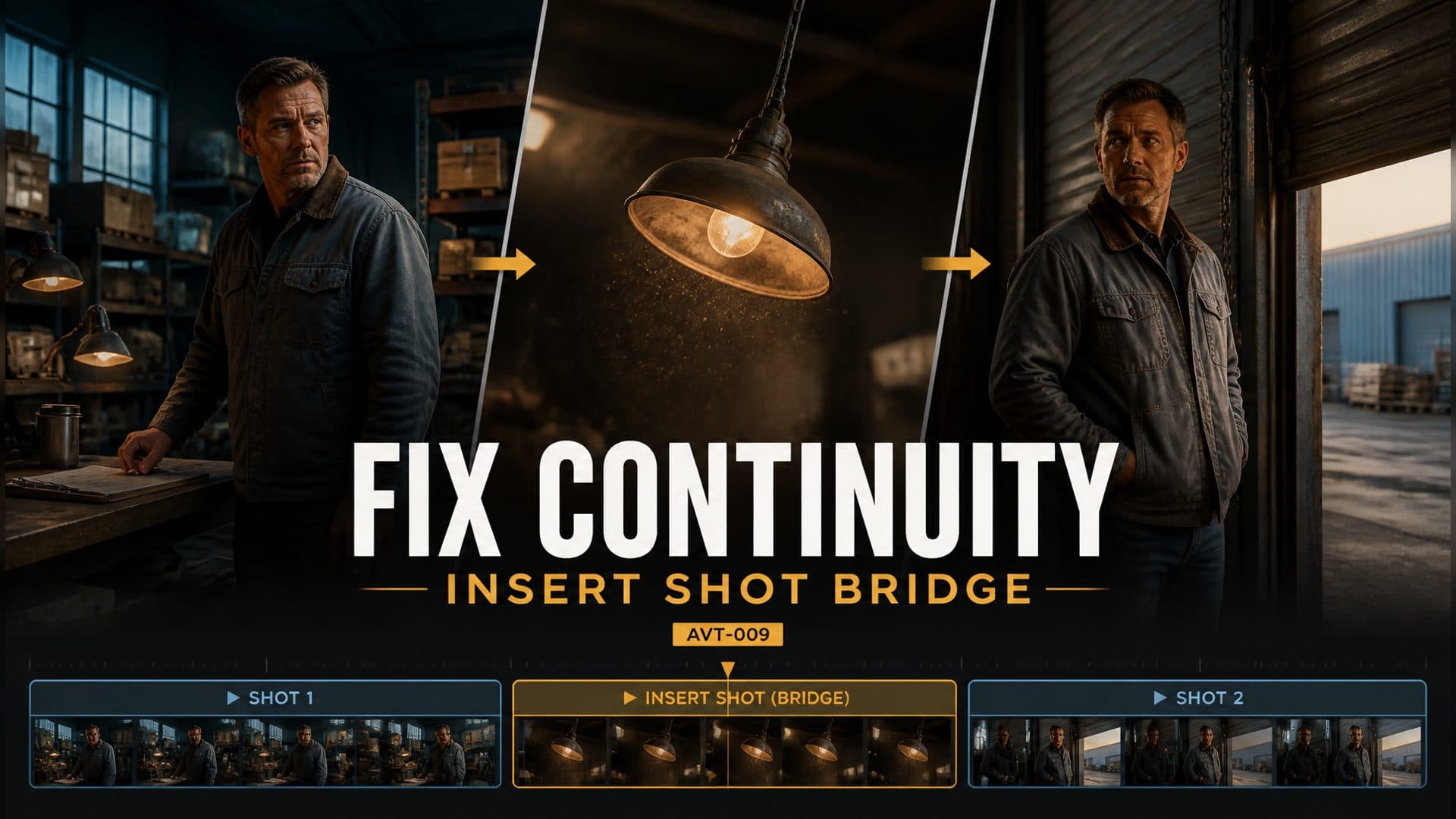
Provide a character reference and an empty location reference to create an AI video sequence that uses a motivated insert shot to bridge a difficult change in character position. This AVT-009 experiment follows a warehouse manager from a workbench on the left side of an old warehouse to a roll-up door on the right after a metallic sound draws his attention.
The insert creates a short period of off-screen time. It lets the character move across the warehouse while the viewer watches a related environmental detail, then the next wider shot clearly establishes his new position.
The continuity problem: a visible position jump
The scene begins with the manager beside the left workbench and ends with him at the right roll-up door. Cutting directly between those positions creates a jump. The audience sees the same person in two distant places without watching the movement or receiving enough time to infer it.
A continuity bridge needs three parts:
- a trigger that motivates attention and movement;
- an insert that holds the screen while time passes;
- a re-establishing shot that clearly presents the new geography.
The direct-cut version
The control sequence preserves the discontinuity for comparison:
The manager stands beside the workbench on the left. The next shot places him directly beside the roll-up door on the right, where he continues looking outside. Connect the shots with a hard cut.
Character identity and environment can remain stable while the action still feels incomplete. The missing information is the transition between positions.
The insert-shot repair
The technique version builds a cause-and-effect bridge:
From 0–2.5 seconds, the manager stands beside the left workbench. He hears a metallic impact outside the roll-up door on the right and turns his eyes toward it. From 2.5–5 seconds, cut to the hanging lamp above the center aisle. It sways slightly from the vibration as a little dust falls. Hold this insert long enough for the manager to walk from left to right off-screen. From 5–8 seconds, use a wider medium shot to re-establish the warehouse. The manager is now beside the right roll-up door, still facing right and looking outside.
The lamp insert belongs to the same event as the sound and the character’s reaction. It provides visual evidence that something disturbed the warehouse while covering the unseen walk.
Step 1: motivate the transition
The metallic impact comes from the destination side of the room. The manager hears it and turns his gaze right before the insert begins.
This reaction prepares the audience for movement. His attention already points toward the door, so arriving there in the next character shot feels like a continuation of a decision.
Directional sound also reinforces the warehouse layout. The workbench belongs to the left zone, the roll-up door belongs to the right, and the event comes from beyond the door.
Keep exploring
More in AI Video Techniques

Motivated Cut AI Video Continuity: Change the Shot for a Reason
Learn how a visible action trigger, clear shot-size change, and locked screen direction create more intentional same-scene AI video edits.

Deep Depth of Field AI Video: Keep Every Story Layer Readable
Learn how deep depth of field AI video prompts keep foreground tools, central action, and distant location cues readable in one layered shot.

Medium Depth of Field AI Video: Balance Subject and Setting
Learn how medium depth of field AI video prompts keep hands and active objects readable while preserving recognizable environmental context.

AI Video Character Reference Framing: Match Portraits to Landscape Shots
Prepare vertical character portraits for landscape AI video by matching aspect ratio, body scale, headroom, floor space, and movement room before generation.