

ArtArch Newsroom
Producer's NoteEvent-Based AI Video Editing: Let Completed Actions Drive the Cut
Learn how event-based AI video editing uses completed actions to create clearer transitions from package scanning to loading in a short warehouse sequence.
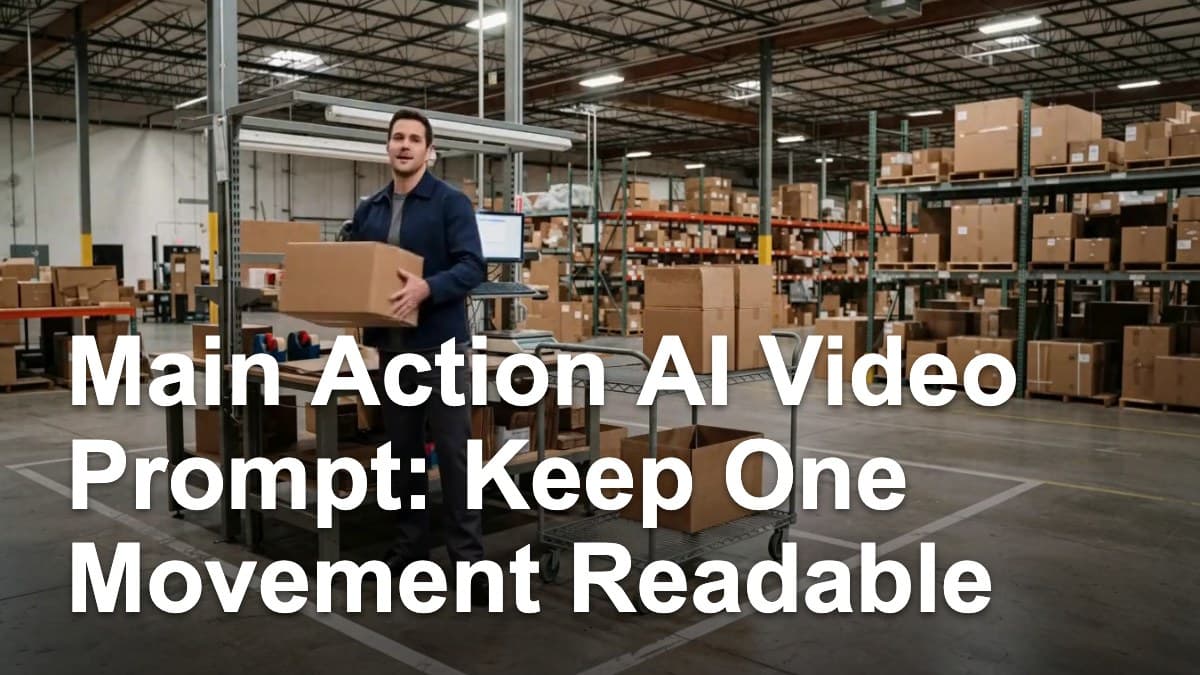
Use event-based AI video editing to turn a warehouse action into a clearer short sequence. Provide a consistent worker and warehouse setting, then let visible completion points guide the transition from scanning a parcel to moving the loaded cart toward the next work area. The result is a short video whose action advances when the previous task has visibly finished.
Why event timing matters in a short sequence
A short clip has to establish a task, show its progress, and introduce the next objective in very little time. If the cut arrives at a fixed time while the first task is still underway, the next shot inherits an unfinished action. The viewer sees movement, but the sequence does not yet have a clear cause-and-effect handoff.
An event-based approach gives the edit a visible checkpoint. In the warehouse example, the first event is the scan confirmation and the parcel entering the cart. The next event is the loaded cart moving away toward another work area. These completed actions create a readable bridge between sections of the sequence.
Build the sequence around completed actions
Start by naming the action order in plain language:
- The worker scans one parcel at the station.
- The scan confirmation appears and the parcel is placed into the cart.
- The worker pushes the loaded cart toward the next work area.
The transition belongs after the first action reaches its visible end state. The worker, parcel, cart, station, wardrobe, and lighting remain consistent while the story beat changes from processing one package to moving the completed load.
This structure is useful when a sequence needs to feel like one continuous task. The viewer can identify what was completed, what changed, and what the worker is doing next without relying on an arbitrary time mark.
Fixed-time and event-based timing
The comparison used the same warehouse worker, parcel setting, event order, model, output framing, and duration. The planned difference was the timing rule.
The fixed-time version moved through the segment on a preset schedule. Its ending remained close to the shelf-side packing event, so the larger sequence made less progress before the clip ended.
The event-based version waited for the scan and loading event to resolve before advancing. By the final part of the clip, the worker had completed the package-handling stage and was pushing the loaded cart toward the next work area. That gives the sequence a stronger causal shape: a completed parcel task leads to a new movement objective.
This is an E1 finding from one open-seed A/B comparison. In this warehouse scene, event completion produced a more complete visible progression than the fixed-time arrangement. The result is a practical direction for prompt writing and sequence planning, not a universal ranking across every model or scene.
A reusable event-based prompt structure
Keep creating
Explore the idea, then make it yours.
Discover more creative workflows in Spotlight, or open ArtArch Studio to start creating now.
Keep exploring
More in Producer's Note
AI Video Action Verb Motion Control for Walking Speed
Learn how action verbs such as fast-walks and briskly strides shape walking speed and stride length in an AI video scene.

Remove Pseudo Quality Words from AI Image Prompts
Replace generic 4K and 8K slogans with concrete material, lighting, and texture constraints when you want a cleaner AI image prompt.
Sticky Note Portrait Collage from Photo: Make a Personal Visual Story
Upload one portrait to create a sticky note portrait collage from photo with layered fragments, handwritten notes, paper shadows, and magazine styling.

Family Trauma Short Film: After the Silence
Watch a family trauma short film told through Lydia's childhood drawings, fractured memories, her mother's courage, and the silence a child remembers.