

ArtArch Newsroom
Producer's NoteCat Fashion Avatar from a Pet Photo: Make a Mystery Editorial Portrait
Upload a pet image to make a cat fashion avatar from a pet photo with editorial outfits, accessories, poses, flash styling, and surprise variations.
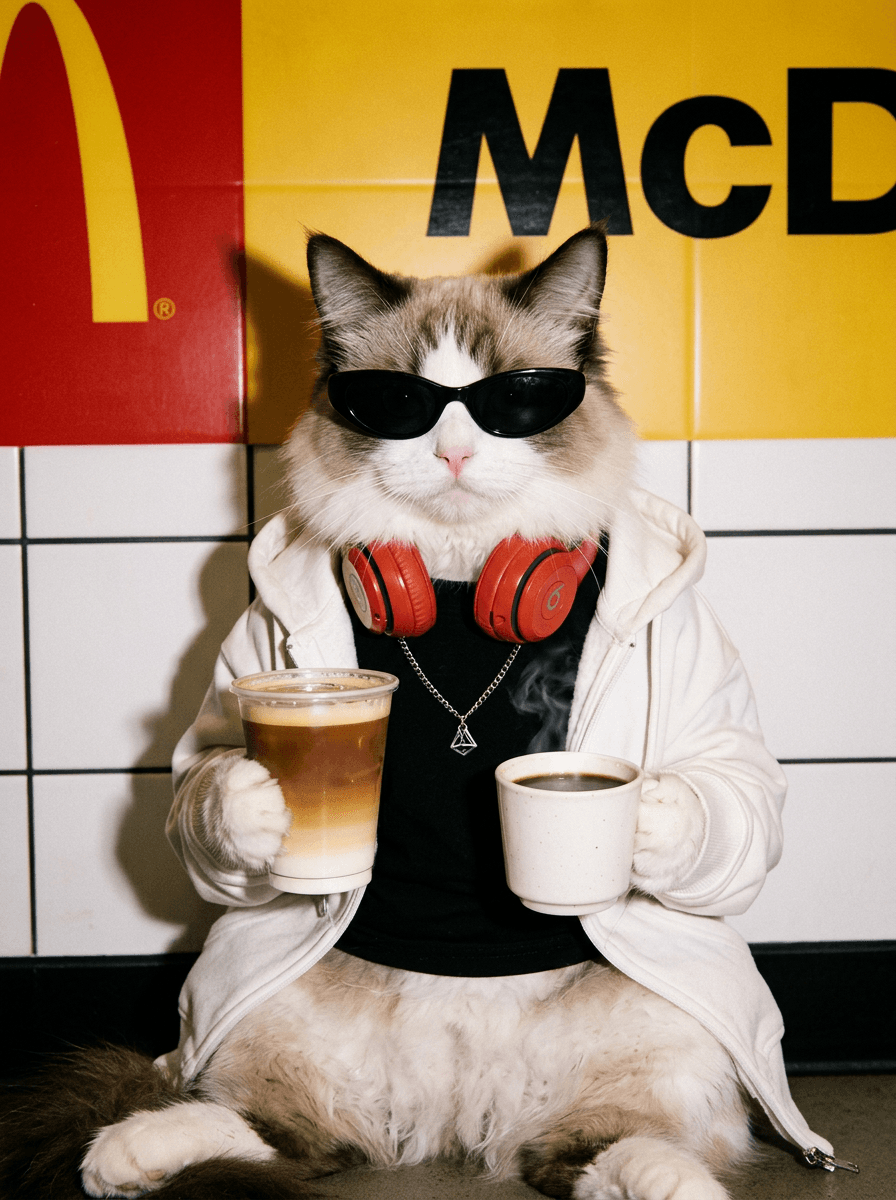
Upload a pet image to create a cat fashion avatar from a pet photo. Each remix places the same recognizable pet into one surprise editorial look with a new outfit, accessories, pose, and fashion-photo setting.
Start with a face the portrait can carry
Choose a photo where your pet's face, ears, coat markings, and head shape are easy to read. A front-facing or three-quarter view gives the styling room to change while the pet remains recognizable. Clean separation from the background also helps the source image focus on the animal.
The output is a 3:4 portrait, so a source that leaves some space around the head works well. The finished image contains one character and one pose. Depending on the variation, the pet may wear dark sunglasses, hold an iced coffee, borrow a styled outfit, or appear under direct-flash film treatment.
One pet, several editorial directions
The mystery format is useful when the surprise is part of the post. A cat account can remix the same portrait into a weekly outfit series. A pet boutique can explore accessories and styling ideas around one familiar face. A creator making a profile image can keep rerunning the template until a particular pose and wardrobe combination fits the mood.
Some variations lean toward a cool street-fashion image with black sunglasses and a drink. Others use candid flash, grain, and a posed editorial setting. The pet's visual identity connects the results even as the clothes and scene change.
Create the avatar
- Upload one clear pet photo with visible facial and coat details.
- Run the template to receive a randomly styled 3:4 fashion portrait.
- Remix for another outfit, accessory set, pose, or setting.
Each run selects one composition and produces a finished portrait. That makes it easy to choose a single avatar, compare several remixes, or collect them as a coordinated gallery around the same pet.
Frequently asked questions
What image should I upload?
Use a clear pet photo where the face, ears, coat pattern, and overall head shape are visible.
What does one remix create?
Each remix creates one 3:4 editorial portrait with one pet character, one pose, and a surprise fashion treatment.
Can the styling change between remixes?
Yes. The outfit, accessories, pose, and editorial setting can vary from one remix to the next.
What makes the portraits feel connected?
The same pet's recognizable facial and coat features provide continuity across the different fashion looks.
Click the template card on this page, enter the experience page, and try the template.
Keep creating
Explore the idea, then make it yours.
Discover more creative workflows in Spotlight, or open ArtArch Studio to start creating now.
Keep exploring
More in Producer's Note
AI Video Action Verb Motion Control for Walking Speed
Learn how action verbs such as fast-walks and briskly strides shape walking speed and stride length in an AI video scene.
Remove Pseudo Quality Words from AI Image Prompts
Replace generic 4K and 8K slogans with concrete material, lighting, and texture constraints when you want a cleaner AI image prompt.
Sticky Note Portrait Collage from Photo: Make a Personal Visual Story
Upload one portrait to create a sticky note portrait collage from photo with layered fragments, handwritten notes, paper shadows, and magazine styling.
Family Trauma Short Film: After the Silence
Watch a family trauma short film told through Lydia's childhood drawings, fractured memories, her mother's courage, and the silence a child remembers.