

ArtArch Newsroom
AI Video TechniquesHow to Write AI Video Insert Shot Prompts
Learn how AI video insert shot prompts connect clues, environmental changes, sound, reactions, and motivated actions in a short sequence.
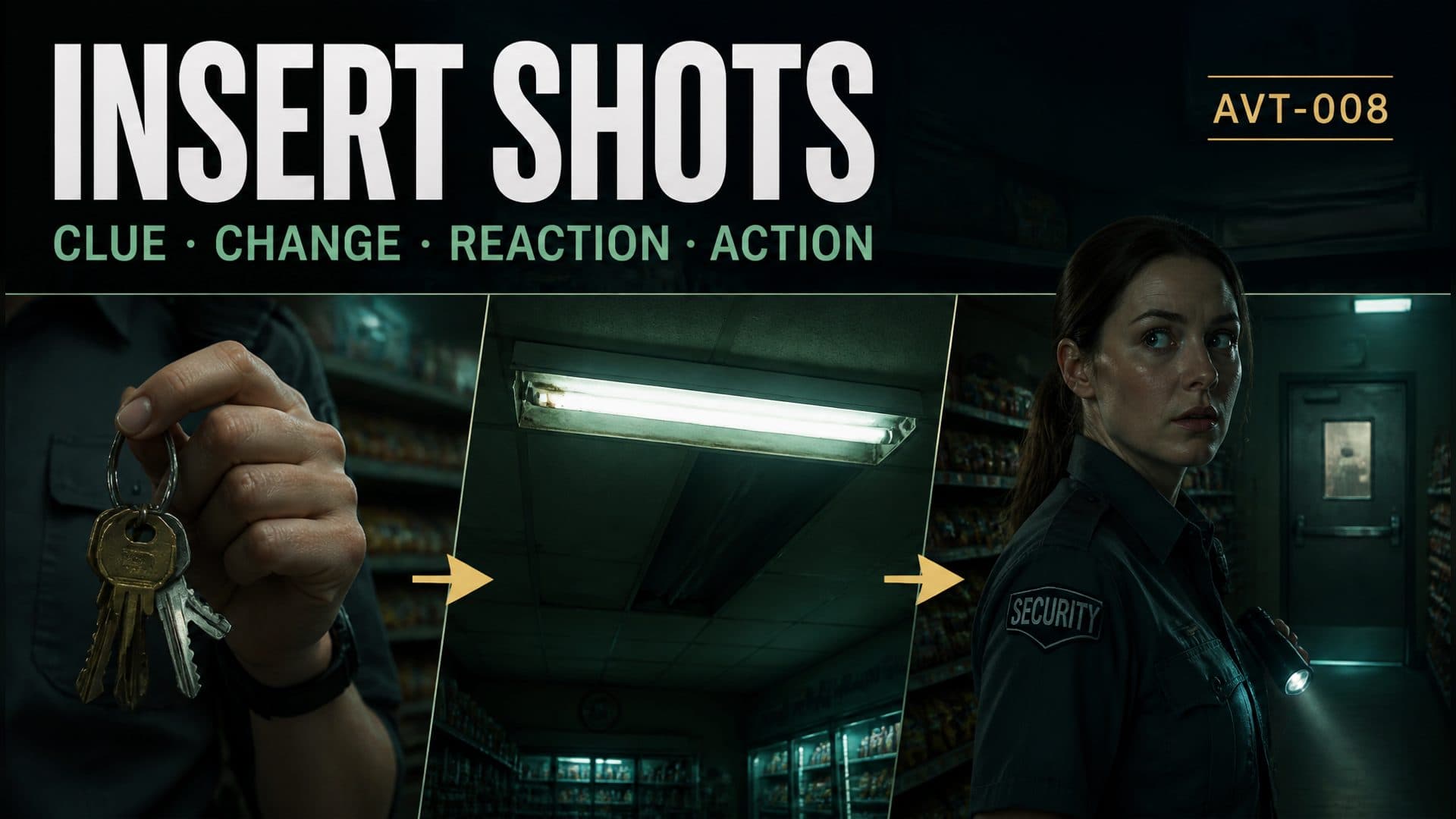
Provide a character reference and an empty environment reference to create a suspenseful AI video where every insert shot reveals information and changes the character’s next action. This AVT-008 experiment follows a night security guard inside a closed neighborhood grocery store as keys move in her hand, the store layout is established, a ceiling light fails, and she turns toward a rear storage door.
The scene uses inserts as causal links. A close detail sets up an object, an environmental insert introduces a problem, a reaction confirms that the character noticed it, and the final movement carries the story forward.
An insert shot should change what the viewer knows
An insert is a close or isolated view placed inside a wider sequence. Its value comes from new information. In this scene, the keys establish what the guard is holding, while the fluorescent fixture reveals an electrical disturbance. Both details connect to actions before and after the cut.
A useful insert can perform one of four jobs:
- introduce an important object;
- reveal a change in the environment;
- clarify the source of a sound;
- show the detail that motivates a reaction or decision.
The surrounding shots should prepare the insert and respond to it.
The broad suspense prompt
The control version describes the event in one continuous idea:
A night security guard patrols a closed grocery store, notices something unusual in the rear, and turns toward the storage door. Show the character and environment with a tense atmosphere.
This creates the situation. The cause of the unusual event, the object in her hand, and the exact reaction chain remain open.
The information-driven insert sequence
The technique version assigns a narrative job to each time range:
From 0–1.5 seconds, show a close insert of ordinary keys in the guard’s right hand, moving slightly. From 1.5–3.5 seconds, cut wide to establish her position left of the checkout counter and the storage door at rear right. From 3.5–5 seconds, insert the old fluorescent fixture overhead as it flickers twice and half of it goes dark with a distinct electrical sound. From 5–6.5 seconds, cut to her reaction: she stops, shifts her eyes toward rear right, then slowly turns her head. From 6.5–8 seconds, return to a medium shot as she takes one step toward the storage door.
The sequence creates a readable chain:
object setup → spatial map → environmental change → perception → decision → action
Start with a controlled detail
The keys introduce the guard through an object before revealing the whole store. The right-hand relationship matters because the keys may return later in the story. A small natural swing gives the detail motion while preserving its identity and holder.
Keep exploring
More in AI Video Techniques

Motivated Cut AI Video Continuity: Change the Shot for a Reason
Learn how a visible action trigger, clear shot-size change, and locked screen direction create more intentional same-scene AI video edits.

Deep Depth of Field AI Video: Keep Every Story Layer Readable
Learn how deep depth of field AI video prompts keep foreground tools, central action, and distant location cues readable in one layered shot.

Medium Depth of Field AI Video: Balance Subject and Setting
Learn how medium depth of field AI video prompts keep hands and active objects readable while preserving recognizable environmental context.

AI Video Character Reference Framing: Match Portraits to Landscape Shots
Prepare vertical character portraits for landscape AI video by matching aspect ratio, body scale, headroom, floor space, and movement room before generation.