

ArtArch Newsroom
Producer's NoteAI Product Label Text Editing with a Larger Text Region
Improve AI product-label text editing by giving the target lettering a larger, clearer image region before regeneration.
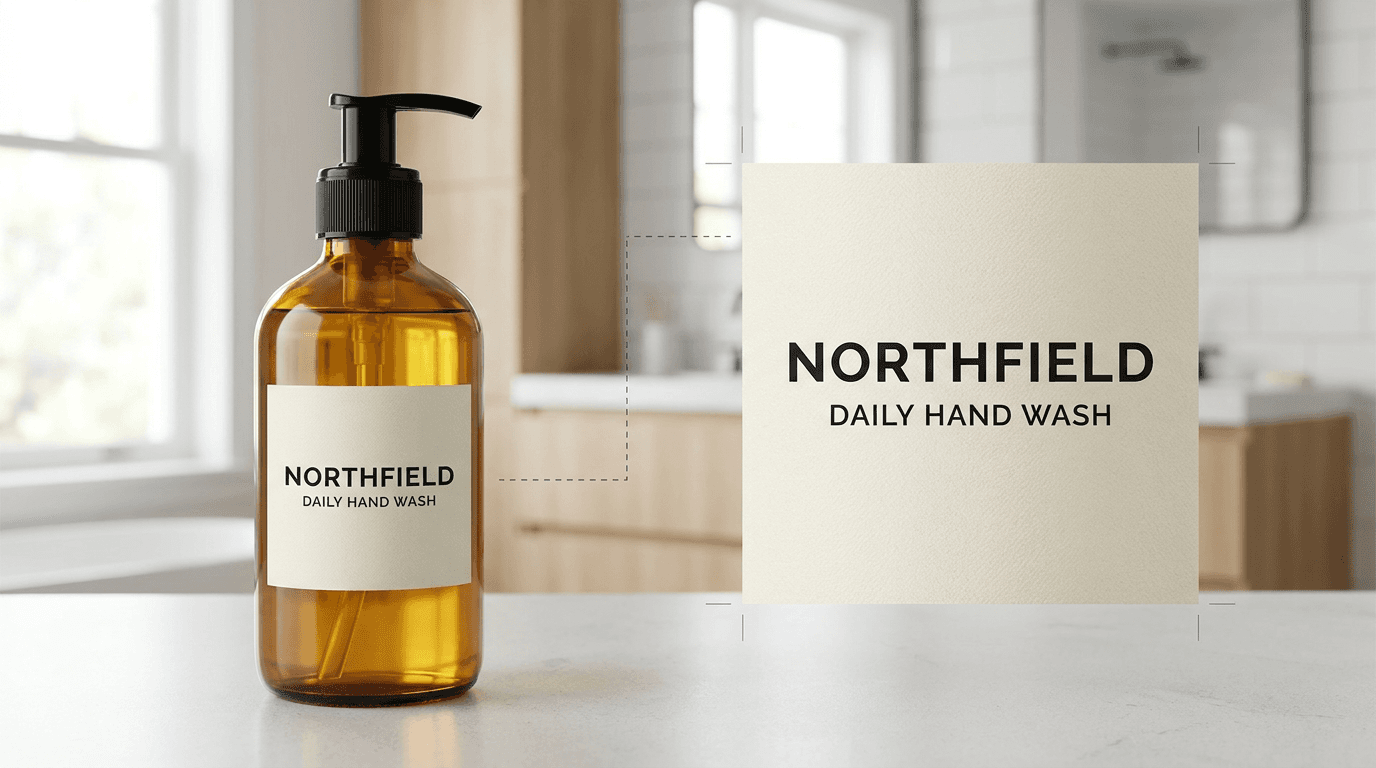
Upload a product image to create a cleaner label-text edit by giving the target lettering a larger, clearer image region before regeneration. This method is useful when a small package label needs a readable replacement while the bottle, material, lighting, and surrounding scene remain visually consistent.
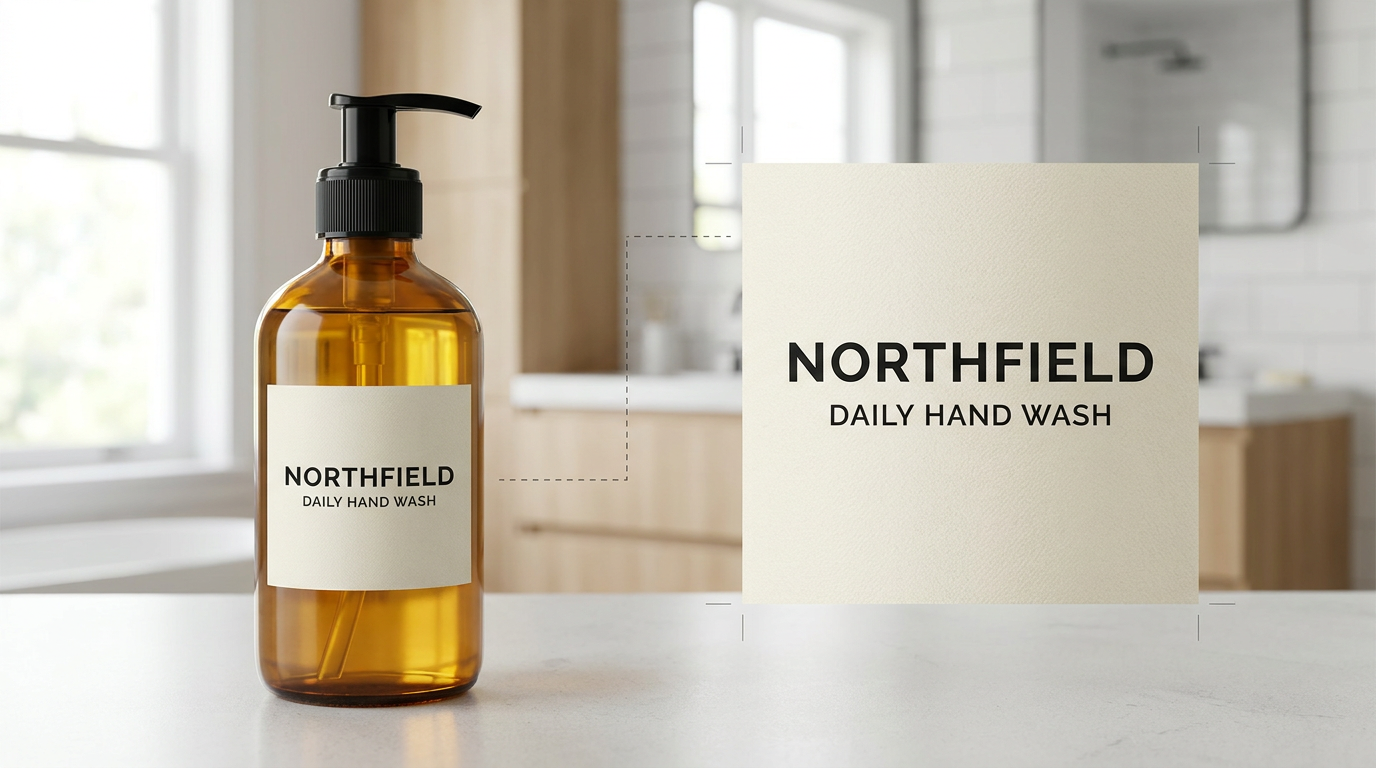
The full product and enlarged label detail make the text area easy to inspect.
Why text area matters
Small lettering occupies only a few pixels in a full product frame. Before editing, isolate the label or crop the product so the target words take up more of the input. The enlarged region gives the text more visual room while the full product image preserves the design context.
For a label edit, describe the target and the preservation rules together:
Edit only the cream product label. Replace the label text with exactly:
NORTHFIELD
DAILY HAND WASH
CEDAR + SAGE
250 ML
Preserve the amber glass bottle, label material, bathroom setting, lighting,
camera, composition, and every non-text detail.
The full-frame and detail-frame approach
The full-frame version keeps the entire amber bottle and contemporary bathroom visible. It is useful for checking whether the replacement text sits naturally within the original product design.
The detail-frame version enlarges the cream label so the text occupies most of the image. It is useful for checking spelling, line breaks, letter spacing, and the relationship between the words and the label surface. After the detail is satisfactory, it can guide a final product-frame edit.
A three-step workflow
- Start with a product image where the label and its original lettering are visible.
- Create a tight crop that gives the target text a larger effective pixel area.
- Regenerate the exact wording while explicitly preserving the product silhouette, label texture, lighting, background, and non-text details.
Keep the crop focused on one label or one small text area. A single target makes it easier to inspect the output and keep the edit localized.
Useful production scenes
An independent skincare maker can prepare a readable bottle label for a product-page mockup. A packaging designer can test a new product name while retaining the existing amber glass, paper texture, and bathroom lighting. A retail creative team can enlarge a tiny ingredient or volume line for a close-up detail image before placing it beside the full product shot.
The method also fits jars, cartons, tins, tags, plaques, and small product cards. Whenever the target lettering is a small part of a larger composition, a dedicated detail view gives the edit a clearer working surface.
Keep creating
Explore the idea, then make it yours.
Discover more creative workflows in Spotlight, or open ArtArch Studio to start creating now.
Keep exploring
More in Producer's Note

AI Video Focus Plane Control for Narrative Attention
Use AI video focus plane control to direct attention toward a foreground object, midground character, or background story detail.

In-Frame Vocabulary for AI Video Gaze Control
Use in-frame vocabulary in an AI video gaze prompt to connect a character's eyeline to one visible object with a clear spatial relationship.
Headless Front Character Reference for Stable AI Video
A controlled MiniMax H3 test of separating face identity from a headless front body asset for distant AI video shots.
Skin Texture Prompt for Less Oily AI Video Portraits
A controlled MiniMax H3 test of fine pore texture and low-gloss skin wording for more natural AI video portraits.