

ArtArch Newsroom
AcademyMiniMax H3 Gameplay Video for FPS Concept Shots
Plan a MiniMax H3 FPS concept shot with first-person framing, weapon motion, recoil, path, target action, lighting, and game-camera behavior.
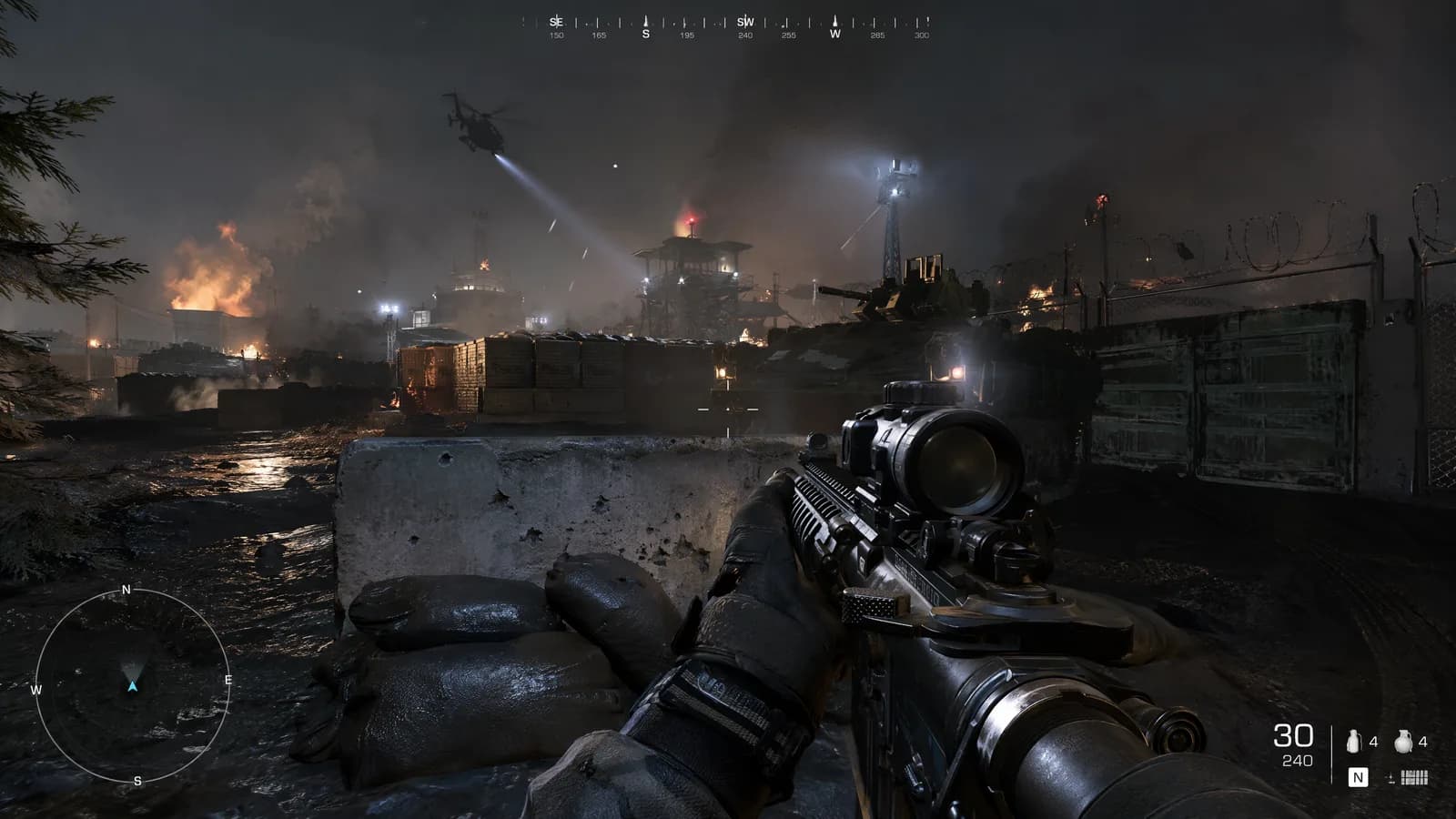
MiniMax H3 gameplay video for FPS concept shots
A MiniMax H3 gameplay video can visualize the look and rhythm of a first-person action beat before a playable version exists. For an FPS concept, the frame must behave like a player camera: weapon position, path, recoil, target response, and environmental motion need a shared physical logic.
The output remains previsualization. It does not demonstrate actual controls, frame rate, hit detection, or game performance.
Supplied H3 demonstration: first-person movement, aiming, firing, and recoil are visualized as a concept shot.
Map the player action
Write the starting position, movement path, aim change, trigger event, and endpoint. Keep the beat narrow: enter a room, identify one target, fire, and reach cover. A crowded sequence with several weapons and locations is difficult to evaluate within 5 to 15 seconds.
Use images for the weapon, environment, enemy design, and interface style. A video reference may define camera motion or a specific handling action. Label these roles so the visual identity of one reference does not overwrite another.
Preserve first-person camera logic
Define head-height movement, turning direction, weapon placement, and how recoil affects the view. State whether motion should feel smooth, heavy, or handheld through observable behaviors such as step bounce, acceleration, and recovery.
If interface elements appear, keep them minimal and consistent. Treat exact numbers or text as placeholders for later engine work.
Review as a game team
Watch for weapon geometry, hand contact, muzzle direction, recoil recovery, target reaction, and collision with walls or props. Check whether the camera path remains navigable and whether the ending composition communicates the next action.
Listen for weapon, footsteps, impacts, ambience, and stereo direction. These sounds can inform the audio brief, but they do not replace production sound design or gameplay implementation.
Frequently asked questions
Can H3 create playable FPS gameplay?
No. It can create a video concept; playable mechanics must be built in a game engine.
Can I reference a weapon and environment separately?
Yes. Omni Reference supports multiple images and mixed media with explicit roles.
What frame rate does the output use?
The manual specifies 24 FPS output.
Set the player path, weapon reference, camera behavior, target beat, and sound cues in ArtArch, then document what the playable prototype must reproduce.
Keep exploring
More in Academy

MiniMax H3 Production Checklist for Commercial Video Teams
Review MiniMax H3 inputs, rights, prompt scope, identity, product accuracy, audio, format, retries, approvals, and delivery before production.

MiniMax H3 API Media Formats and URL Input Checklist
Prepare MiniMax H3 API media with supported codecs, image and audio formats, file limits, 64 MB request bodies, and URL-based inputs.

How to Plan 12 Reference Files for MiniMax H3
Assign clear identity, product, style, motion, camera, and audio roles across a MiniMax H3 mixed request without creating contradictory references.

Use MiniMax H3 for Storyboard and Visual Pitch Previews
Turn keyframes and a creative brief into a MiniMax H3 motion preview for shot order, transitions, timing, sound, and stakeholder review.