

ArtArch Newsroom
AcademyCreate a Fashion Campaign Video With MiniMax H3
Plan a MiniMax H3 fashion campaign using separate references for atmosphere, talent, product, logo, action, editing rhythm, and sound.
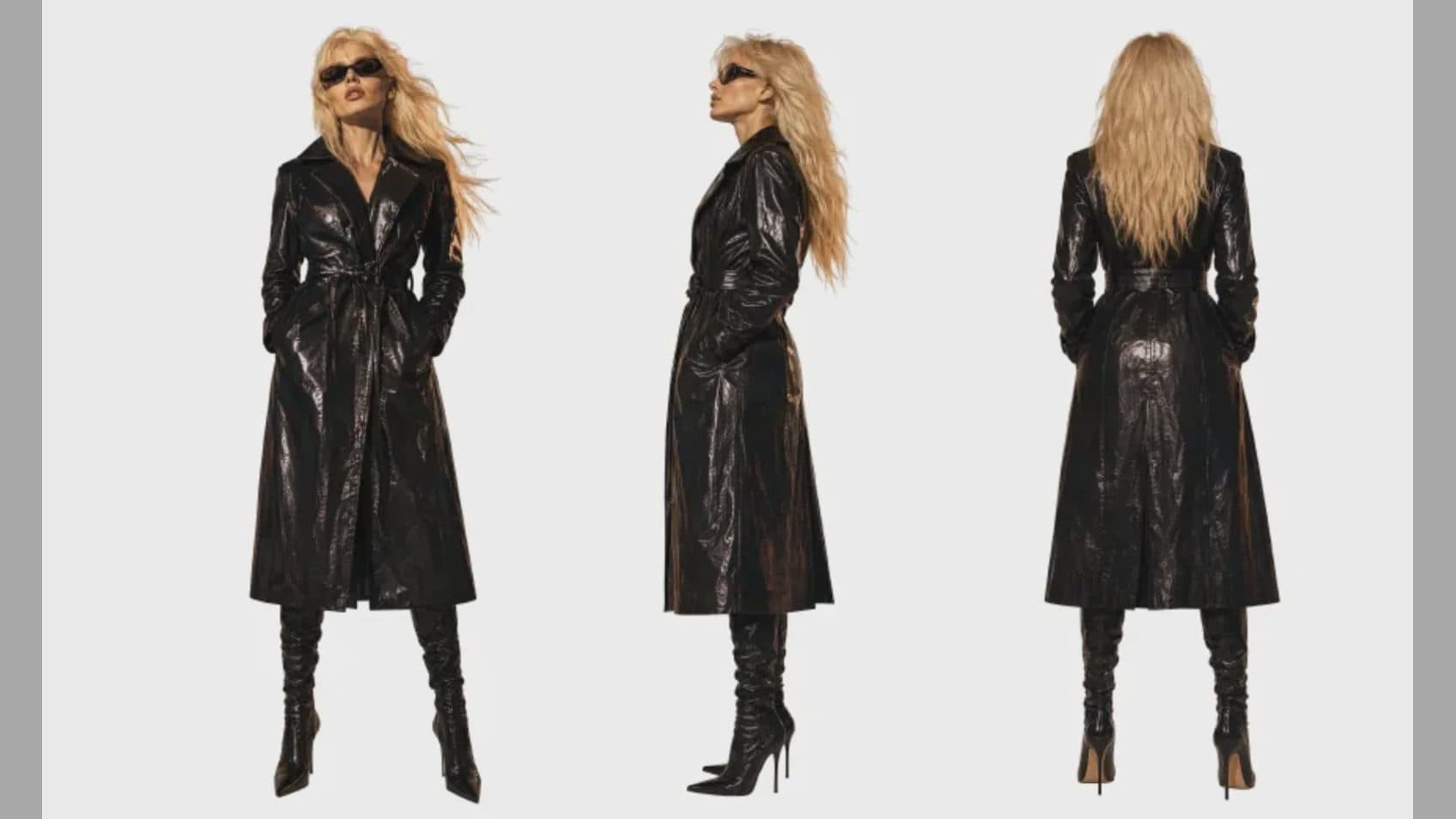
Create a fashion campaign video with MiniMax H3
A MiniMax H3 fashion video can combine talent, wardrobe, product, location, movement, edit rhythm, and sound references in one short campaign concept. The challenge is hierarchy. Viewers need to recognize the collection or hero item while still reading the model's performance and the atmosphere of the film.
Omni Reference supports mixed images, video, and audio, so each creative department can contribute evidence without forcing one mood board to do every job.
Supplied H3 demonstration: location, talent, bag, and brand references become one horizontal campaign film.
Choose the campaign's visual anchor
Decide whether the anchor is a garment silhouette, accessory, model identity, or brand world. Use clear images for that element and state what must remain exact: cut, material behavior, color, logo placement, or eyewear shape.
Separate talent references from product references. An editorial image may establish hair and makeup while a product image supplies construction detail. Label both so the final shot does not blend their roles.
Design movement around the item
Use a video reference for a walk, turn, fabric gesture, or camera pattern. Describe how the movement reveals the product: a coat opens during a turn, a bag stays visible at the hip, or glasses catch a controlled highlight during a close-up.
A 5-to-15-second piece needs a narrow arc. Begin with a readable silhouette, develop one movement or transition, and finish on a frame that holds the campaign message. Choose 9:16 for a mobile placement, 16:9 for a landscape screen, or another supported ratio based on the actual destination.
Review fashion-specific details
Check hems, straps, fasteners, logos, fabric continuity, and left-right placement across cuts or turns. Watch hands around accessories and whether material motion fits the garment. Review skin tone and product color under the chosen light.
Sound can set pace without overwhelming the image. Define the key beat, cloth movement, footstep, or title impact, then listen for unwanted voices or effects.
Frequently asked questions
How many fashion references can I use?
Omni Reference supports up to nine images and 12 mixed files total, with separate limits for video and audio.
Can I reference a runway walk?
Yes, a 2-to-15-second video can communicate performance or camera motion. Explain which role it serves.
Which aspect ratio is best for fashion ads?
Choose for the placement. H3 lists 21:9, 16:9, 4:3, 1:1, 3:4, and 9:16.
Arrange the talent, garment, performance, camera, and sound references in ArtArch, then approve product accuracy and campaign storytelling as separate criteria.
Keep exploring
More in Academy

MiniMax H3 Production Checklist for Commercial Video Teams
Review MiniMax H3 inputs, rights, prompt scope, identity, product accuracy, audio, format, retries, approvals, and delivery before production.

MiniMax H3 API Media Formats and URL Input Checklist
Prepare MiniMax H3 API media with supported codecs, image and audio formats, file limits, 64 MB request bodies, and URL-based inputs.

How to Plan 12 Reference Files for MiniMax H3
Assign clear identity, product, style, motion, camera, and audio roles across a MiniMax H3 mixed request without creating contradictory references.

Use MiniMax H3 for Storyboard and Visual Pitch Previews
Turn keyframes and a creative brief into a MiniMax H3 motion preview for shot order, transitions, timing, sound, and stakeholder review.