

ArtArch Newsroom
AcademyMiniMax H3 Ecommerce Video for Feature-Led Products
Build a MiniMax H3 ecommerce video that connects product appearance, feature animation, human use, and a focused final message.
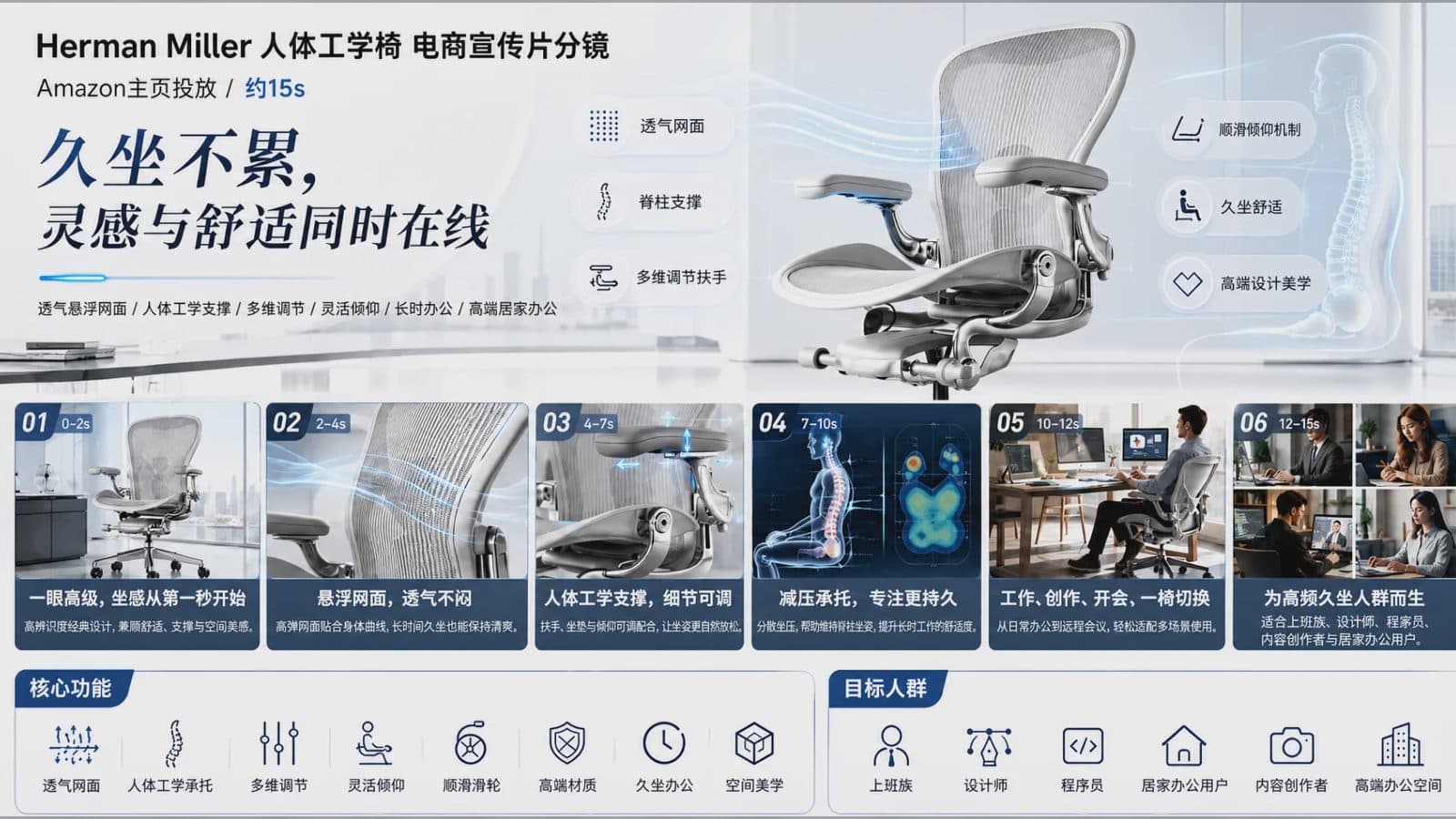
MiniMax H3 ecommerce video for feature-led products
A MiniMax H3 ecommerce video needs to make a product easy to recognize and one feature easy to understand. In a short listing or social placement, atmosphere is secondary to evidence: viewers should see the object, the user action, the product response, and a clear final state.
Mixed references can establish product construction, a human-use scene, camera behavior, and sound, while the prompt keeps their roles distinct.
Choose one customer question
Start with the question the clip answers. How does it open? What fits inside? Where is the control? How does it attach? What changes when it is used? Select images that make the relevant surfaces and mechanism visible.
Protect product proportions, color, labels, buttons, ports, and logo direction. If packaging appears, treat it as a separate referenced object rather than assuming it will remain accurate from a small background view.
Show feature, action, and result
Structure the shot in three steps. Present the product in a readable orientation. Show a hand or environmental action. End on the changed state or benefit. A controlled close-up can help, but camera movement should not hide the mechanism at the critical moment.
Choose a supported aspect ratio based on the storefront or campaign placement. Leave space for platform-added captions without embedding unverified claims in the scene.
Create an accuracy checklist
Compare the result with the reference from several frames. Check shape, interface layout, text, contact, scale, and whether the demonstrated behavior follows the prompt. Listen for dialogue or sound effects that add claims not established by the source material.
Do not infer price, durability, speed, safety, or comparative performance from a visually successful generation. Those statements require separate evidence and review.
Frequently asked questions
Can H3 make square ecommerce video?
Yes. The manual lists 1:1 along with 21:9, 16:9, 4:3, 3:4, and 9:16.
Can I use several product views?
Yes. Omni Reference supports up to nine images, subject to the mixed-file total.
Does a generated demonstration prove a product claim?
No. Treat it as creative media. Any factual performance claim needs independent substantiation.
Bring the approved product views, one customer question, action sequence, and accuracy list into ArtArch, then review the feature before adding promotional copy.
Keep exploring
More in Academy

MiniMax H3 Production Checklist for Commercial Video Teams
Review MiniMax H3 inputs, rights, prompt scope, identity, product accuracy, audio, format, retries, approvals, and delivery before production.

MiniMax H3 API Media Formats and URL Input Checklist
Prepare MiniMax H3 API media with supported codecs, image and audio formats, file limits, 64 MB request bodies, and URL-based inputs.

How to Plan 12 Reference Files for MiniMax H3
Assign clear identity, product, style, motion, camera, and audio roles across a MiniMax H3 mixed request without creating contradictory references.

Use MiniMax H3 for Storyboard and Visual Pitch Previews
Turn keyframes and a creative brief into a MiniMax H3 motion preview for shot order, transitions, timing, sound, and stakeholder review.