

ArtArch Newsroom
AcademyTurn a Static Poster Into Video With MiniMax H3
Animate a static poster in MiniMax H3 while preserving layout, typography, color, framing, product form, and the original visual hierarchy.
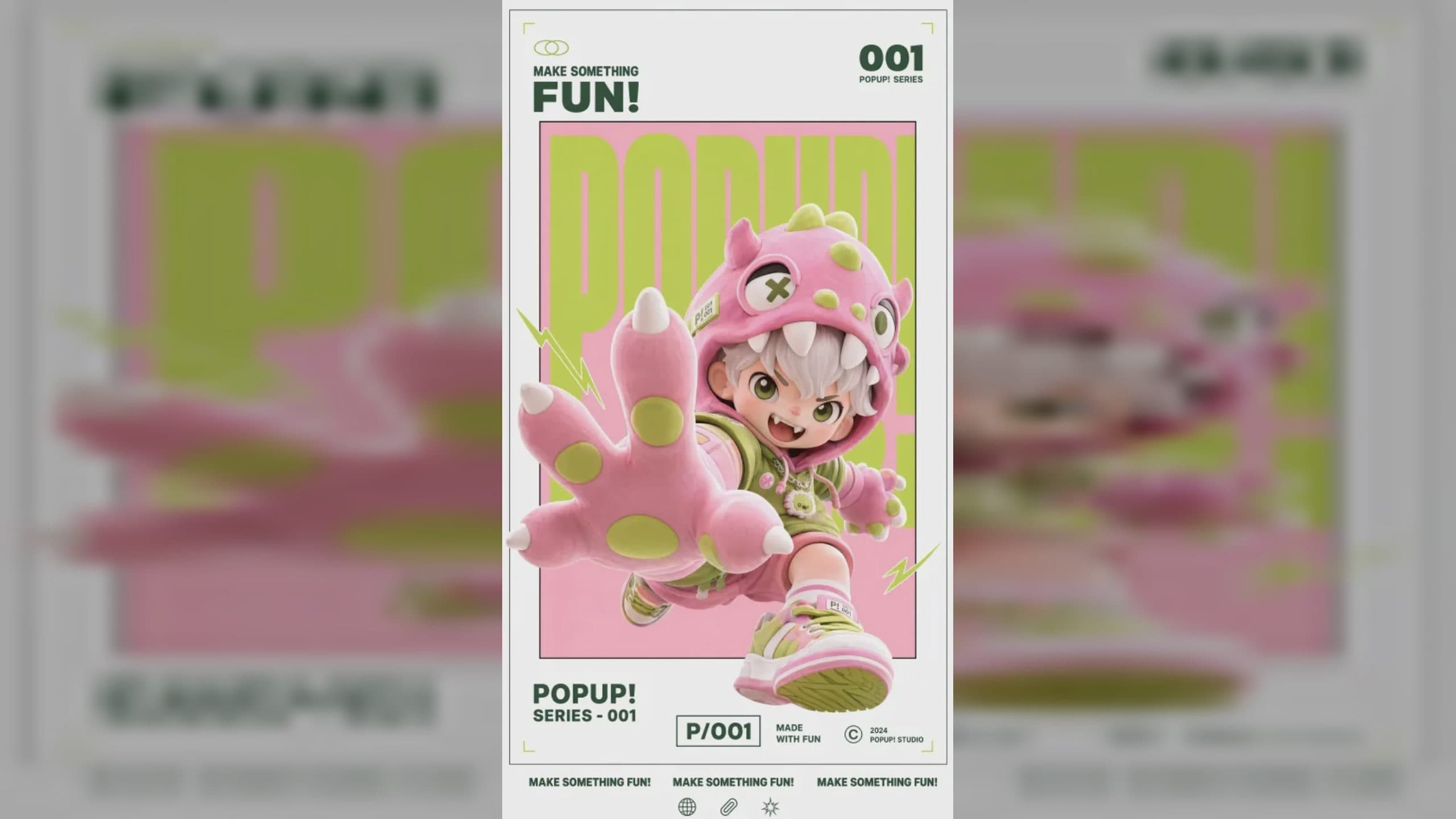
Turn a static poster into video with MiniMax H3
A MiniMax H3 dynamic poster starts with preservation. The original design already contains a hierarchy: subject, title, supporting type, product, color, and negative space. Animation should reveal that hierarchy over time without changing the identity of the poster.
First/last-frame control or Omni Reference can both contribute, depending on whether the final composition must match a supplied image or multiple assets need separate roles.
Supplied H3 demonstration: the poster's frame, palette, figure, and layout are animated as one design.
Audit the static design
List the elements that cannot move, distort, or disappear. Typography and logos usually need special protection. Identify which layer may animate: hair, fabric, smoke, light, particles, background depth, or a small camera move.
Choose one primary motion idea. A portrait poster might use a slow push-in and shifting light. A product poster might reveal surface details before returning to the full layout. Too many independent effects can compete with the title.
Plan the opening and final hold
Decide whether the animation begins from the complete poster, builds toward it, or travels away and returns. When exact opening or ending art matters, supply it as a frame reference. First/last-frame mode follows the input image aspect ratio, so prepare the poster in the intended delivery shape.
Give readable text enough still time. Describe letters as protected graphic elements rather than asking them to be reinvented during motion.
Review design fidelity
Compare title spelling, line breaks, logo geometry, subject proportions, product shape, and color at the beginning, middle, and end. Look for unintended camera crop at narrow ratios. Check whether particles or lighting reduce contrast behind the type.
Native audio can add a restrained rise, texture, or final accent. It should support the motion hierarchy rather than turn a poster loop into an unrelated trailer.
Frequently asked questions
Can MiniMax H3 use a poster as a frame reference?
Yes. The manual lists image input for first/last-frame and Omni Reference workflows.
Which image formats are supported?
JPG, JPEG, PNG, WEBP, HEIC, and HEIF are listed.
How do I protect poster typography?
State exact text and layout as preserved details, minimize movement around it, and review every visible word.
Load the poster, any separate product or identity assets, and a restrained motion brief in ArtArch, then approve both animation and design fidelity.
Keep exploring
More in Academy

MiniMax H3 Production Checklist for Commercial Video Teams
Review MiniMax H3 inputs, rights, prompt scope, identity, product accuracy, audio, format, retries, approvals, and delivery before production.

MiniMax H3 API Media Formats and URL Input Checklist
Prepare MiniMax H3 API media with supported codecs, image and audio formats, file limits, 64 MB request bodies, and URL-based inputs.

How to Plan 12 Reference Files for MiniMax H3
Assign clear identity, product, style, motion, camera, and audio roles across a MiniMax H3 mixed request without creating contradictory references.

Use MiniMax H3 for Storyboard and Visual Pitch Previews
Turn keyframes and a creative brief into a MiniMax H3 motion preview for shot order, transitions, timing, sound, and stakeholder review.