

ArtArch Newsroom
AcademyMiniMax H3 Character Consistency With Multiple References
Assign identity, wardrobe, proportion, and performance roles across MiniMax H3 references to review character consistency through a full shot.
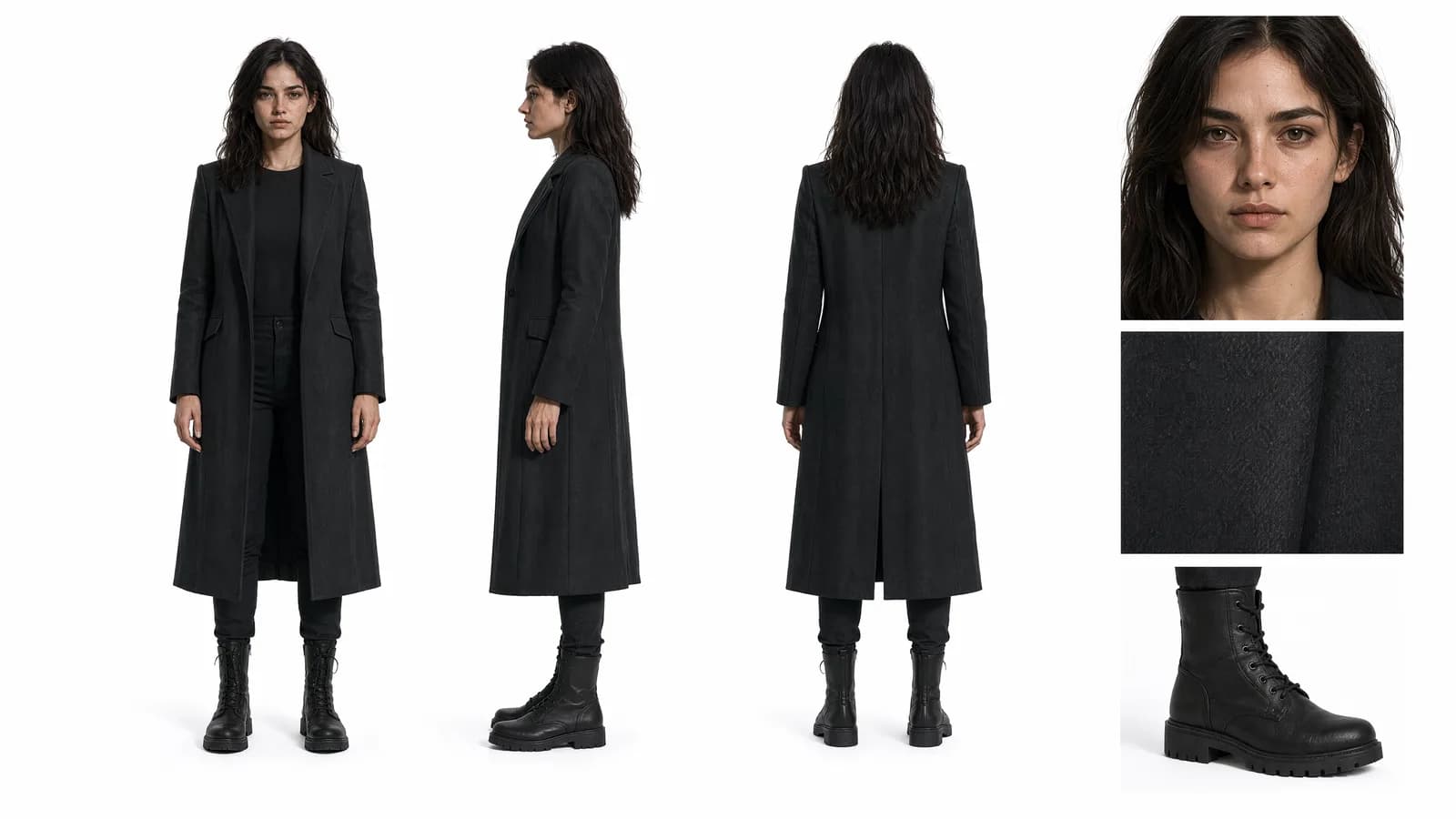
MiniMax H3 character consistency with multiple references
MiniMax H3 character consistency begins with reference discipline. More images do not automatically make a character clearer. A useful reference set explains the same person from complementary views and assigns a purpose to each file: face, profile, body proportions, wardrobe, or a hard-to-see accessory.
Omni Reference supports up to nine images and 12 mixed files overall. That capacity is valuable when a shot includes several characters or products, but contradictory evidence can make review harder.
Supplied H3 demonstration: the referenced character remains recognizable through a fast-cut fashion sequence.
Build a compact identity set
Start with one clean primary portrait and one view that adds missing information. Add a full-body image only when silhouette, clothing, or scale matters. Keep hair color, age cues, costume, and accessories compatible across the set.
If the scene contains two people, name them consistently in the prompt and connect each name to the correct reference. Describe where they begin, how they interact, and which person speaks. Spatial instructions reduce the chance that their roles exchange during the shot.
Protect identity during difficult moments
Characters are harder to judge during profile turns, fast action, occlusion, dramatic lighting, and close interaction. Plan these moments rather than hoping a front portrait covers them. A profile reference may matter more than an extra beauty shot when the character turns sideways.
State which visual traits must survive: facial structure, hairstyle, specific garment, height relationship, or a signature object. Avoid long lists of decorative adjectives that do not help identify the person.
Review across time, not from one frame
Choose several checkpoints: opening, first turn, closest view, partial occlusion, and ending. Compare face shape, hairline, clothing details, body scale, and left-right accessory placement. A strong opening frame does not prove continuity through the full 5-to-15-second output.
When revising, isolate the failure. If the face changes only during a turn, strengthen the profile evidence and protect the accepted wardrobe and movement. If two characters merge during contact, clarify blocking and shorten the interaction rather than changing every reference.
Frequently asked questions
How many character images can MiniMax H3 accept?
Omni Reference supports up to nine images, subject to a maximum of 12 files when media types are mixed.
Should every available portrait be uploaded?
No. Use references that add consistent, distinct evidence. Near-duplicates and conflicting looks can weaken the brief.
Does a consistent first frame guarantee a consistent video?
No. Identity should be checked at several points, especially turns, occlusions, and close interactions.
Organize a small, labeled identity set in ArtArch and review the character at meaningful checkpoints across the entire H3 result.
Keep exploring
More in Academy

MiniMax H3 Production Checklist for Commercial Video Teams
Review MiniMax H3 inputs, rights, prompt scope, identity, product accuracy, audio, format, retries, approvals, and delivery before production.

MiniMax H3 API Media Formats and URL Input Checklist
Prepare MiniMax H3 API media with supported codecs, image and audio formats, file limits, 64 MB request bodies, and URL-based inputs.

How to Plan 12 Reference Files for MiniMax H3
Assign clear identity, product, style, motion, camera, and audio roles across a MiniMax H3 mixed request without creating contradictory references.

Use MiniMax H3 for Storyboard and Visual Pitch Previews
Turn keyframes and a creative brief into a MiniMax H3 motion preview for shot order, transitions, timing, sound, and stakeholder review.