How to Write AI Video Prompts with a Cinematic Look: A Seedance 2.0 A/B Test
A common mistake in AI video prompting is to pile on phrases like “8K,” “cinematic,” “ARRI,” and “film look.” Those words may suggest a visual direction, but...
11 min read
A common mistake in AI video prompting is to pile on phrases like “8K,” “cinematic,” “ARRI,” and “film look.” Those words may suggest a visual direction, but they do not automatically produce a steadier shot, a true widescreen frame, or higher output resolution.
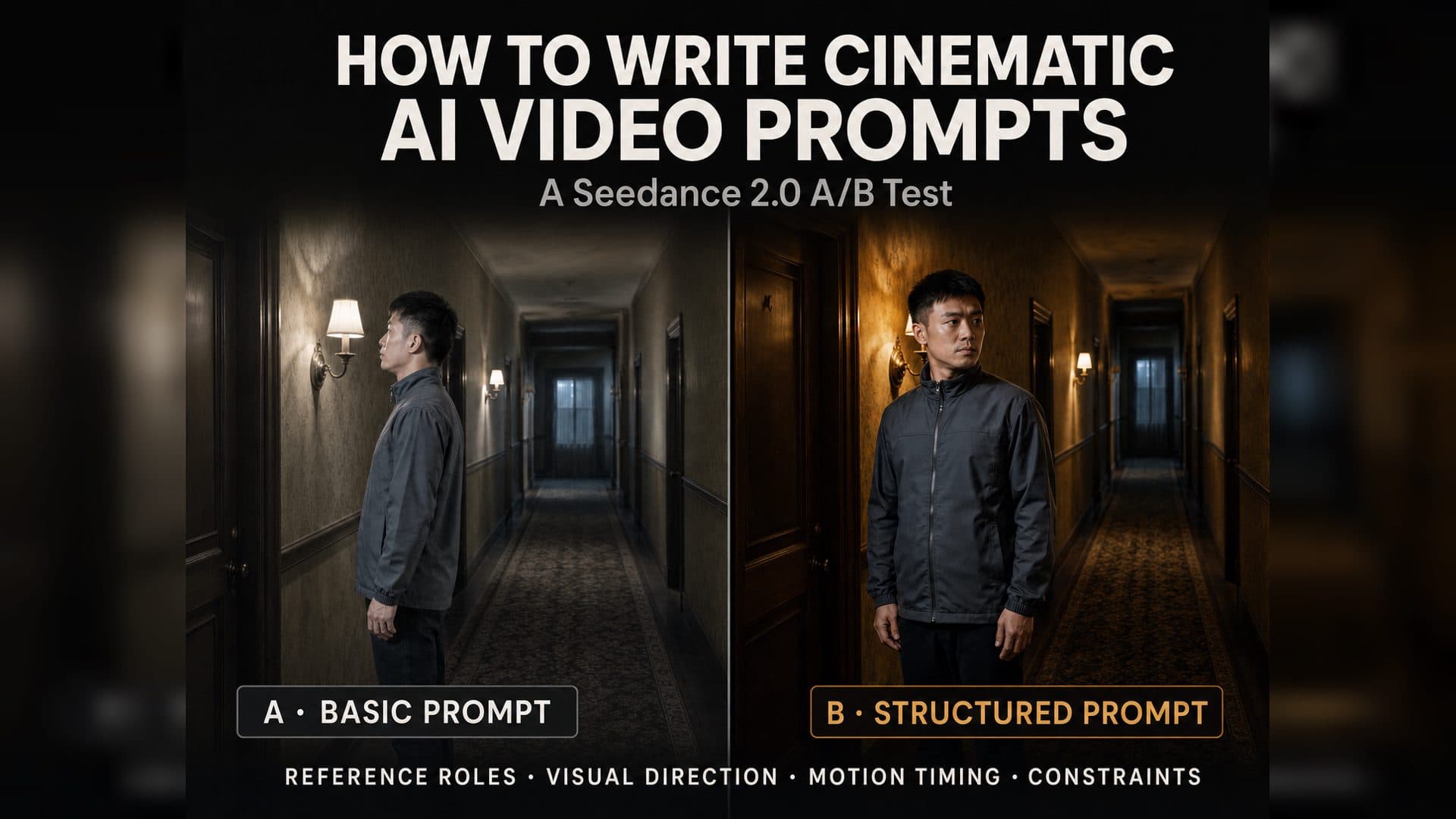
A more reliable approach is to build the prompt in four layers: reference-image roles, visual direction, motion timing, and output constraints. We ran a controlled A/B test in Seedance 2.0 Fast using the same character reference, environment reference, and seed to see what actually changed when those four layers were added.
The 30-second answer: To make an AI video feel more cinematic, clearly separate what the character reference controls from what the environment reference controls, then describe the lighting, color, texture, and lens perspective you want. To make the result more stable, break the action into timed beats and add a short list of shot-specific constraints. Resolution, aspect ratio, duration, and audio still need to be set in the workflow itself.
The Short Version
In this single-scene test, the expanded prompt did not magically turn the output into “8K.” It did, however, help Group B execute the intended head-turn more completely:
Both groups preserved the character, wardrobe, and hallway structure, which suggests that the reference images had already established a strong consistency baseline.
Group B completed a clearer motion arc, moving from profile through a more frontal angle and toward the opposite side.
During the motion, Group B kept the character’s proportions, clothing, and background relatively stable, with no obvious face swap, wardrobe change, or scene reconstruction.
The difference in motion execution was more noticeable than the difference in overall image quality. Cinematic language worked more like an aesthetic and behavioral anchor than a real camera or resolution setting.
The more precise takeaway is this: baseline visual direction and output constraints help align the model’s aesthetic target and execution boundaries. They do not replace actual workflow settings.
How the Test Was Set Up
To isolate the prompt as much as possible, both groups used the same generation conditions:
Setting
Group A: Control
Group B: Technique
Video model
Seedance 2.0 Fast
Seedance 2.0 Fast
Character reference
Same clean character reference
Same clean character reference
Environment reference
Same empty hallway reference
Same empty hallway reference
Seed
101003
101003
Duration
8 seconds
8 seconds
Output
1280×720, 16:9
1280×720, 16:9
Base action
Stand by the door and slowly turn toward the wall light
Same
Main difference
Character, setting, and basic action only
Added a visual baseline, lens and texture direction, detailed motion, and shot-specific constraints
Group B used a more specific timeline and body coordination
Overall style difference
Limited
Limited
The motion difference was stronger than the aesthetic difference
Obvious generation failures
None observed
None observed
One sample cannot isolate the contribution of negative constraints
Opening Frame: Both Groups Started from a Stable Reference Baseline
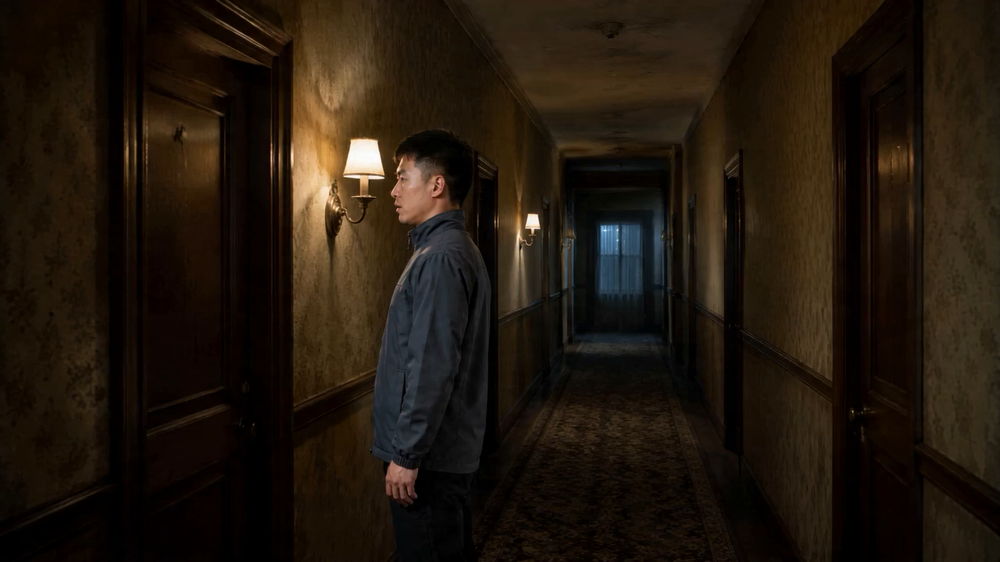
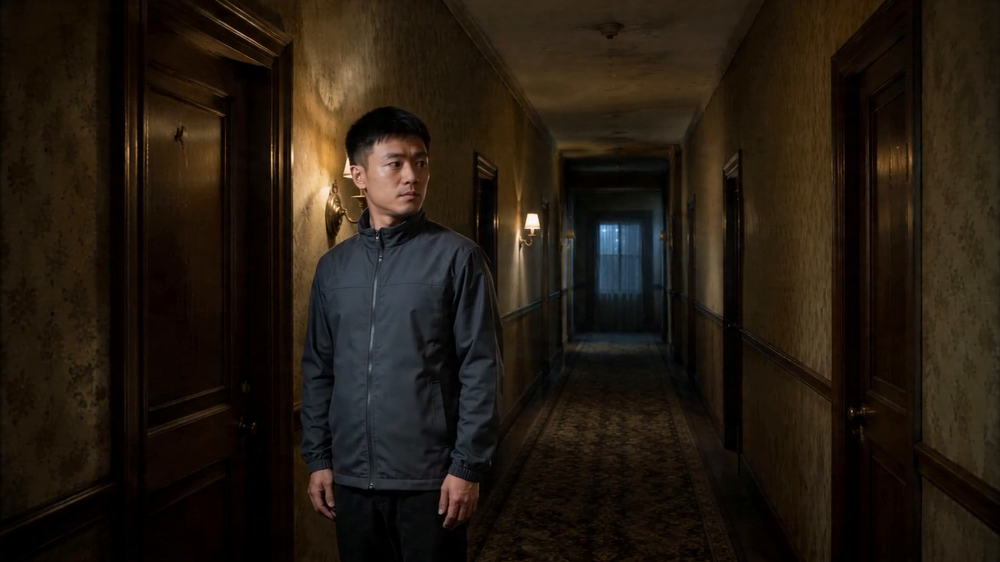
Both groups successfully placed the isolated character in the same worn hotel hallway. The clothing, hairstyle, doors, windows, and general lighting direction remained consistent. In this test, the character and environment references acted as the first layer of control; the written visual direction acted as the second.
At 4 Seconds: Group B Communicated the Motion More Clearly
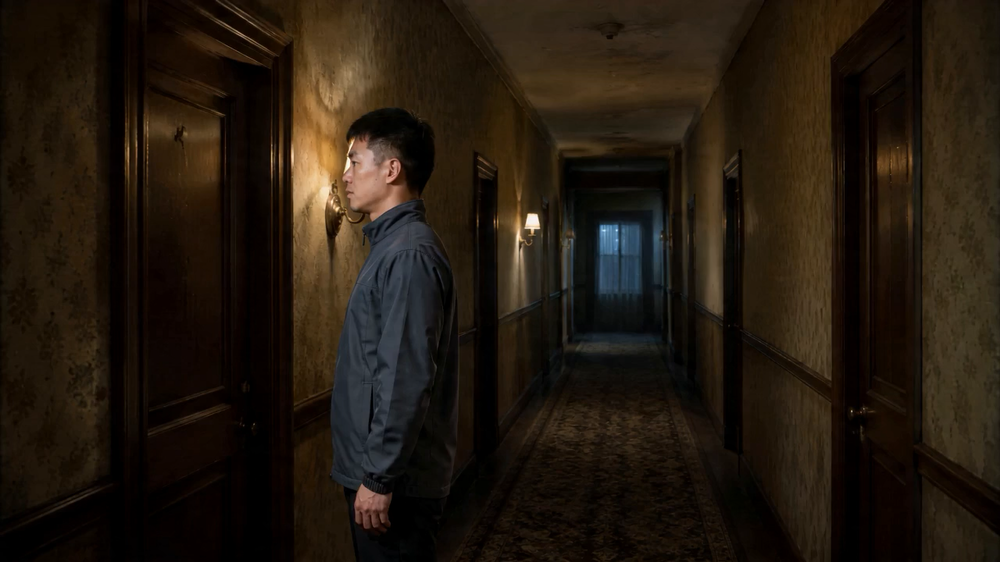
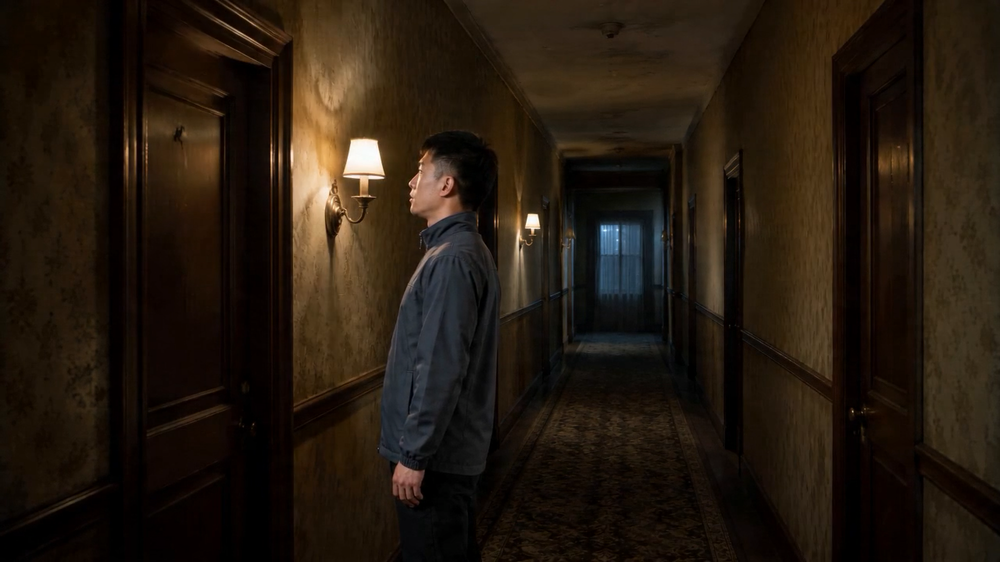
At the midpoint, Group A remained close to its opening profile, with only a modest change in head direction. Group B showed a clearer shift in both gaze and head position, while the relationship between the head, shoulders, and torso still felt relatively natural.
The useful phrase was not “8K.” It was a concrete performance instruction:
The character slowly turns his head in one continuous, restrained motion. His head, shoulders, and gaze remain coordinated.
Models are generally easier to direct with observable physical relationships than with an abstract request to make something “premium.”
At 7.5 Seconds: Both Stayed Stable, but Group B Completed the Action
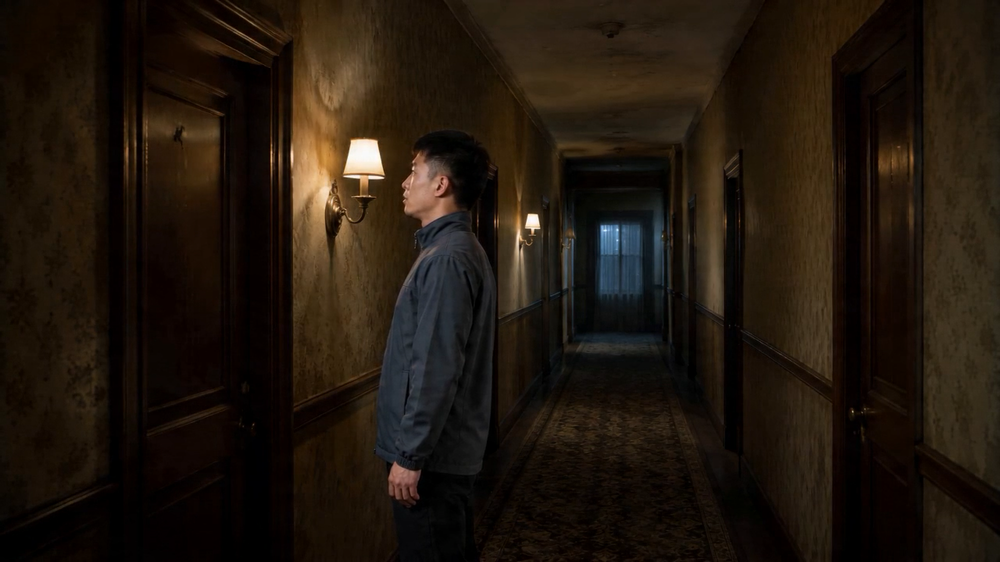
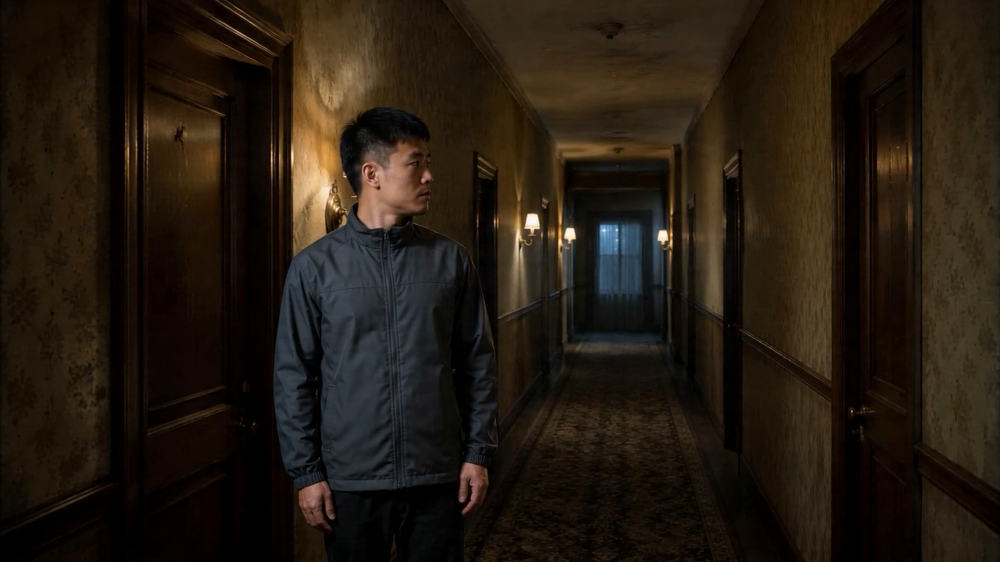
By 7.5 seconds, neither group showed an obvious wardrobe change, background reconstruction, or extra character. The main difference was that Group A stayed stable with relatively little motion, while Group B remained stable and completed a more readable head-turn.
This is why negative constraints should not stop at “do not break.” They need to support a clearly defined positive action. If a prompt contains many restrictions but no precise motion target, the model may minimize movement as the safest way to remain consistent.
What Should a Cinematic AI Video Prompt Include?
A practical prompt can be organized into four layers.
1. Assign a Clear Job to Each Reference Image
Tell the model what each image is responsible for. This helps prevent a neutral character-card background from leaking into the scene, or an empty environment reference from causing the character to disappear.
Use Image 1 only to preserve the character’s identity, face, body type, and wardrobe.
Use Image 2 only to preserve the environment’s layout, materials, perspective, and lighting direction.
Place the character naturally into the environment. Do not inherit the plain background from Image 1.
2. Define the Visual Language
Keep the details that establish a coherent look. Avoid stacking endless camera and film-stock names.
Realistic cinematic imagery with the natural perspective of a 50mm lens.
A restrained cool palette with soft warm side light, subtle natural film grain,
realistic skin and fabric texture, believable shadows, and natural light falloff.
3. Break the Motion into Timed Beats
Describe visible actions and explain how related parts of the body should move together.
0–2 seconds: The character stands by the door with subtle breathing and a natural shift of weight.
2–6 seconds: He slowly turns toward the wall light. His head, shoulders, and gaze stay coordinated.
6–8 seconds: He stops and holds his gaze on the light, allowing the motion to settle naturally.
4. Add Shot-Specific Output Constraints
Focus on the failures most likely to affect this particular shot.
Locked medium shot, one continuous 8-second take.
No cuts, sudden zooms, unnecessary empty shots, or choppy frame skipping.
No identity drift, wardrobe changes, background reconstruction, or new characters.
Avoid plastic-looking skin, excessive sharpening, oversaturation, and artificial commercial gloss.
What Can’t a Prompt Override?
This test also highlighted an easy-to-miss rule: hard workflow settings take priority over specifications written inside the prompt.
Group B asked for a “2.39:1 widescreen composition,” but the workflow still delivered a 1280×720, 16:9 file. Writing “8K” in the prompt did not turn a 720p workflow output into true 8K.
The same applies to audio. Both prompts said “no generated audio,” but the workflow’s audio option was enabled, and both exported files contained an audio track. Audio generation needs to be controlled by the model node, not by prompt wording alone.
A useful control hierarchy is:
Hard workflow settings > reference images > specific motion and camera instructions > aesthetic shorthand
Four Common Mistakes
Mistake 1: Treating a Camera Name Like a Real Hardware Setting
“ARRI Alexa 65” may serve as shorthand for dynamic range, tonal separation, and a cinematic sensibility. It does not mean the generated clip was actually photographed with that camera.
Mistake 2: Describing Image Quality but Not the Shot
“8K,” “ultra-detailed,” and “cinematic” cannot explain what the character should do, when the camera should move, or how the action should end.
Mistake 3: Writing Many Negative Constraints but a Vague Positive Action
When the safest way to avoid failure is to move less, the model may do exactly that. Define the intended action first, then add a short list of relevant constraints.
Mistake 4: Trying to Override Aspect Ratio, Duration, or Audio in the Prompt
Set resolution, aspect ratio, duration, and audio in the workflow node, then make sure the prompt does not contradict those settings.
Reusable AI Video Prompt Template
Use Image 1 only to preserve [character identity, face, body type, and wardrobe].
Use Image 2 only to preserve [environment layout, materials, perspective, and lighting].
Place the character naturally into the environment. Do not inherit the character reference’s background.

Use a consistent [realistic cinematic / documentary / commercial] visual baseline:
[focal length and perspective], [color palette and key/fill lighting],
[film or digital texture], [skin/fabric/environment material requirements],
and [shadow detail and light falloff].

0–[time] seconds: [opening state and subtle motion].
[time]–[time] seconds: [primary action, including how the head, shoulders, hands, gaze, or center of gravity should relate].
[time]–[end] seconds: [the action settles into its final state].

Maintain a [camera position and shot size] for a fixed duration of [duration].
No [cuts, sudden zooms, identity drift, wardrobe changes, background reconstruction, or anatomical distortion].
Avoid [plastic skin, excessive sharpening, oversaturation, or artificial gloss].
How to Reproduce This A/B Test in Skira
Prepare one clean character reference and one empty environment reference. Do not ask both images to control the character and the setting at the same time.
Create two reference-to-video nodes. Use the same model, references, seed, duration, aspect ratio, and output settings in both.
Keep Group A limited to the character, environment, and basic action. In Group B, add visual direction, timed motion, body coordination, and shot-specific constraints.
Compare the opening, midpoint, and final frames. Do not judge motion quality from a single still.
Record the visible differences before explaining them. One generation can support a case-specific observation, not a universal claim about the model.
To inspect the node graph, prompts, and generated results, open the AVT-001 Skira workflow.
FAQ
Does Writing “8K” in an AI Video Prompt Actually Help?
It can suggest a high-detail aesthetic, but it cannot override the platform’s real output resolution. Final resolution is still determined by the workflow and the model’s capabilities.
Should I Name a Cinema Camera or Film Stock?
You can, but treat those names as aesthetic shorthand. For a motion-driven shot, timing, subject movement, lighting direction, and relevant constraints are usually more actionable.
Are More Negative Prompts Always Better?
No. Negative constraints should target the failures most likely to occur in the current shot. A long or contradictory list can weaken the intended motion.
Do I Still Need Visual Direction If I Already Have Reference Images?
Yes, because they do different jobs. Reference images establish identity, environment, and other visual facts. Written direction aligns the look, motion detail, and output boundaries.
How Long Should an AI Video Prompt Be?
There is no ideal word count. A simple shot may only need clear reference roles, a start and end state, and a few high-risk constraints. Add a timeline when the shot contains multiple actions, complex blocking, or camera movement. Longer does not automatically mean more controllable.
Test Limitations
This result comes from one character, one environment, and one same-seed A/B generation. It shows what changed in this specific example, but it does not represent every model, subject, or visual style. A stronger conclusion would require repeated tests across multiple seeds, scenes, and actions.
This article therefore offers a reusable prompting and testing method—not an absolute performance claim about Seedance 2.0.
How to Write AI Video Prompts with a Cinematic Look: A Seedance 2.0 A/B Test | ArtArch