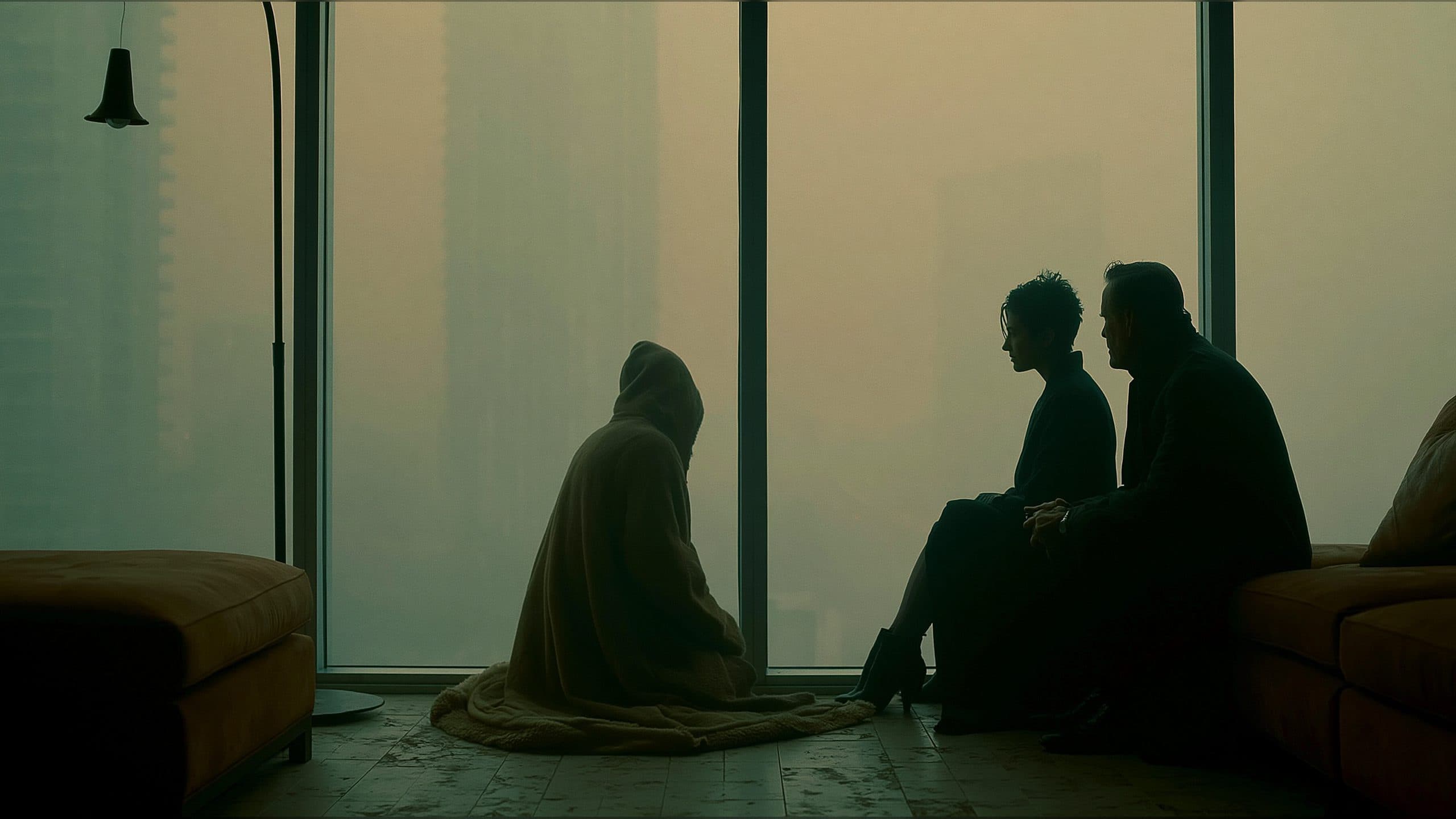
How to Control Action Order in AI Video Prompts: A Seedance 2.0 A/B Test
See how timed beats, focus transitions, and final framing changed a Seedance 2.0 A/B test, then use the included AI video prompt template.
11 min read
How to Control Action Order in AI Video Prompts
Provide a clean character reference and an empty environment reference to create an eight-second narrative shot with an ordered action, a deliberate focus transition, and a settled final frame. The key to how to control action order in AI video prompts is to turn the scene into a short sequence of visible tasks: establish the emotion, complete the physical action, and hold the result long enough for the viewer to read it.
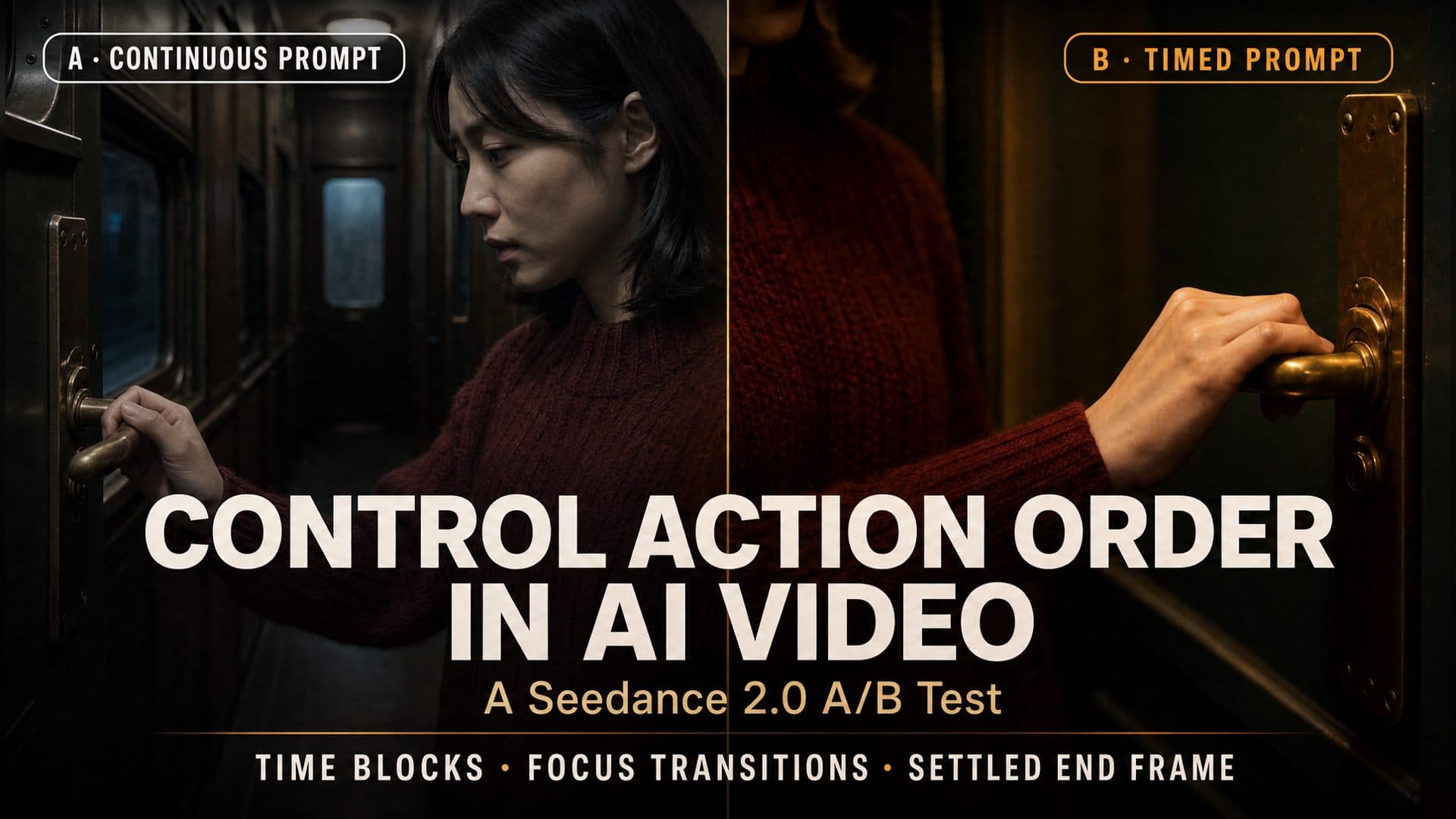
In a matched Seedance 2.0 A/B experiment, both versions showed a woman standing beside a vintage train door, reaching for a brass handle, gripping it, and looking up. The structured version separated those beats more clearly by assigning a shot size, focus subject, action sequence, and ending state to each phase.
The 30-second answer: Divide the shot into setup, action, and resolution. Give each phase one primary task, describe the physical transition between states, move the focus only when the story requires it, and define the composition that should remain on screen at the end.
What the A/B Test Showed
Both versions used the same character reference, empty train-interior reference, Seedance 2.0 model, seed, duration, output size, and core story.
Three timed phases with focus changes and a settled ending
Version A completed the story and kept the character, wardrobe, train interior, and brass handle recognizable. Its middle and final moments continued to show the face and hand together, so the visual priorities remained relatively similar throughout the shot.
Version B formed a clearer compositional sequence:
Facial close-up → hand-and-handle close-up → wider close shot with face, shoulders, and hand
At the opening, the face carried the emotional beat. During the reach, the hand and brass handle became the main subjects. At the end, the frame widened enough to reconnect the character with the completed action.
The practical value of timed prompting is the visual separation of story tasks. Each phase has a result that can be seen, compared, and refined.
Why Action Order Becomes Unclear
Several actions share one sentence
Consider this instruction:
Her eyes redden, she reaches for the door handle, grips it, and looks up toward the window.
The sentence contains an emotion change, a reach, physical contact, a completed grip, and an eye-line change. A viewer reads them as a sequence. A generation prompt becomes easier to execute when it states that sequence explicitly.
The prompt names the result without the transition
“Grip the handle” describes an end state. The visible action includes several intermediate states:
Raise the hand → approach the handle → make contact → close the fingers → hold the grip
Those stages help the hand travel through the frame instead of appearing directly in its final position.
Camera movement competes with the physical action
A precise hand movement already asks the video to maintain anatomy, contact, prop position, and spatial direction. A large orbit, rotation, or rapid zoom adds another demanding change. A short camera move tied to one story purpose gives the action more room to read.
The ending has no defined state
After the main action finishes, the shot still needs a visual destination. Define the final shot size, focus subject, character pose, prop state, and eye line. Holding that composition for the final second gives the scene a complete ending.
Build the Prompt in Four Layers
1. Give each phase one narrative job
Start with the story function of each time block:
0–2 seconds: Establish the character’s restrained emotion.
2–5 seconds: Reach for the handle and complete the grip.
5–8 seconds: Look up and settle into the final composition.
This setup creates a simple rhythm: preparation, execution, and resolution.
2. Translate emotion into visible behavior
Replace broad emotion labels with small physical changes that fit the shot:
Her eyes gradually redden.
She swallows once.
Her lips remain gently closed.
Her shoulders stay still.
The camera now has specific details to show. Restraint also keeps the performance aligned with the scene.
3. Match focus and camera movement to the story
Choose the subject that matters in each phase:
0–2 seconds: Focus on the eyes and lower face.
2–5 seconds: Shift focus from the face to the hand approaching the handle.
5–8 seconds: Return to a wider close shot containing the face, shoulders, hand, and handle.
The camera path follows the information path:
Emotion → physical decision → completed action
This approach also gives each move a destination. The camera begins somewhere, moves for a reason, and stops at a defined frame.
4. Connect each phase to the next
The end state of one phase becomes the starting state of the next:
End of setup: The body remains still and the right hand is ready to move.
End of action: The fingers close around the handle and maintain the grip.
End of resolution: The grip, eye line, focus, and camera position remain settled.
These handoffs reduce abrupt state changes and help the scene feel continuous.
A Reusable Eight-Second Prompt
Create one continuous eight-second narrative shot and follow this timeline in order.

0–2 seconds:
The character stands beside the train door.
Use a frontal facial close-up from an eye-level locked camera.
Keep focus on the eyes and lower face.
Her eyes gradually redden, she swallows once, and her expression remains restrained.
Her body stays still, preparing for the next action.

2–5 seconds:
She naturally raises her right hand and grips the brass door handle.
The action follows this order:
raise the hand → approach the handle → make contact → close the fingers → maintain the grip.
Track the camera downward slightly while maintaining focus.
Shift attention from the face to the hand.

5–8 seconds:
Return smoothly to a wider close shot containing the face, shoulders, hand, and handle.
She keeps holding the handle and raises her eyes slightly toward the window.
For the final second, keep the camera, focus, grip, and pose stable.

Use one continuous shot.
Keep the character on the same side of the door.
Avoid repeated reaches, reversed actions, focus drift, sudden camera rotations,
malformed hands, and background reconstruction.
Every part of this prompt has a distinct job:
Time blocks establish execution order.
Visible behavior carries the emotion.
Action stages describe the physical transition.
Focus tells the viewer where to look.
Camera movement connects story priorities.
The ending state completes the shot.
How to Choose Realistic Time Blocks
Count primary tasks, not sentences
One phase can contain several small movements when they all contribute to one task. Raising the hand, approaching the handle, and closing the fingers belong to the single task of completing the grip.
Give contact actions enough time
Hands touching props, characters exchanging objects, sitting down, and physical interaction all need preparation and completion. Allow the viewer to see the moment before contact, the contact itself, and the held result.
Preserve the state between phases
If the character finishes one phase standing beside the door, the next phase should begin from that position. When the scene needs a major pose change, include the connecting action inside the timeline.
Reserve time for the ending
The final phase should show the consequence of the action. A grip can be held, an eye line can shift, or a reaction can settle. The last second works best when it completes the existing beat.
Three Scenes That Benefit From Timed Action Prompts
A departure scene
A creator already has a character portrait and a train, airport, or doorway environment. The shot needs to move from restrained emotion to a hand touching a departure-related prop, then end on a final look back. Timed phases separate the emotion, decision, and resolution.
A prop handoff
Two characters exchange a letter, key, photograph, or small product. The prompt can assign one phase to offering the object, one to contact and transfer, and one to the receiving character’s reaction. The final state records who holds the prop.
A suspense reaction
A character hears something outside the frame, pauses, turns the eyes, and slowly reaches toward a nearby object. A locked opening, one focus transition, and a held final pose make the tension easy to follow.
These scenes share the same production logic: one visible priority at a time, clear physical handoffs, and a final frame that preserves the completed state.
Camera-Movement Decisions
A useful camera instruction answers three questions:
Where does the camera begin?
What story event triggers the movement?
Where does the camera settle?
For the train-door scene:
Begin on a frontal facial close-up.
As the hand rises, track downward slightly and shift focus to the fingers.
After the grip is complete, return to a wider close shot and settle.
A locked camera also works well for subtle expressions, dialogue reactions, and precise physical contact. The right choice depends on what the audience needs to see.
Workflow Settings to Match Across an A/B Test
Use the same values on both sides:
Character reference
Environment reference
Video model and version
Seed
Duration
Resolution and aspect ratio
Audio setting
Core story and character action
Change only the prompt structure. Version A describes the complete action continuously. Version B adds timed phases, action steps, focus subjects, camera destinations, and a settled ending.
Compare the opening, midpoint, and ending, then watch each complete video. This reveals whether the action state, focus subject, camera position, and final pose follow the intended progression.
Common Prompting Mistakes
Adding a new major action every second
Dense action lists compress preparation, execution, and completion. Group related movements into one primary task and give the task a visible ending.
Combining several camera moves in one phase
A push-in, orbit, pull-back, and focus shift create several simultaneous composition changes. Choose one main move that supports the phase and define its stopping point.
Using emotion adjectives without physical detail
Translate the emotion into eyes, lips, breathing, jaw, shoulders, and hands. Small visible changes provide a clearer performance target.
Releasing the completed action too early
After contact, state that the character maintains the grip or keeps holding the prop. Then use the final phase for the reaction and settled composition.
Frequently Asked Questions
Do AI video prompts need instructions for every second?
Three broad phases are often enough for a short narrative shot: setup, main action, and resolution. Add a narrower time block when a complex movement needs its own visual task.
How many major actions fit in an eight-second AI video?
Choose the number that allows every action to show preparation, execution, and completion. For a scene with a micro-expression, a hand-to-prop action, and an eye-line change, three phases create a readable rhythm.
How can a prompt create a clearer focus transition?
Name the opening focus subject, the action that triggers the shift, and the object that should be sharp at the end. Pair that focus path with one short camera move.
When should the camera stay locked?
A locked camera fits micro-expressions, reaction shots, dialogue moments, and precise hand contact. It keeps the composition stable while the performance supplies the movement.
Click the template card on this page, enter the experience page, and try the timed AI video prompt template with your own character and scene.
How to Control Action Order in AI Video Prompts: A Seedance 2.0 A/B Test | ArtArch