

ArtArch Newsroom
Producer's NoteZootopia Pet Video from a Photo
Create a Zootopia pet video from a photo, featuring two character costumes, expressive paw gestures, a selfie, and vertical scene transitions.
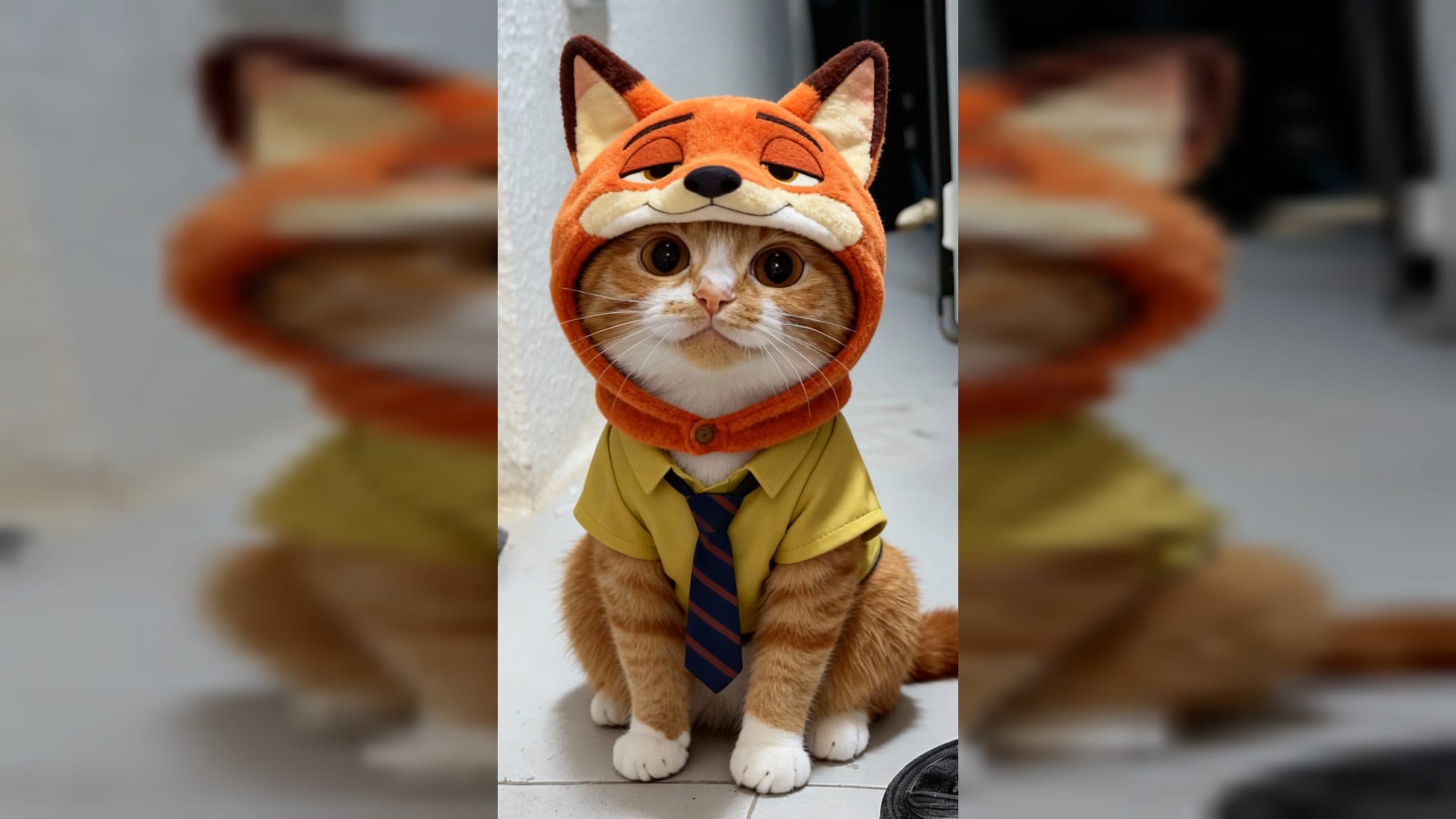
Upload one pet image to create a Zootopia pet video from a photo. The finished 1080 x 1920 vertical video casts the same animal in two character-inspired costumes, brings both versions together for a close portrait and selfie, and follows them with two short speaking scenes set to the template's fixed audio.
Two costumes give one pet a complete scene partner
The first version dresses the animal as rabbit police officer Judy, including the character headwear and top. In its solo scene, the pet raises one paw toward the camera, holds a notebook with the other, adopts an annoyed expression, and moves its mouth as if speaking.
The second version uses Nick's fox costume, again combining themed headwear with a matching top. This character rests one paw against its cheek, keeps a confident expression, and continues the speaking motion.
Both versions retain the pet as the recognizable subject. The video first fades between the two costume portraits. It then shows them together in two more personal compositions: one close shared portrait and one selfie where the fox-costumed version embraces the rabbit-officer version as it holds up a phone.
Choose a pet photo with a readable face and paws
A front-facing cat photo is a strong match for this scene. Look for visible ears, eyes, muzzle, chest, and front paws so the costume, notebook, pointing gesture, cheek pose, and selfie arrangement have a clear foundation.
Keep the animal as the obvious main subject. A centered portrait with enough space around the head and upper body helps the two costumes read distinctly when the final vertical sequence moves from solo portraits into the paired images.
Create the video in three steps:
- Upload one clear pet photo with the face and upper body visible.
- Select the Zootopia Paws Edition template and create the video.
- Review the two costumes, facial expressions, paw gestures, shared portrait, selfie, mouth movement, and vertical framing.
Match the scene to a pet's real personality
A cat owner can cast a naturally serious pet as the notebook-holding officer. The pointed paw and annoyed look suit posts about house rules, missing treats, or a mischievous family member being questioned.
A pet account can use the fox-costumed cheek pose for an animal known for a relaxed or sly expression. The mouth movement turns that familiar look into a short character moment without requiring a second pet photo.
An owner celebrating two sides of the same pet can focus on the shared portrait and selfie. The pairing reads like two characters meeting, while the animal's features connect both roles.
A family can use the vertical video as a playful pet tribute. The sequence moves through costume reveals, a friendly embrace, a phone selfie, and two performances, giving one photo several distinct beats rather than a single static makeover.
Frequently asked questions
Keep exploring
More in Producer's Note

AI Watercolor Style Transformation Image From Image
Use an image to create an image centered on 🎨 Watercolor style transformation with this Skira template.

AI She Feigns Dancing Elegantly Video From Image
Use an image to create a video centered on She feigns dancing elegantly with this Skira template.

AI Authentic Talking-head Hair Clip Video From Image
Use an image to create a video centered on Authentic Talking-Head Hair Clip Sales Template with this Skira template.

AI Hot Dance Video From Image
Use an image to create a video centered on Hot Dance with this Skira template.