

ArtArch Newsroom
Producer's NoteVirtual Snowy Summit Video from Photo
Turn one photo into a virtual snowy summit video with a museum painting reveal, a windblown mountain climb, and a triumphant summit scene.
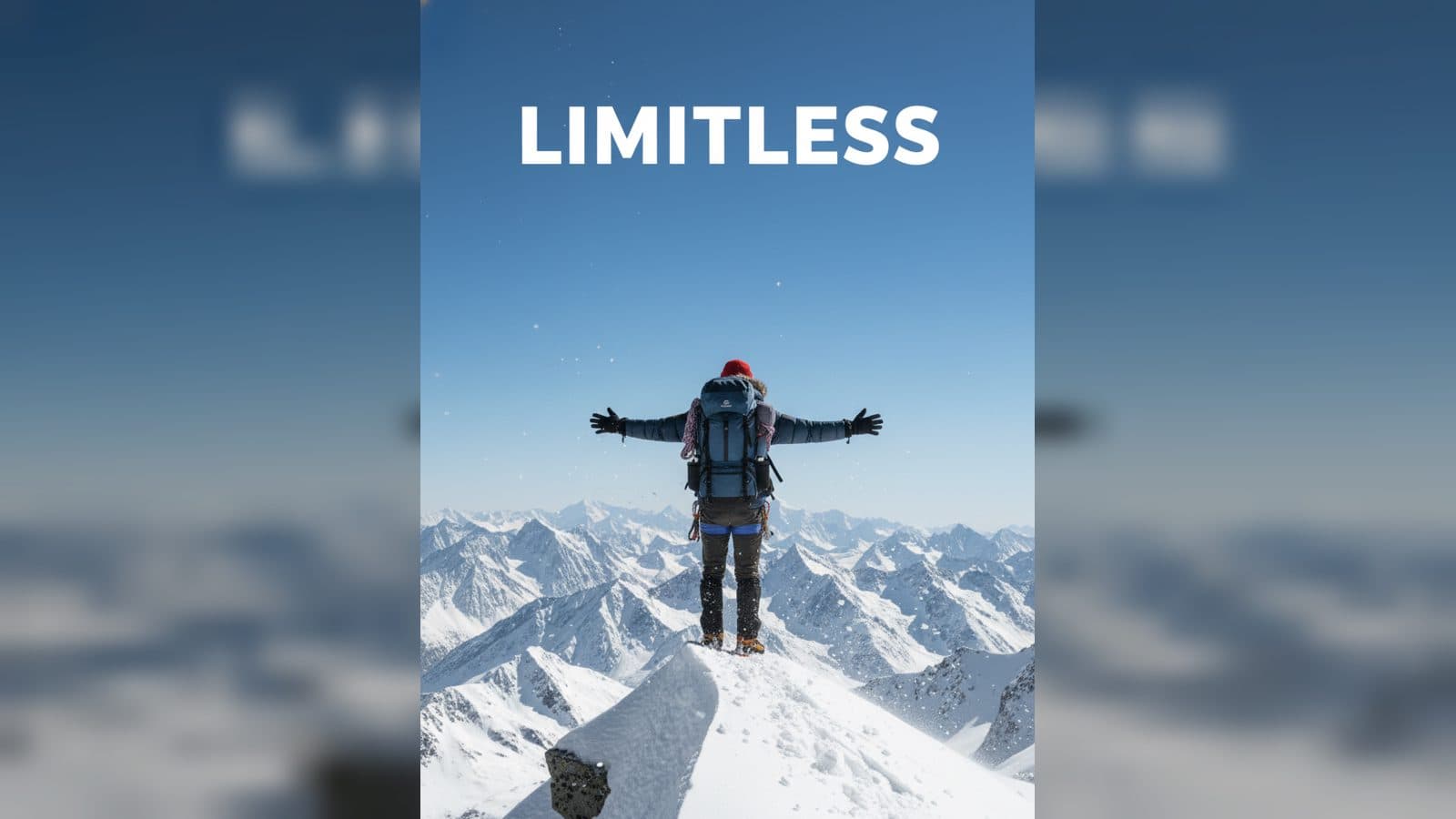
Upload one photo to create a virtual snowy summit video from photo. The finished video places the subject in mountaineering gear across a gallery reveal, a windblown snow climb, and a high-altitude summit scene with a red hat, goggles, backpack, and trekking gear.
A mountain story in three scenes
The experience turns a familiar portrait into a winter adventure. The same subject appears as a bundled climber, so the story feels continuous even as the setting moves from an indoor gallery to a vast snowy range.
The visual direction is cinematic and photorealistic. Blue skies, distant snow-covered peaks, blowing snow, and sharply defined mountaineering details give the virtual trip a strong sense of altitude.
Scenes to follow
The gallery painting
The opening takes place in a softly lit museum or gallery. A large oil painting shows the subject in winter climbing gear, while a back-view figure with a backpack and trekking pole studies the painting.
The climb through wind and snow
The story then moves outdoors. The subject leans into the ascent, grips trekking poles, and walks through drifting snow with a large backpack, insulated clothing, goggles, gloves, and mountaineering boots.
The summit release
At the absolute summit, the back-view climber stands at the snow-covered edge with arms stretched toward the clear blue sky. Distant peaks fade along the horizon while wind lifts the clothing, hat, and backpack straps.
How to create the virtual trip
- Upload the photo you want to feature.
- Open the Forge Your Virtual Snowy Summit template card.
- Review the gallery, climbing, and summit scenes as one continuous mountain story.
Input and visible result
The workflow accepts one uploaded image. Look for a video that carries the subject from an oil-painting gallery into a snowy ascent and finally to a high-altitude summit. A clear photo gives the climber a consistent visual identity across the three scenes.
Frequently asked questions
What do I upload?
Upload one photo of the person you want to place in the snowy summit story. A clear subject helps the climber remain recognizable from scene to scene.
Which scenes appear in the video?
The sequence includes a museum painting reveal, a determined climb through wind and snow, and a summit stance above distant mountain ranges.
What gear does the climber wear?
The subject appears in heavy mountaineering clothing with goggles, a bright red hat, gloves, boots, a backpack, and trekking poles during the ascent.
How do I start?
Upload the image, open the Forge Your Virtual Snowy Summit template card, and review the finished mountain video.
Click the Forge Your Virtual Snowy Summit template card on this page to enter the experience page and try the template.
Keep exploring
More in Producer's Note

AI Watercolor Style Transformation Image From Image
Use an image to create an image centered on 🎨 Watercolor style transformation with this Skira template.

AI She Feigns Dancing Elegantly Video From Image
Use an image to create a video centered on She feigns dancing elegantly with this Skira template.

AI Authentic Talking-head Hair Clip Video From Image
Use an image to create a video centered on Authentic Talking-Head Hair Clip Sales Template with this Skira template.

AI Hot Dance Video From Image
Use an image to create a video centered on Hot Dance with this Skira template.