

ArtArch Newsroom
Producer's NoteValentine's Day Heart Transition Video from a Photo
Create a Valentine's Day heart transition video from a photo, moving from a warm portrait into a winged Cupid scene through floating red hearts.
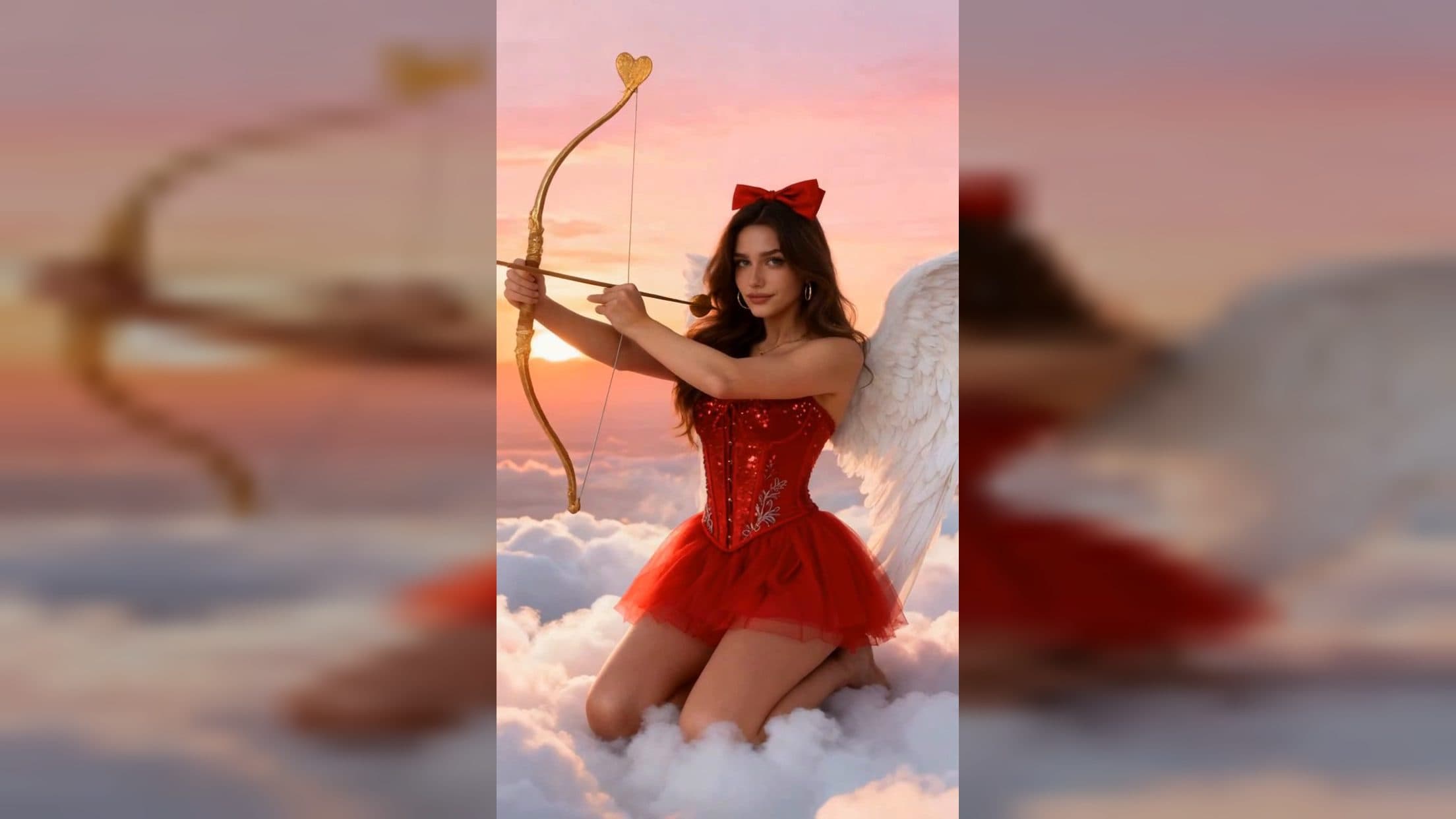
Upload one portrait to create a Valentine's Day heart transition video from a photo. The vertical video moves between a warm close-up and a winged Cupid scene, using a burst of floating red hearts to connect the two looks while romantic background music accompanies the sequence.
Move from a quiet portrait to a Cupid reveal
One part of the video presents the subject in a dark, loose top against a softly blurred beige and light-brown background. Warm afternoon side light catches the cheekbones and nose, and a small blink keeps the close portrait calm. The camera remains steady, giving the expression and face room to hold the frame.
The second look places the subject on white clouds beneath a pink-orange sunset. The styling changes to a red sequined corset, red tulle skirt, red hair bow, gold hoop earrings, and a pendant necklace. White angel wings fill the back of the composition as the subject kneels with a gold bow and heart-shaped arrow.
Both scenes use a 1080 by 1920 portrait frame. That shared format keeps the subject centered as the setting, wardrobe, and mood change around them.
Let red hearts carry the transition
The transition begins at the center with one bright red heart. More hearts and smaller heart particles spread outward, drifting across the frame under warm light. Their movement covers the visual change between the close portrait and the cloud scene, so the reveal has a clear romantic motif instead of an abrupt switch.
The contrast does the storytelling. The first scene feels intimate and grounded; the second becomes a full Valentine's fantasy with clouds, wings, red styling, and the Cupid prop. Fixed background music ties the clips and heart transition into one finished video.
Start with a portrait that keeps the face readable
Choose a photo with one clearly visible subject, an unobstructed face, and enough detail around the hair and shoulders. A front-facing or slight three-quarter portrait gives both looks a useful facial reference. Even lighting in the upload helps the face stay recognizable when the template shifts from the warm close-up to the sunset cloud setting.
Create the video in three steps:
- Upload the portrait you want to feature.
- Select the Valentine's Day visual poem template and create the video.
- Review the face, red Cupid styling, wings, bow and arrow, heart-particle transition, and vertical framing.
Match the reveal to a real Valentine's post
A creator can use the video for a Valentine's Day outfit reveal. The close portrait establishes the subject first, then the heart transition opens into the red costume and winged scene.
A couple can turn a partner's portrait into a short digital Valentine. Floating hearts, sunset colors, and Cupid imagery carry the romantic theme through the full sequence.
A beauty or fashion account can focus on the shift between two styled portraits. Warm natural light and a dark top lead into sequins, tulle, jewelry, and a red bow, giving the post a clear before-and-reveal structure.
Keep exploring
More in Producer's Note

AI Watercolor Style Transformation Image From Image
Use an image to create an image centered on 🎨 Watercolor style transformation with this Skira template.

AI She Feigns Dancing Elegantly Video From Image
Use an image to create a video centered on She feigns dancing elegantly with this Skira template.

AI Authentic Talking-head Hair Clip Video From Image
Use an image to create a video centered on Authentic Talking-Head Hair Clip Sales Template with this Skira template.

AI Hot Dance Video From Image
Use an image to create a video centered on Hot Dance with this Skira template.