

ArtArch Newsroom
Producer's NoteStorybook Portrait Illustration from Photo
Turn one portrait into a warm storybook illustration with vintage brush texture, gentle colors, clean lines, and a playful fairytale mood.
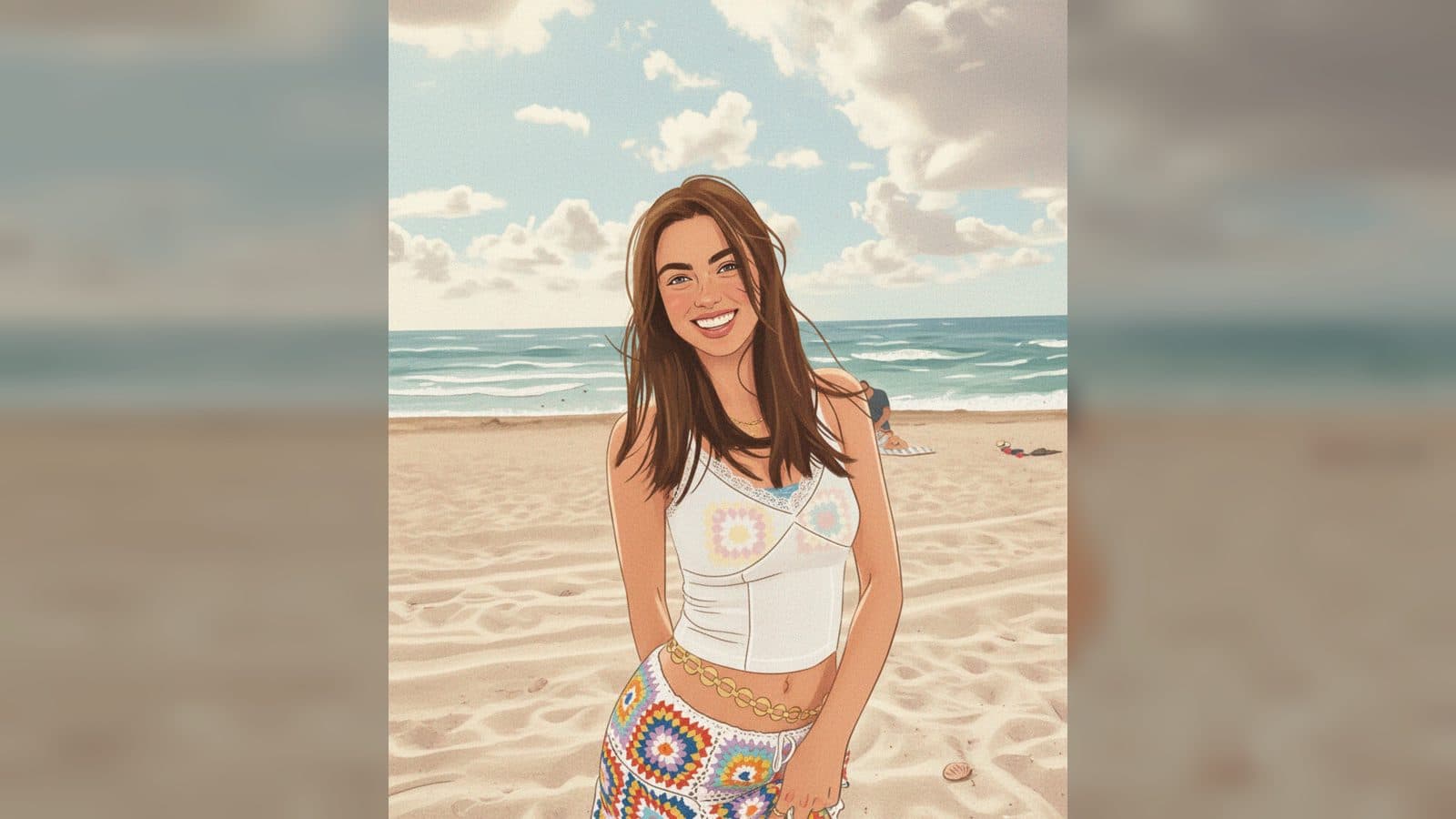
Upload one photo to create a storybook portrait illustration from photo with vintage brush texture, bright gentle colors, clean flowing lines, and a playful fairytale mood. The finished image keeps the person's face and pose recognizable while giving the scene the warmth of a carefully painted picture book.
What changes in the illustration
A recognizable character
The uploaded portrait remains the reference for the face and body position. This keeps the person at the center of the image as the style shifts from everyday photography to a hand-painted storybook character.
Vintage texture and color
Retro brushwork and high-detail surface texture give the illustration a tactile page-like feel. A rich, bright palette and soft, warm lighting add color without overwhelming the subject.
A gentle fairytale atmosphere
Simple flowing lines, cute character treatment, and a touch of cartoon and fairytale feeling shape the final scene. The result feels imaginative while the original expression and action stay easy to recognize.
When to use this storybook portrait
Use it for a profile image when you want a softer, illustrated identity built from a real photo. The classic painting style keeps the face familiar while the brush texture gives the portrait a distinct visual voice.
It also fits a personal story or family keepsake. A favorite photograph can become a page-like character portrait with a warm, child-friendly mood and colorful details to revisit.
For a creative post, the fairytale treatment makes a simple image feel like the opening frame of a gentle story. The clean lines and bright palette keep the composition readable on a feed or mood board.
How to create the illustration
- Upload the portrait you want to reinterpret.
- Open the In My Storybook template card.
- Review the finished image with its storybook texture, colors, and character styling.
Details to look for in the output
The illustration combines vintage brush texture, rich color, soft warm light, clean lines, and a playful fairytale atmosphere. The face and original action remain recognizable while the surface takes on the feel of a lovingly made storybook page.
Frequently asked questions
What do I upload?
Upload one portrait to provide the face and pose for the illustration.
Which visual style does the template use?
It uses a vintage storybook illustration style with textured brushwork, rich colors, clean lines, and a gentle cartoon-like mood.
Does the person remain recognizable?
The face and action stay aligned with the uploaded photo while the surrounding treatment becomes a storybook painting.
What kind of mood does the finished image have?
Keep exploring
More in Producer's Note

AI Watercolor Style Transformation Image From Image
Use an image to create an image centered on 🎨 Watercolor style transformation with this Skira template.

AI She Feigns Dancing Elegantly Video From Image
Use an image to create a video centered on She feigns dancing elegantly with this Skira template.

AI Authentic Talking-head Hair Clip Video From Image
Use an image to create a video centered on Authentic Talking-Head Hair Clip Sales Template with this Skira template.

AI Hot Dance Video From Image
Use an image to create a video centered on Hot Dance with this Skira template.