

ArtArch Newsroom
Producer's NoteRoyal Portrait Transformation from Photo
Turn one photo into a timeless royal portrait with a classic painting style and a refined transformation centered on your face.
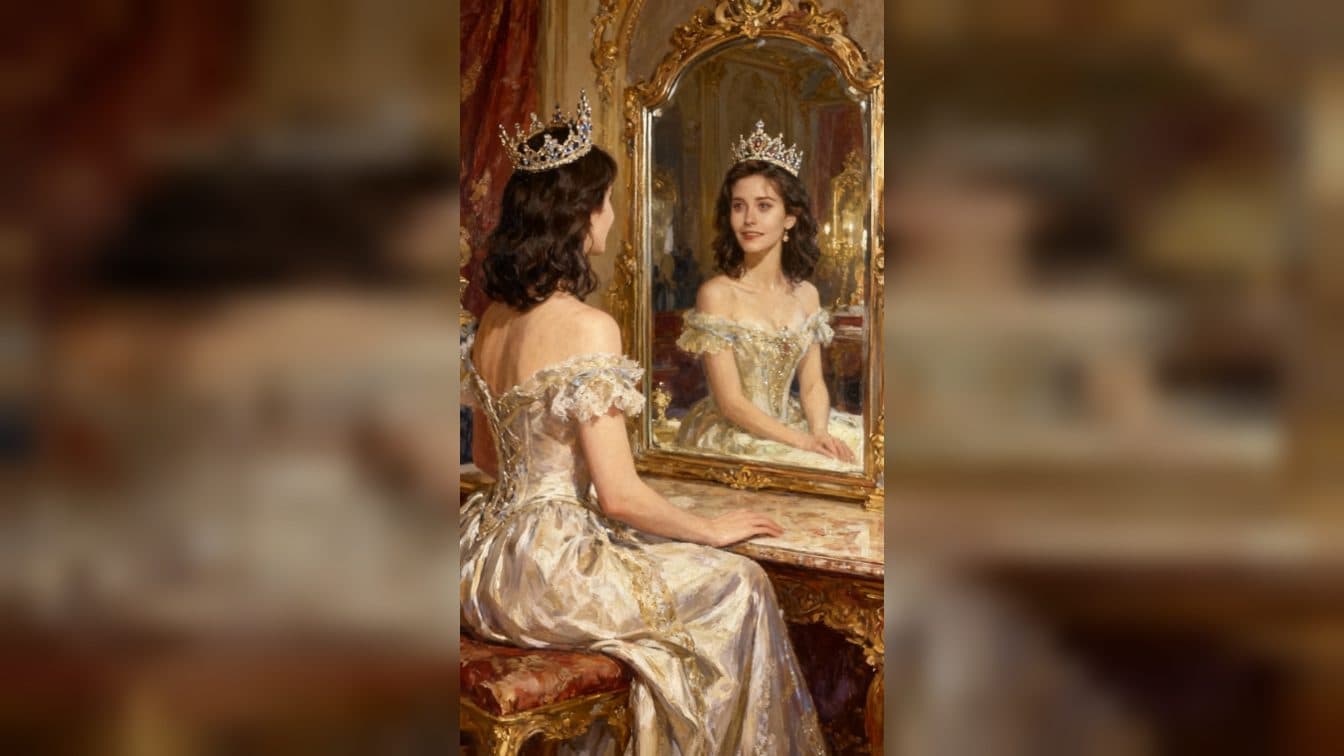
Upload one photo to create a royal portrait transformation from photo. The finished image reimagines the subject as a timeless beauty in a classic painting style, using brush-like detail to bring out a regal character.
A timeless painted identity
RoyalMe is built around a single visual change: an everyday portrait becomes a formal royal-style image. The brush-led treatment gives the subject a composed, romantic presence while keeping the face as the anchor.
The classic painting direction makes the result feel suited to a portrait collection rather than a quick effect. It gives a creator one polished visual to use wherever a regal, old-world mood fits.
Three ways to use the portrait
Profile refresh
Start with a clear face photo when you want a distinctive profile image. The royal treatment adds a formal, gallery-like character while preserving the subject as the focus.
Personal announcement
Use the painted portrait for a milestone or personal announcement that calls for a ceremonial tone. Its composed look gives the post a clear visual centerpiece.
Classic-style mood board
Add the result to a fashion or illustration mood board when you want a reference for romantic, classic painting style. The brush treatment sets the direction without requiring a full collection.
How to create the portrait
- Upload the photo you want to transform.
- Open the RoyalMe template card.
- Review the finished royal portrait and choose where its classic painting style fits.
Input and visible result
The workflow accepts one uploaded image. Look for a single finished portrait with a timeless beauty direction, visible brush treatment, and a royal character built around the uploaded face. A clear portrait gives the painterly transformation a strong starting point.
Frequently asked questions
What do I upload?
Upload one photo of the person you want to turn into a royal portrait. A clear face keeps the transformed image centered on the subject.
What style does the result use?
The result uses a classic painting style with brush-led detail and a refined, romantic royal mood.
Where can I use the finished image?
Use it as a profile refresh, a ceremonial announcement image, or a reference in a classic-style fashion and illustration mood board.
How do I start the transformation?
Upload the image, open the RoyalMe template card, and review the finished painted portrait.
Click the RoyalMe template card on this page to enter the experience page and try the template.
Keep exploring
More in Producer's Note

AI Watercolor Style Transformation Image From Image
Use an image to create an image centered on 🎨 Watercolor style transformation with this Skira template.

AI She Feigns Dancing Elegantly Video From Image
Use an image to create a video centered on She feigns dancing elegantly with this Skira template.

AI Authentic Talking-head Hair Clip Video From Image
Use an image to create a video centered on Authentic Talking-Head Hair Clip Sales Template with this Skira template.

AI Hot Dance Video From Image
Use an image to create a video centered on Hot Dance with this Skira template.