

ArtArch Newsroom
Producer's NoteRetro Arcade Fashion Video from Photo
Turn one photo into a retro arcade fashion video with neon glow, vintage pixel tones, varied poses, and warm American arcade nostalgia.
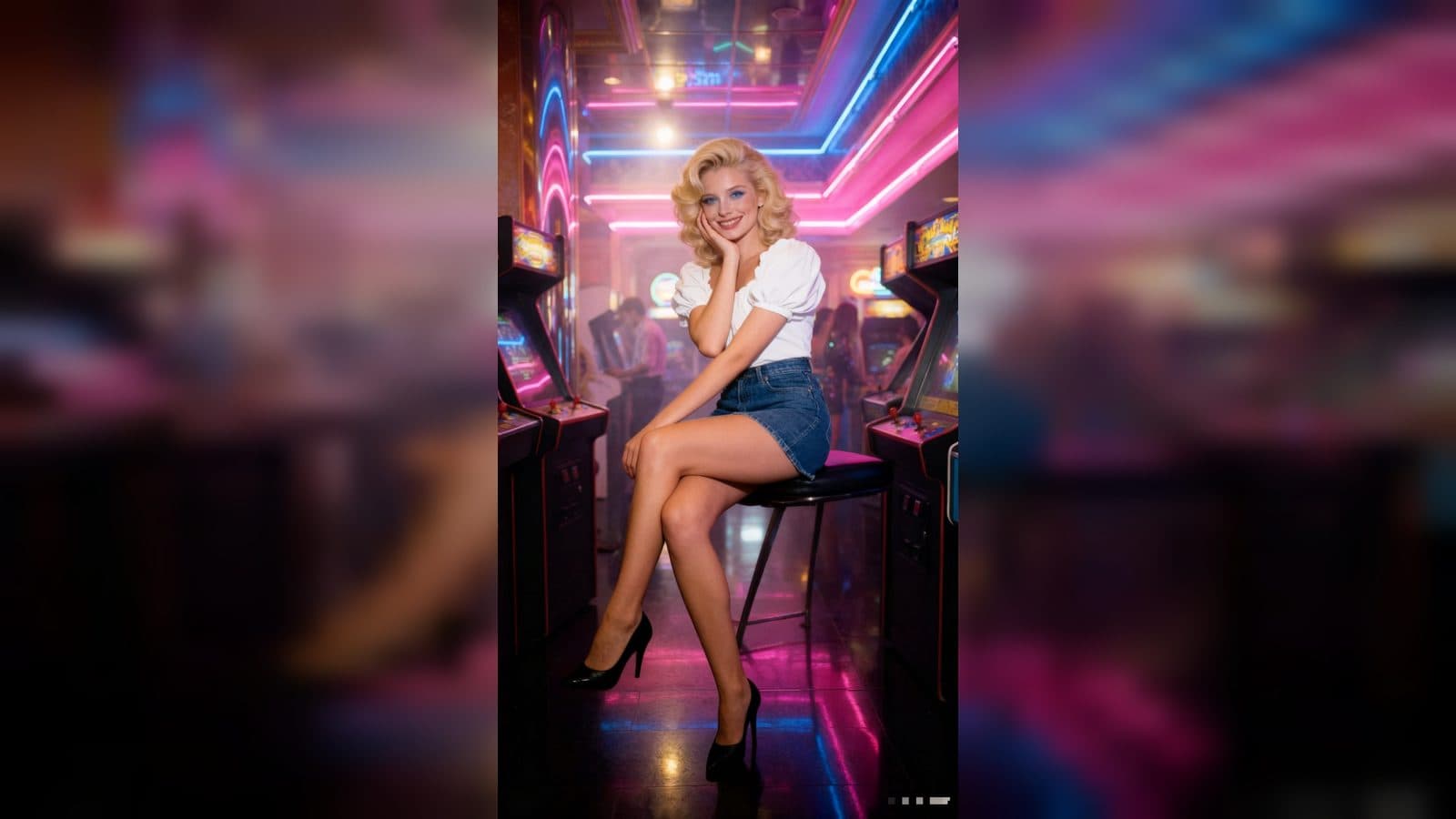
Upload one photo to create a retro arcade fashion video from photo. The finished video places the subject inside a clean, neon-lit American arcade, moving through vintage outfits, natural poses, and warm pixel-toned nostalgia.
A neon fashion experience
The template treats the arcade as both a setting and a visual identity. Glowing machines, pink and blue neon, film grain, and saturated color create a polished 1980s atmosphere around the subject.
The fashion direction stays varied without losing its thread. Retro tops, skirts, shorts, denim, and jackets appear in different arcade poses, from a confident walk to a seated game-machine portrait, so the video feels like a small lookbook with motion.
Three scenes to explore
The arcade entrance
The opening introduces the subject walking through the glowing game room. Neon reflections and clean arcade details set the vintage tone before the closer poses begin.
The game-machine portraits
Several moments bring the subject close to the arcade cabinets, with seated, leaning, and looking-back poses. The machines give each outfit a clear prop and keep the scene unmistakably arcade-focused.
The confident walk-away
The sequence also uses walking and profile moments to show the retro styling in motion. Warm film texture and colorful lights keep the final frames connected to the same nostalgic world.
How to create the arcade video
- Upload the photo you want to feature.
- Open the Retro Arcade Experience template card.
- Review the neon fashion scenes and their vintage arcade rhythm.
Input and visible result
The workflow accepts one uploaded image. Look for a video built from neon arcade settings, varied retro outfits, natural poses, glowing machines, and a warm pixel-era color treatment. A clear portrait gives the subject a consistent presence across the lookbook-like sequence.
Frequently asked questions
What do I upload?
Upload one photo of the person you want to feature in the retro arcade video. A clear subject helps the looks and poses stay easy to follow.
Which visual details define the result?
Neon pink and blue lights, glowing arcade machines, film grain, saturated color, and vintage American arcade styling define the finished video.
What kinds of poses appear?
The sequence includes walking, seated arcade-machine portraits, looking-back moments, profile views, and confident fashion stances.
How do I begin?
Upload the image, open the Retro Arcade Experience template card, and review the finished fashion video.
Click the Retro Arcade Experience template card on this page to enter the experience page and try the template.
Keep exploring
More in Producer's Note

AI Watercolor Style Transformation Image From Image
Use an image to create an image centered on 🎨 Watercolor style transformation with this Skira template.

AI She Feigns Dancing Elegantly Video From Image
Use an image to create a video centered on She feigns dancing elegantly with this Skira template.

AI Authentic Talking-head Hair Clip Video From Image
Use an image to create a video centered on Authentic Talking-Head Hair Clip Sales Template with this Skira template.

AI Hot Dance Video From Image
Use an image to create a video centered on Hot Dance with this Skira template.