

ArtArch Newsroom
Producer's NoteMiniature Pet Video from a Photo
Create a miniature pet video from a photo, turning an animal into a thumb-sized fluffy character held gently between two fingers as it moves its head.
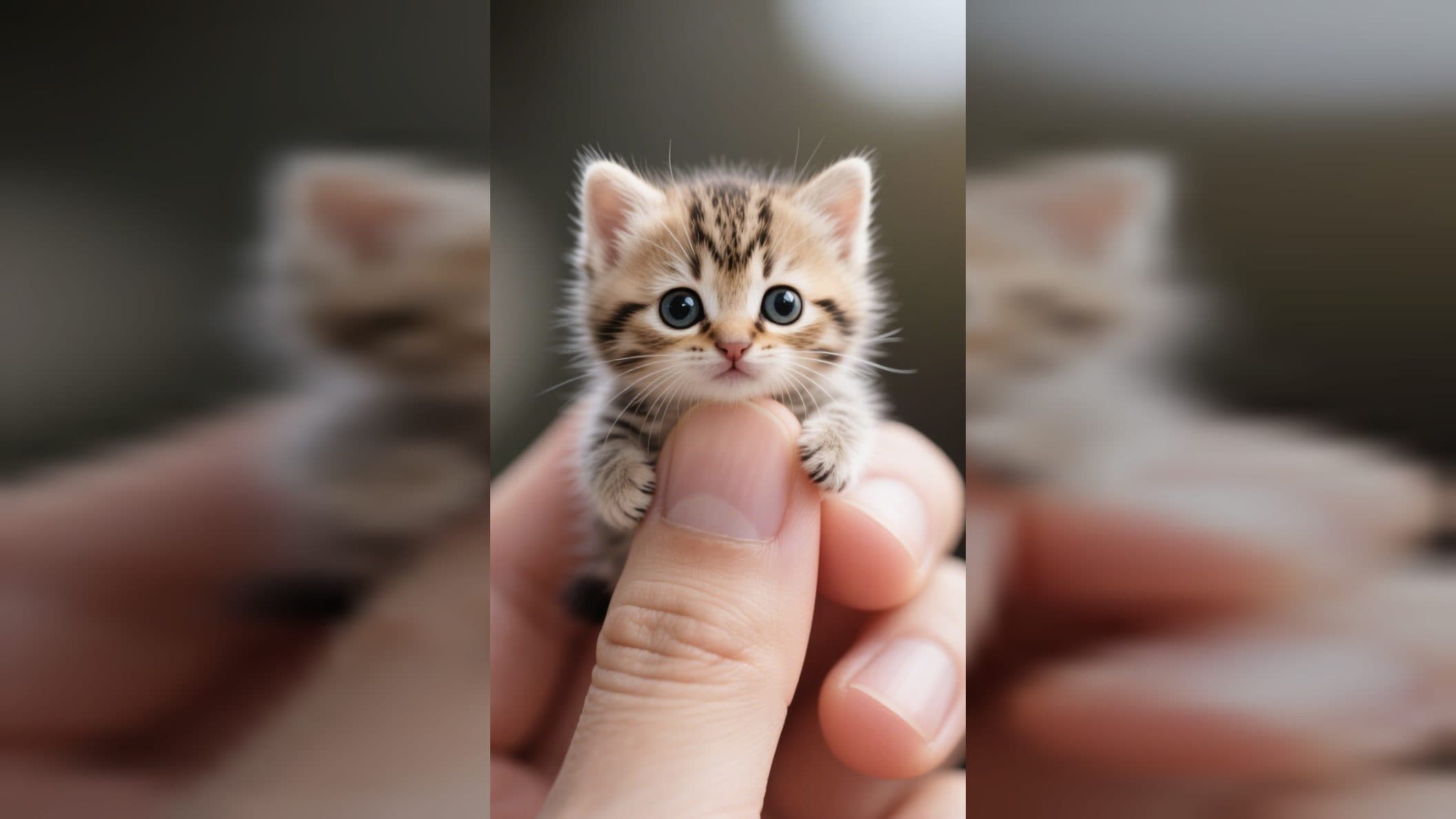
Upload an animal picture to create a miniature pet video from a photo. The pet becomes a thumb-sized, fluffy character held gently between a person's thumb and index finger, then gives its head a small, endearing shake.
A close-up built around tiny scale
The hand establishes the size immediately. Two fingers support the miniature animal, making the pet appear small enough to fit in a pocket while keeping its face at the center of the shot. The close framing brings attention to bright eyes, soft fur, and the recognizable shape of the animal from the uploaded image.
The background stays blurred, so the hand and tiny pet remain easy to read. Vivid color and detailed texture give the fur, eyes, and fingers a photographic look. The result feels like a close-up captured with a miniature animal sitting calmly in someone's hand.
The miniature pet gently shakes its head
The video builds on the still close-up with one focused action: the small animal gently shakes its head. The restrained movement keeps the eyes, fur, and tiny proportions visible throughout the clip.
Because the hand remains the visual size reference, even a subtle head movement makes the character feel present. The blurred background keeps the motion readable and leaves the tiny face as the point viewers notice first.
Choose an animal image with a clear face
A photo with visible eyes, ears, muzzle, and fur markings gives the miniature portrait useful identity details. Look for an angle where the face is unobstructed and the animal occupies a clear part of the image. Even lighting helps the eyes and fur carry into the close-up.
Create the pocket-sized scene in three steps:
- Upload a clear animal photo.
- Select the Pocket Pet template and create the miniature close-up.
- Review the pet's face, fluffy texture, hand placement, and gentle head motion in the finished video.
Give one pet photo a playful new scale
A pet owner can turn a favorite portrait into a tiny character reveal. The hand makes the scale obvious as soon as the video opens, while the head movement adds a small moment of personality.
A pet account can use the effect for a cute profile feature or short social post. The close-up composition keeps the animal recognizable and gives the post one clear visual idea.
A creator planning a whimsical animal edit can use the pocket-sized scene as the entire concept. Bright eyes, fluffy fur, vivid color, and the softly blurred background support a gentle miniature look from start to finish.
Frequently asked questions
What image should I upload?
Choose a clear animal photo with visible facial features, eyes, ears, and fur markings. Use an unobstructed face for the close-up composition.
How small does the pet appear?
The animal appears about the size of a thumb and rests between a person's thumb and index finger.
Keep exploring
More in Producer's Note

AI Watercolor Style Transformation Image From Image
Use an image to create an image centered on 🎨 Watercolor style transformation with this Skira template.

AI She Feigns Dancing Elegantly Video From Image
Use an image to create a video centered on She feigns dancing elegantly with this Skira template.

AI Authentic Talking-head Hair Clip Video From Image
Use an image to create a video centered on Authentic Talking-Head Hair Clip Sales Template with this Skira template.

AI Hot Dance Video From Image
Use an image to create a video centered on Hot Dance with this Skira template.