

ArtArch Newsroom
Producer's NoteMemory Crystal Ball Video from a Photo
Create a memory crystal ball video from a photo, placing a person or pet inside a glowing toy globe on a nostalgic childhood desk.
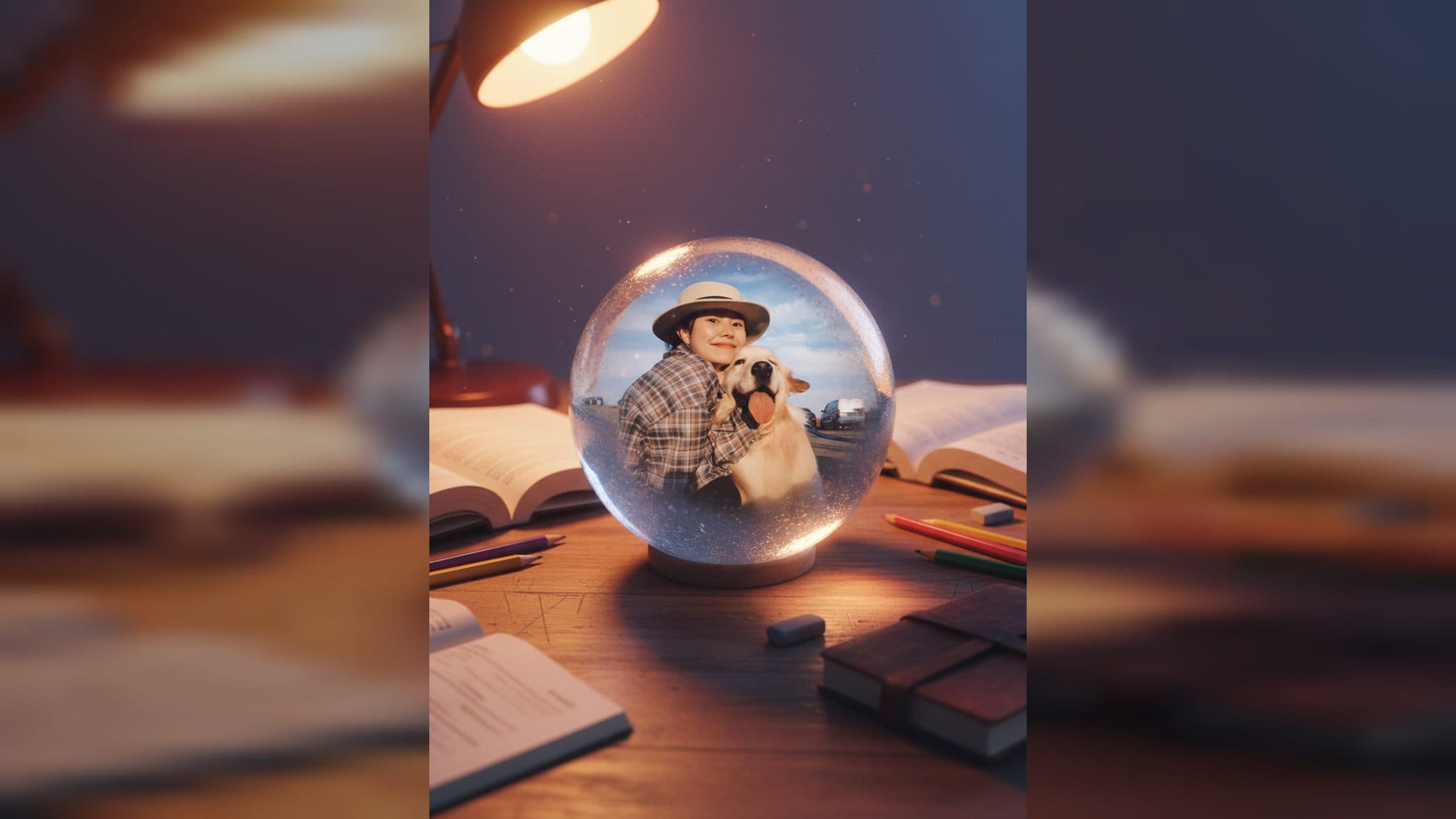
Upload a picture of a person or pet to create a memory crystal ball video from a photo. The subject appears inside a transparent toy globe on a well-used childhood desk, surrounded by soft light and moving reflections that turn the portrait into a preserved memory scene.
A familiar face inside a childhood keepsake
The template separates the person or pet from the original background and places the subject inside a rounded crystal ball. Facial features, hair, or fur details remain visible through the clear globe. Its shell has soft reflections and a lightly frosted toy-like finish, while the interior catches light from below and behind.
The globe rests on a wooden desk marked by use. Textbooks, colored pencils, an old diary, and an eraser sit nearby, building the feeling of an evening spent in a childhood room. Orange desk-lamp light warms the wood and stationery. Blue, purple, silver-white, and small pink accents inside the ball add a cooler magical glow around the subject.
Light and motion carry the memory
The scene moves through the crystal ball itself. Shimmering light travels inside the globe, and the transparent surface catches changing highlights and refractions. The person or pet stays at the center of this miniature world while the moving glow gives the final video its reflective, dreamlike mood.
The composition places a luminous keepsake among ordinary school objects. Warm room light suggests a quiet holiday evening, while the cooler colors inside the sphere separate the memory from the desk around it.
Pick a photo with recognizable details
Choose an image where the face is clear and the subject is easy to distinguish from the background. For a pet, visible eyes, ears, and fur markings help the portrait remain recognizable inside the globe. For a person, clear facial features and hair keep the identity easy to recognize.
Create the video in three steps:
- Upload the person or pet photo you want to preserve.
- Select the Memory Crystal Ball template and create the scene.
- Review the subject inside the globe, the desk details, and the moving light across the finished video.
Shape the video around a personal moment
A pet owner can turn a favorite portrait into a small glowing keepsake. The familiar markings remain inside the ball while the desk and school supplies give the video a gentle, storybook setting.
Someone preparing a birthday or family memory post can use a portrait from an earlier year. The old diary, pencils, worn desk, and evening lamp support a reflective mood tied to childhood.
A creator making a nostalgic holiday edit can place a person inside the globe as the central memory. The orange room light and cool crystal colors give the short video a clear visual transition between everyday objects and the magical sphere.
Frequently asked questions
Can I use a person or a pet photo?
Keep exploring
More in Producer's Note

AI Watercolor Style Transformation Image From Image
Use an image to create an image centered on 🎨 Watercolor style transformation with this Skira template.

AI She Feigns Dancing Elegantly Video From Image
Use an image to create a video centered on She feigns dancing elegantly with this Skira template.

AI Authentic Talking-head Hair Clip Video From Image
Use an image to create a video centered on Authentic Talking-Head Hair Clip Sales Template with this Skira template.

AI Hot Dance Video From Image
Use an image to create a video centered on Hot Dance with this Skira template.