

ArtArch Newsroom
Producer's NoteI Love You Heart Swing Video from a Photo
Create an I Love You heart swing video from a photo, placing a person, pet, or character on a knitted red heart in a snowy forest.
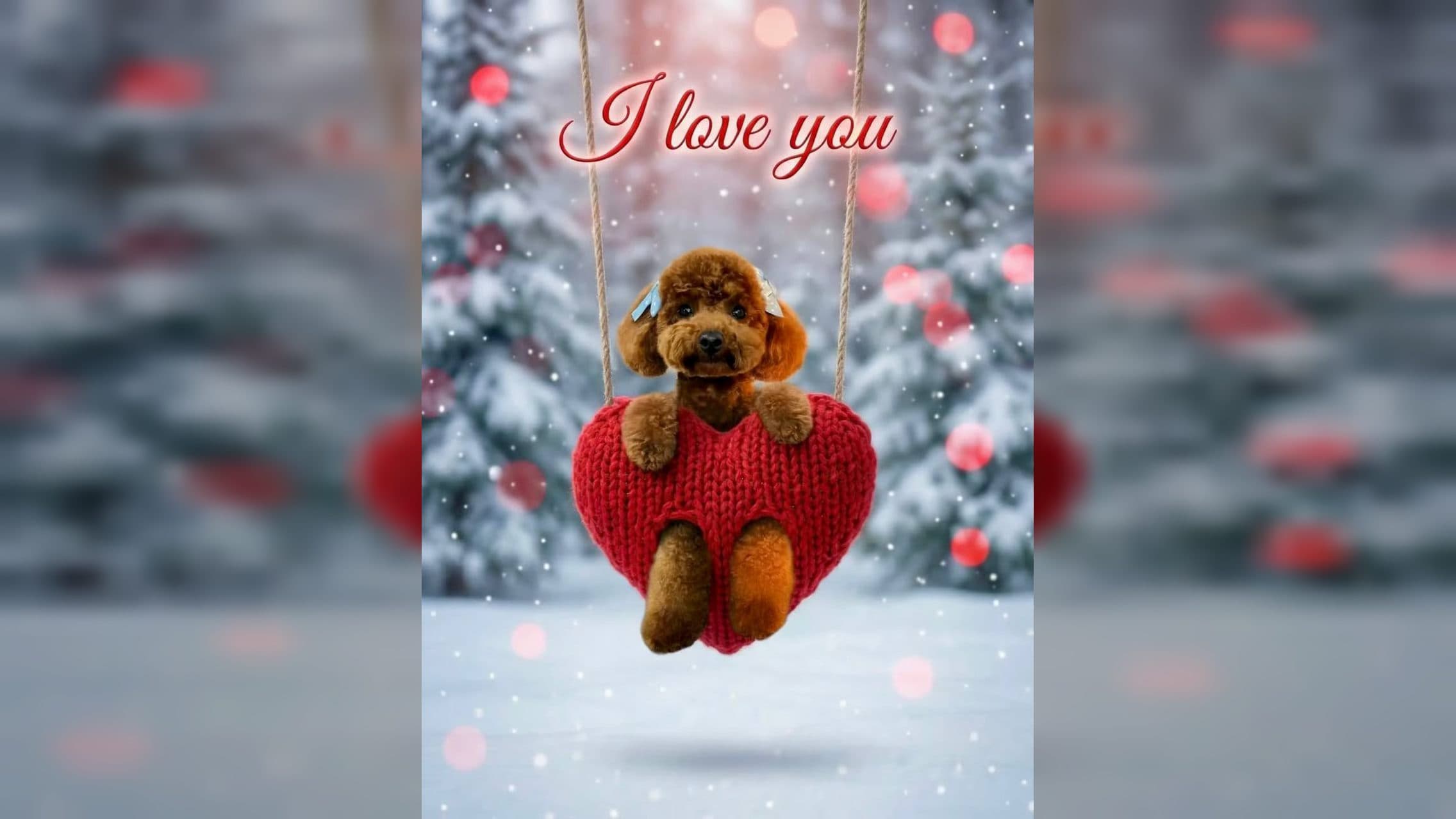
Upload a photo with a visible face to create an I Love You heart swing video from a photo. A person, animal, or character becomes the subject on a knitted red heart swing in a snowy pine forest, while glowing text turns into small flying hearts and fixed music accompanies the vertical scene.
Sit the subject inside a knitted heart
The heart is large, soft, and suspended from two ropes. The subject sits behind it, holds the upper edge with both hands, and extends their legs through two separate openings in the knit. This arrangement keeps the face above the heart while placing the body directly inside the Valentine motif.
The swing moves as the animation begins. Above it, red “I love you” lettering glows against the winter background. The words then break apart into many small translucent red hearts that spread and fly around the subject.
Snow-covered pine trees fill the background. Falling snow, red and pink bokeh lights, and soft illumination frame the central swing. The result uses a 1080 by 1920 portrait composition, with the ropes providing a strong vertical line from the top of the scene to the heart.
Choose a face that reads above the heart
Use one image with a clear face and an easy-to-follow silhouette. A front-facing or slight three-quarter view works for a person, pet, mascot, or illustrated character. Leave enough visible detail around the head, ears, hair, or costume so the subject remains recognizable in the winter setting.
For a pet, choose a photo where the eyes, muzzle, and ears are unobstructed. For a person, a portrait with visible shoulders helps establish proportions behind the swing. Character art benefits from a clean outline and a face large enough to remain readable in the vertical frame.
Create the love message in three steps:
- Upload a photo of the person, animal, or character you want to feature.
- Select the I Love You Heart Swing template and create the video.
- Review the face, knitted heart, hands or paws, leg placement, glowing text, flying hearts, snowy forest, and portrait framing.
Send the scene for a specific relationship
A pet owner can turn a favorite dog or cat portrait into a Valentine greeting. The face stays above the red knit while paws and legs make the animal appear seated in the heart swing.
A partner can use a clear portrait to create a direct “I love you” message. The glowing lettering begins the greeting, then the flying hearts carry it through the animated scene.
A parent can place a child or family member into the winter setting for a warm seasonal message. Snowfall and the knitted texture give the result a handmade-card feeling in motion.
A fan or role-play account can use character art as the subject. The swing, heart particles, red lettering, and snowy forest supply a complete romantic setting around the uploaded design.
Frequently asked questions
Keep exploring
More in Producer's Note

AI Watercolor Style Transformation Image From Image
Use an image to create an image centered on 🎨 Watercolor style transformation with this Skira template.

AI She Feigns Dancing Elegantly Video From Image
Use an image to create a video centered on She feigns dancing elegantly with this Skira template.

AI Authentic Talking-head Hair Clip Video From Image
Use an image to create a video centered on Authentic Talking-Head Hair Clip Sales Template with this Skira template.

AI Hot Dance Video From Image
Use an image to create a video centered on Hot Dance with this Skira template.