

ArtArch Newsroom
Producer's NoteHogwarts Portrait Video from Photo
Turn one photo into a cinematic Hogwarts-style portrait video with a wizard robe, randomly selected house colors, a wand, and a magical companion.
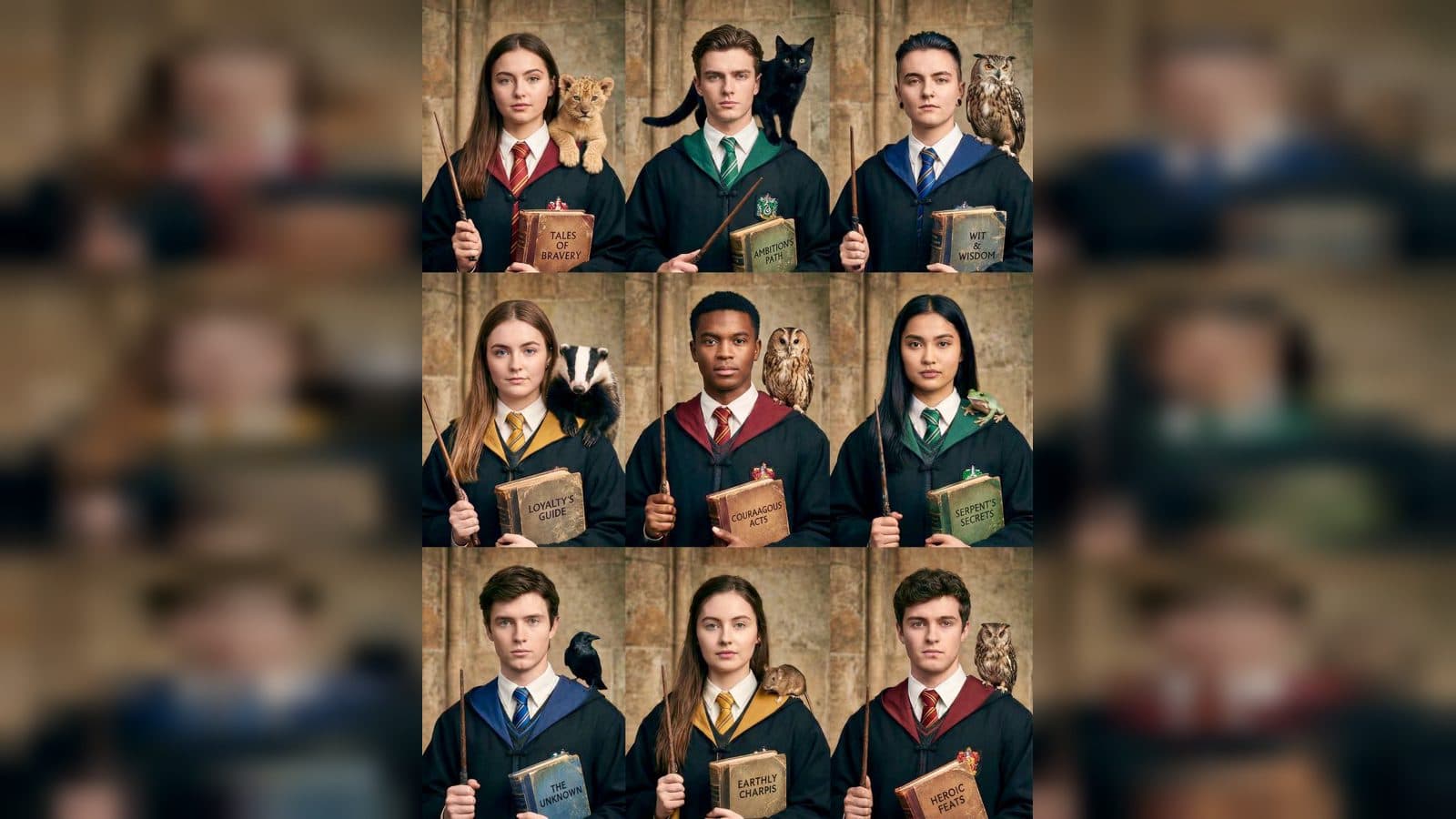
Upload one clear face photo to create a Hogwarts portrait video from photo. The finished portrait places the subject in a black wizard robe with automatically selected house colors, a wand, an animal companion, and a worn spell book against an aged stone setting.
A magical identity portrait
The subject's face, hairstyle, proportions, and overall vibe remain the visual anchor. The wizard styling adds a white collar, colored robe lining, and matching tie while keeping the portrait recognizable.
One of four house palettes is selected for the result: Gryffindor, Slytherin, Ravenclaw, or Hufflepuff. That choice gives the robe and tie a distinct color direction without requiring a house selection step.
Three details to look for
The house-color reveal
The black robe opens onto a colored lining and tied tie from the selected house palette. The change gives the portrait a clear wizarding identity.
The companion and wand
The subject holds a suitable wand in one hand while an animal companion sits naturally on the shoulder. The pairing makes the portrait feel like a character introduction rather than a costume-only still.
The spell-book finish
An old, worn spell book is held against the body with a readable English title related to magic. Its texture and lettering add a physical story prop to the final frame.
How to create the portrait video
- Upload the face photo you want to feature.
- Open the Hogwarts Portrait Video template card.
- Review the robe, house colors, wand, companion, and subtle magical motion.
Input and visible result
The workflow accepts one uploaded image. Look for a cinematic portrait against an aged stone wall, with gentle breathing, slow blinking, slight head movement, soft robe motion, and a faint glow around the wand tip. The result keeps the subject's identity while adding a prestigious magical atmosphere.
Frequently asked questions
What do I upload?
Upload one photo with a clearly visible face. The image supplies the identity, hairstyle, proportions, and overall visual direction for the portrait.
Which house colors appear?
The result automatically selects one palette from Gryffindor, Slytherin, Ravenclaw, or Hufflepuff for the robe lining and tie.
What props are included?
The subject holds a wand and a worn spell book, while an animal companion sits on the shoulder.
How does the portrait move?
Subtle breathing, blinking, head movement, robe motion, and a faint wand-tip glow create the animated portrait effect.
Click the Hogwarts Portrait Video template card on this page to enter the experience page and try the template.
Keep exploring
More in Producer's Note

AI Watercolor Style Transformation Image From Image
Use an image to create an image centered on 🎨 Watercolor style transformation with this Skira template.

AI She Feigns Dancing Elegantly Video From Image
Use an image to create a video centered on She feigns dancing elegantly with this Skira template.

AI Authentic Talking-head Hair Clip Video From Image
Use an image to create a video centered on Authentic Talking-Head Hair Clip Sales Template with this Skira template.

AI Hot Dance Video From Image
Use an image to create a video centered on Hot Dance with this Skira template.