

ArtArch Newsroom
Producer's NoteHalloween Costume Transformation Video from Photo
Turn one uploaded photo into a Halloween adventure video with a dark fantasy costume transformation and a cinematic seasonal mood.
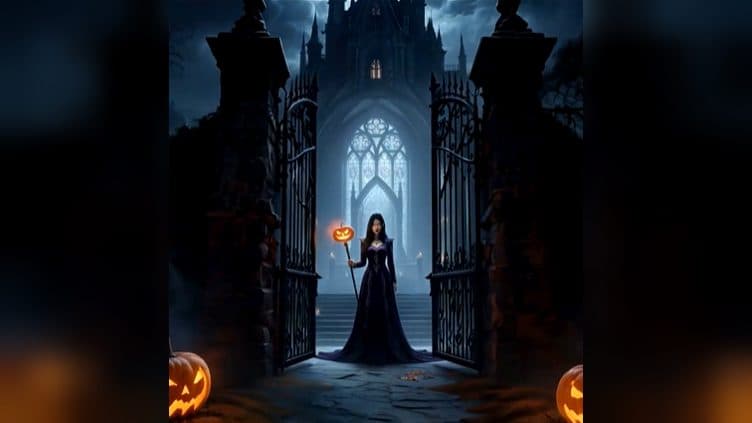
Upload one photo to create a Halloween costume transformation video from photo. The finished video carries the subject into a dark fantasy Halloween adventure, turning a familiar portrait into a seasonal costume reveal with an eerie, cinematic mood.
A dark-fantasy Halloween reveal
The template is built around transformation: the uploaded subject becomes the center of a Halloween costume moment rather than a static portrait. Dark styling and fantasy atmosphere give the reveal a clear seasonal identity.
The result works like a short adventure opening. A viewer sees the subject move from an everyday photo into a Halloween world, so the visual story has a beginning, a change, and a themed finish.
Three scenes for the transformation
The before moment
Start with a portrait that clearly shows the person you want to feature. This opening keeps the source identity visible before the Halloween styling takes over.
The costume reveal
Use the central change as a seasonal reveal for a Halloween post. Dark fantasy styling supplies the visual turn, while the subject remains the focus of the frame.
The adventure close
End with the transformed character inside the Halloween atmosphere. The final beat can anchor a haunted mood board, a costume announcement, or a fantasy-themed social post.
How to create the video
- Upload the photo you want to transform.
- Open the Halloween costume transformation template card.
- Review the finished seasonal video and choose the reveal moment that fits your story.
Input and visible result
The workflow accepts one uploaded image. Look for a video that presents the subject's costume transformation through a dark fantasy Halloween setting, with the change from everyday portrait to seasonal character as its main visual beat. A clear portrait gives the reveal a readable starting point.
Frequently asked questions
What do I upload?
Upload one photo of the person you want to place in the Halloween adventure. A clear subject makes the before-and-after transformation easy to follow.
What does the finished video show?
It shows a Halloween costume transformation with dark fantasy styling and a seasonal adventure mood.
Which occasions fit this template?
Use it for a costume announcement, a haunted mood board, or a fantasy-themed Halloween post.
How do I begin?
Upload the image, open the Halloween costume transformation template card, and review the resulting video.
Click the Halloween costume transformation template card on this page to enter the experience page and try the template.
Keep exploring
More in Producer's Note

AI Watercolor Style Transformation Image From Image
Use an image to create an image centered on 🎨 Watercolor style transformation with this Skira template.

AI She Feigns Dancing Elegantly Video From Image
Use an image to create a video centered on She feigns dancing elegantly with this Skira template.

AI Authentic Talking-head Hair Clip Video From Image
Use an image to create a video centered on Authentic Talking-Head Hair Clip Sales Template with this Skira template.

AI Hot Dance Video From Image
Use an image to create a video centered on Hot Dance with this Skira template.