

ArtArch Newsroom
Producer's NoteHalf-Size Red Carpet Sidekick Video from Photos
Turn two photos into a cinematic red carpet video with a full-size lead and a half-size companion walking hand-in-hand through a premiere.
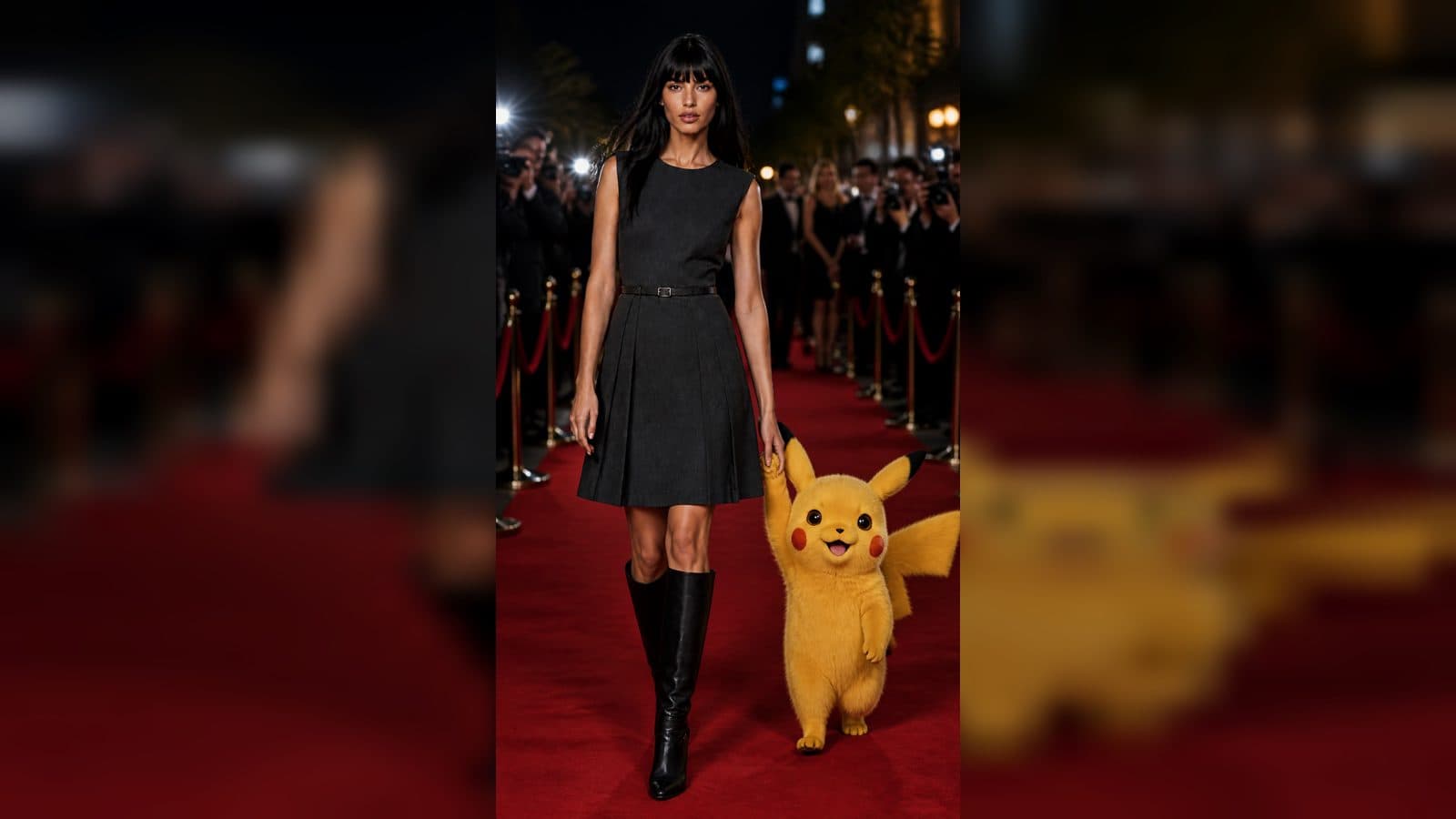
Upload two photos to create a half-size red carpet sidekick video from photos. The finished video pairs the main subject at normal scale with a companion at roughly half height, walking hand-in-hand through a cinematic movie-premiere red carpet.
A premiere built for two
The template gives each upload a clear role. The first photo supplies the main red-carpet protagonist; the second becomes a smaller companion who stays beside them at a believable waist-to-chest height.
The relationship is the visual hook. The pair walks together with a natural hand, paw, claw, or other appendage connection while paparazzi flashes, velvet ropes, blurred guests, event lights, and red-carpet reflections build the premiere atmosphere.
Three moments in the walk
The opening entrance
The pair begins already holding hands and walking forward. A gentle backward camera move keeps both subjects centered and makes the size relationship immediately readable.
The side-by-side exchange
As they continue along the carpet, the main subject can glance down or sideways while the smaller companion looks up and keeps pace. The connected hands stay visible through the movement.
The premiere finish
The tracking shot carries the pair past blurred photographers and guests. Event lighting and flashes give the final moments a polished, confident premiere energy.
How to create the sidekick video
- Upload the main-subject photo.
- Upload the companion photo.
- Open the Red Carpet Sidekick Walk template card and review the hand-in-hand premiere walk.
Input and visible result
The workflow accepts two uploaded images. Look for a vertical cinematic video with a normal-scale lead, a companion at approximately 45 to 55 percent of that height, a stable handhold, and a smooth backward tracking shot on the red carpet.
Frequently asked questions
What do I upload?
Upload one photo for the main red-carpet subject and one for the companion. The two images define the identities that appear together in the premiere scene.
How large is the companion?
The companion stays at roughly half the main subject's height, reaching around waist to lower-chest level depending on the subject.
How do the two subjects interact?
They walk side by side with a natural hand, paw, claw, or similar appendage connection that remains visible through most of the video.
What setting surrounds them?
The walk takes place on a glamorous movie-premiere red carpet with paparazzi flashes, velvet ropes, event lights, reflections, photographers, and guests in the background.
Click the Red Carpet Sidekick Walk template card on this page to enter the experience page and try the template.
Keep exploring
More in Producer's Note

AI Watercolor Style Transformation Image From Image
Use an image to create an image centered on 🎨 Watercolor style transformation with this Skira template.

AI She Feigns Dancing Elegantly Video From Image
Use an image to create a video centered on She feigns dancing elegantly with this Skira template.

AI Authentic Talking-head Hair Clip Video From Image
Use an image to create a video centered on Authentic Talking-Head Hair Clip Sales Template with this Skira template.

AI Hot Dance Video From Image
Use an image to create a video centered on Hot Dance with this Skira template.