

ArtArch Newsroom
Producer's NoteGame Boy Dance Challenge Video from Two Photos
Create a Game Boy dance challenge video from two photos, using one portrait for the subject and a second image for the background of a vertical routine.
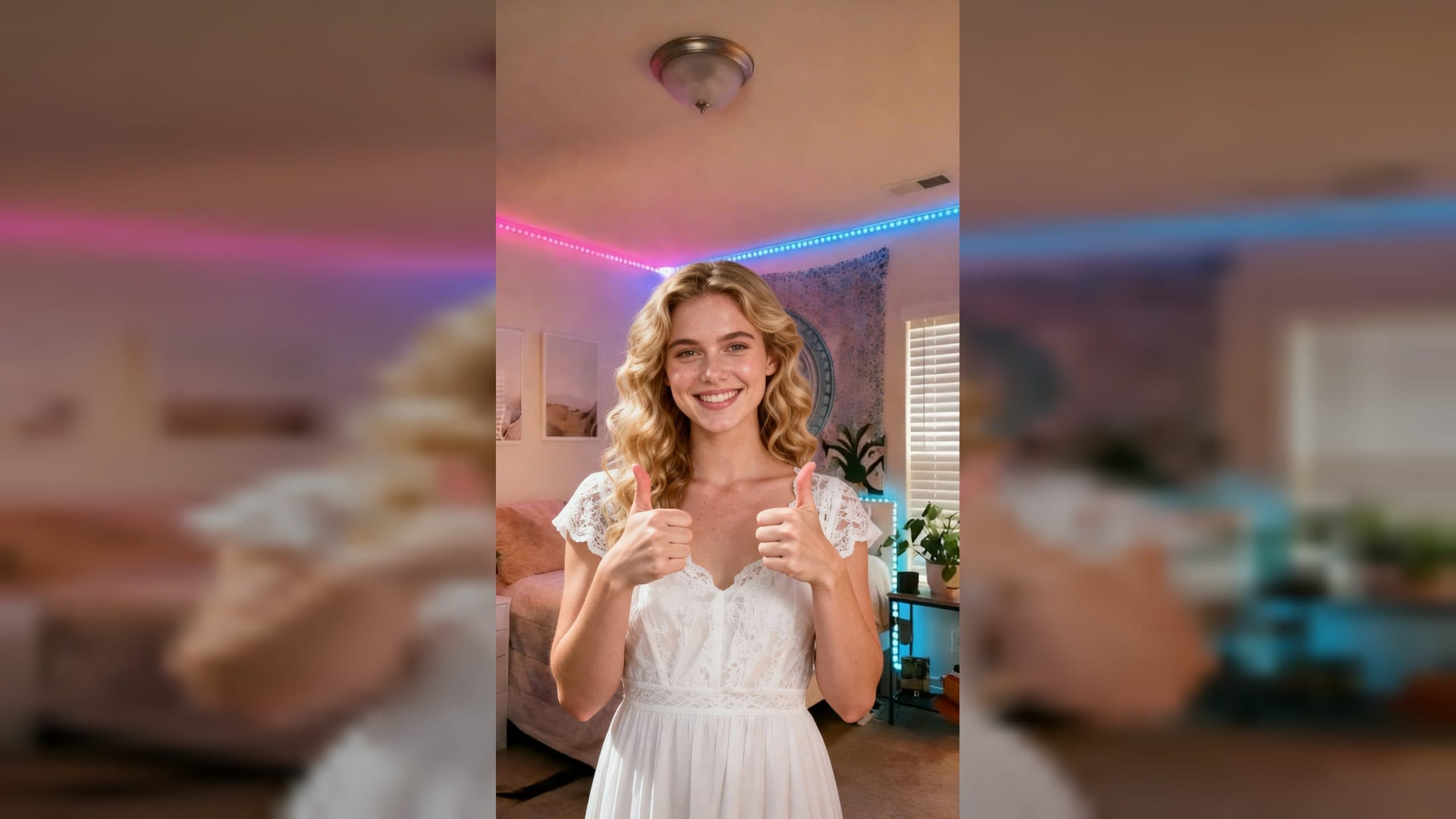
Upload a portrait and a separate background image to create a Game Boy dance challenge video from two photos. The finished 1080 by 1920 vertical video places the subject in the chosen setting, opens on a centered double-thumbs-up pose, and carries that character into the template's dance routine with music.
Combine a subject with a setting you choose
The first image defines the person. Their face, hairstyle, and clothing carry into the new composition, so choose a portrait where those details are visible. The second image defines the setting behind them.
The subject appears about an arm's length from the camera in an upper-body composition. They face forward, centered against the uploaded background. This close framing makes the expression, hair, outfit, and hand gesture the main visual signals before the dance begins.
The opening pose uses both arms bent at the elbows and both thumbs raised at chest height. Relaxed shoulders, a small smile, and an eye-level camera give the introduction the feel of an upbeat lifestyle or creator clip. The same outfit and background continue through the vertical result.
Match the two uploads before creating the dance
Use a subject photo with one clear face, visible hair, and an outfit you want to retain. A front-facing or slight three-quarter view provides useful detail for the centered portrait and the following movement.
For the background, choose a scene with enough open space for an upper-body figure. A bedroom, studio corner, gaming setup, street wall, event backdrop, or illustrated environment can all establish the location. Check that the subject will remain distinct from the colors and detail directly behind them.
Create the video in three steps:
- Upload the portrait that defines the person, hairstyle, and clothing.
- Upload the separate image you want to use as the background.
- Create the video, then review the face, hair, outfit, setting, double-thumbs-up pose, dance action, music, and vertical framing.
Build the post around the custom setting
A gaming creator can use a portrait and a photo of their setup to make the dance feel connected to their channel space. The double-thumbs-up opening works as a direct greeting before the routine takes over.
A friend group can use different portraits against the same room or event backdrop. The shared setting, opening pose, choreography, and music connect the separate clips as one challenge series.
A character account can pair a recognizable subject image with an illustrated background. Keeping the original hairstyle and outfit helps the character remain readable while the second upload supplies the world around them.
An event organizer can place a host or guest against a branded photo wall, stage image, or venue shot. The centered greeting pose introduces the person and location before the dance becomes the focus.
Keep exploring
More in Producer's Note

AI Watercolor Style Transformation Image From Image
Use an image to create an image centered on 🎨 Watercolor style transformation with this Skira template.

AI She Feigns Dancing Elegantly Video From Image
Use an image to create a video centered on She feigns dancing elegantly with this Skira template.

AI Authentic Talking-head Hair Clip Video From Image
Use an image to create a video centered on Authentic Talking-Head Hair Clip Sales Template with this Skira template.

AI Hot Dance Video From Image
Use an image to create a video centered on Hot Dance with this Skira template.