

ArtArch Newsroom
Creative AgentFixed-Camera AI Ecommerce Transitions for Product Switching
fixed-camera AI ecommerce transition case study with saved ArtArch Studio media, prompt decisions, visible results, and practical production notes.
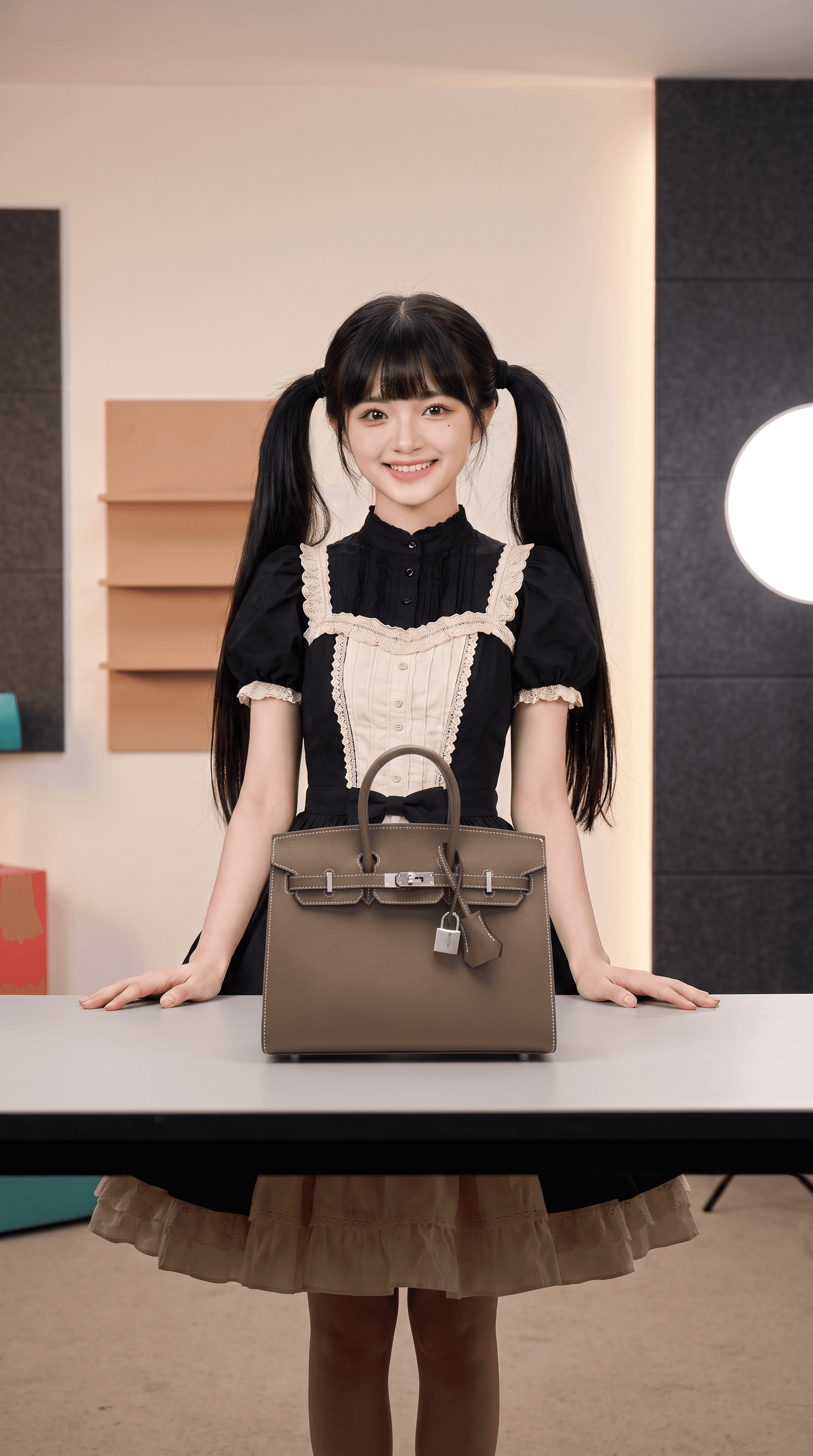
A real user request supplied two product frames made from the same host base scene for this fixed-camera AI ecommerce transition example. The resulting ArtArch Studio canvas contains a no-cut transition with one stable table and background, giving the creative agent a concrete result to inspect and explain.
Canvas video: a no-cut transition with one stable table and background.
Why the constraint mattered
Keep the camera and host fixed while all meaningful motion happens around the products and hands.
The controlling choice was simple: Build product transitions from matched stills. A fixed camera reduces the number of visual relationships that can drift.
Evidence in the canvas media
The contact sheet keeps the shelves, wall panels, round lamp, and table line aligned. That stability makes the item swap easy to follow.
That visible evidence supports one clear production rule: Build product transitions from matched stills. A fixed camera reduces the number of visual relationships that can drift.
Production notes
- Start with two product frames made from the same host base scene.
- Write the visible constraint that matters most: Build product transitions from matched stills. A fixed camera reduces the number of visual relationships that can drift.
- Generate one reviewable result, inspect still frames as well as playback, and keep the saved canvas media as the production record.
This pattern is suited to vertical commerce video, product rotations, automated live channels, or short catalog ads.
Open the source ArtArch Studio canvas to inspect the saved creative context.
Frequently asked questions
What should I prepare first?
Prepare two product frames made from the same host base scene. Use the clearest original files available and decide which one owns identity, product detail, or endpoint composition.
What should I inspect in the result?
Check the result against this visible target: a no-cut transition with one stable table and background. Review framing, subject identity, props, text, and the first and last frames when video is involved.
Can I reuse the same setup?
Yes. Keep the canvas media and the decision that controlled it: Build product transitions from matched stills. A fixed camera reduces the number of visual relationships that can drift.
Click the template card on this page, enter the experience page, and try the template with your own brief.
Keep exploring
More in Creative Agent

Designing a Three-Scene AI Character State Machine
three-scene AI character state machine case study with saved ArtArch Studio media, prompt decisions, visible results, and practical production notes.

Extracting First and Last Frames to Plan AI Video Transitions
AI video transitions case study with saved ArtArch Studio media, prompt decisions, visible results, and practical production notes.

Fan-Dance-to-Idle AI Transition With a Clean Endpoint
fan-dance-to-idle AI transition case study with saved ArtArch Studio media, prompt decisions, visible results, and practical production notes.
An Idle-to-Fan-Dance AI Transition With the Prop as the Cue
idle-to-fan-dance AI transition case study with saved ArtArch Studio media, prompt decisions, visible results, and practical production notes.