

ArtArch Newsroom
Producer's NoteCyberpunk Photo to AI Video Generator for a Neon Mini Movie
Turn one portrait into a rainy neon mini movie with a rooftop view, a crowded street run, a shadowy underground bar, and cinematic transitions.
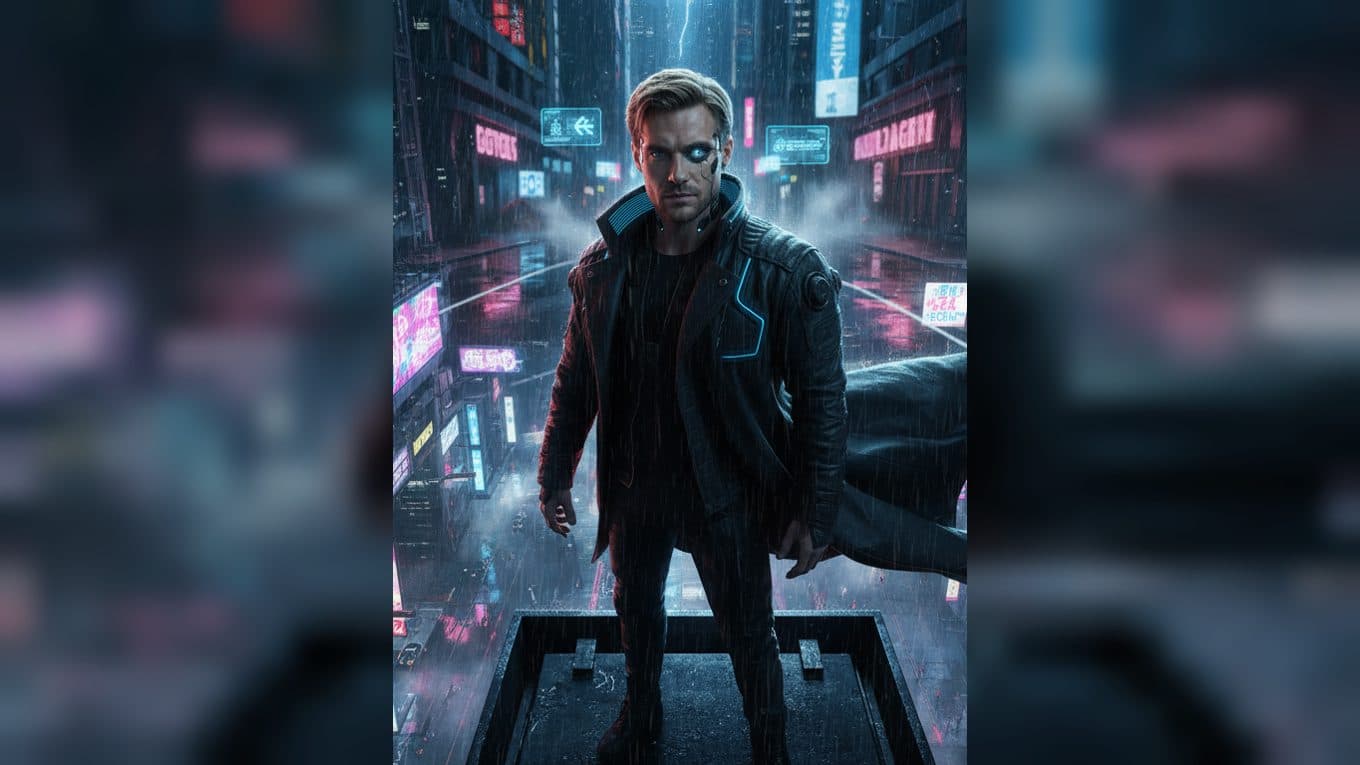
Upload one portrait to place the subject inside a cinematic cyberpunk story. The finished video keeps recognizable facial features and natural hair color while styling the character in a futuristic coat with subtle cybernetic details, then moves through a rainy neon city, a crowded street, and an underground bar.
Three scenes in the neon city
Above the rainy skyline
The story opens from a wide, high view of a futuristic city at night. The subject stands on the edge of a skyscraper while rain, smoke, holographic projections, and blue and red neon reflections fill the streets below. Wind moves the coat and gives the portrait a clear cinematic entrance.
A run through the crowd
The camera drops to street level as the character runs through a busy cyberpunk district. Holographic advertisements, cybernetic people, black-market stalls, smoke, and flashing red and blue light pass around the subject. A glowing data chip appears briefly in the raised hand, adding a small story clue to the motion.
A meeting in an underground bar
The final main scene shifts indoors. Red neon signs flicker through a smoky bar as the subject, now wearing a cyberpunk-style mask, faces a mysterious figure with mechanical glowing eyes. The character places a glowing chip on the table, and the cold light links the two figures in the close-up.
The transition style
Wipe and reveal transitions connect the scenes, with quick flashes, glitch-like text effects, rain, fire, and neon reflections changing the pace between shots. The visual rhythm gives one uploaded portrait the shape of a compact science-fiction mini movie.
When to use this photo-to-video story
Use it as a cinematic profile introduction, a science-fiction mood post, or a short character trailer. The rooftop, street, and bar scenes each give the subject a different role while the preserved face and hair keep the story tied to the uploaded portrait.
How to create the mini movie
- Upload one portrait of the person you want to feature.
- Open the This City Never Forgets template card.
- Review the rooftop entrance, street chase, underground meeting, and neon transitions in the finished video.
Choose a portrait with a clear face
A well-framed portrait gives the character a strong presence across the changing locations. The template supplies the cyberpunk coat, rain, city architecture, holograms, glowing chip, mask, mysterious figure, effects, transitions, and audio as part of the result.
Frequently asked questions
What do I upload?
Upload one portrait of the person you want to place in the cyberpunk story.
Which locations appear in the video?
The sequence includes a skyscraper edge above a rainy city, a crowded neon street, and an underground bar.
Keep exploring
More in Producer's Note

AI Watercolor Style Transformation Image From Image
Use an image to create an image centered on 🎨 Watercolor style transformation with this Skira template.

AI She Feigns Dancing Elegantly Video From Image
Use an image to create a video centered on She feigns dancing elegantly with this Skira template.

AI Authentic Talking-head Hair Clip Video From Image
Use an image to create a video centered on Authentic Talking-Head Hair Clip Sales Template with this Skira template.

AI Hot Dance Video From Image
Use an image to create a video centered on Hot Dance with this Skira template.