

ArtArch Newsroom
Producer's NoteAnimal Construction Worker Image from a Pet Photo
Create an animal construction worker image from a pet photo with a hard hat, work clothes, tools, scaffolding, cranes, and a bright city backdrop.
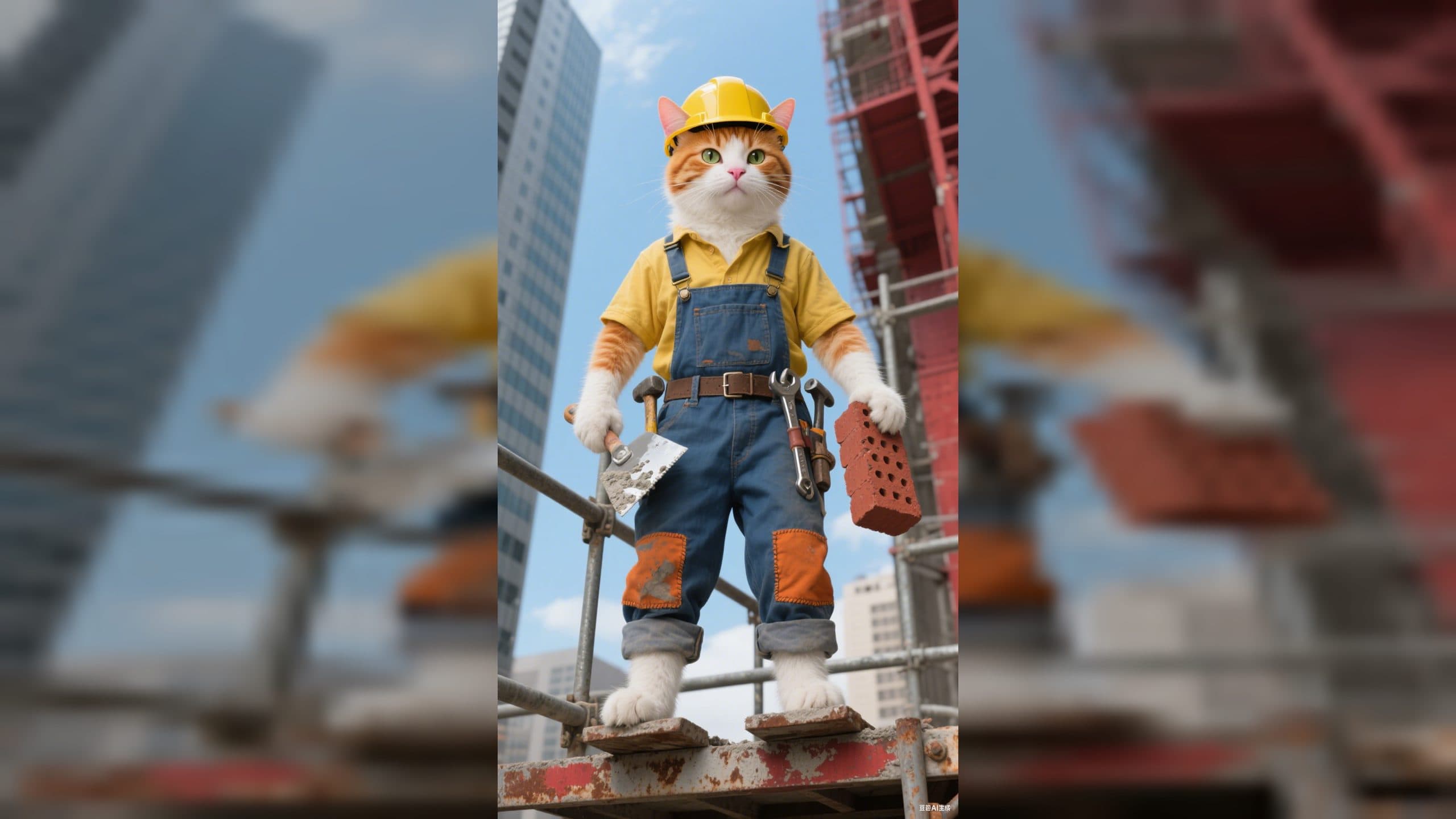
Upload a pet photo to create an animal construction worker image from a pet photo. The animal keeps its recognizable features while becoming a small worker on a busy building site, dressed for the job and ready with a brick and trowel.
Your pet takes the lead on the building site
The finished image places the animal on metal scaffolding. A yellow hard hat and yellow shirt frame the face, while blue denim overalls add patched details and a tool belt. One paw holds a masonry trowel. The other carries a brick.
The setting completes the story without pulling attention away from the animal. Skyscrapers rise behind the scaffolding, a construction crane crosses the clear blue sky, and bright lighting gives the scene a cheerful look. The sharp, colorful treatment works especially well when you want the pet to remain the obvious main character.
Choose a photo that gives the character room
Start with a clear animal photo where the face and defining markings are easy to see. A clean view of the head helps the hard hat sit naturally in the composition, while visible fur patterns, ears, and facial features give the worker a stronger connection to the original pet.
A photo with the animal separated from a cluttered background also makes it easier to read the new construction-site setting. The template supplies the worker clothing, handheld tools, scaffolding, skyline, crane, and sunny atmosphere around the animal.
Create the construction worker portrait
- Upload the animal photo you want to use.
- Choose the Animal Construction Worker template and create the image.
- Review the worker portrait, paying attention to the pet's face, markings, clothing, and the tools in each paw.
The result is a single detailed construction scene built around the uploaded animal. The hard hat, work shirt, denim overalls, brick, and trowel establish the role immediately, while the elevated scaffolding and city backdrop make the setting clear at a glance.
Put the character into a specific campaign
A construction company can turn a familiar office pet or mascot into a themed promotional image. The safety gear, tools, crane, and high-rise backdrop connect the character directly to building work.
An architecture or property team can use a pet photo for a playful project announcement. The animal stands inside a recognizable city construction scene, so the image carries the theme without needing a separate costume shoot.
For a pet account, the same setup becomes a funny occupation portrait. A favorite photo turns into a tiny site worker with practical clothing and a brick in hand, giving a social post or profile feature a clear visual joke.
Frequently asked questions
What photo should I upload?
Use a clear animal photo that shows the face, ears, fur pattern, and other recognizable features. A simple background keeps attention on the pet when it moves into the construction scene.
Keep exploring
More in Producer's Note

AI Watercolor Style Transformation Image From Image
Use an image to create an image centered on 🎨 Watercolor style transformation with this Skira template.

AI She Feigns Dancing Elegantly Video From Image
Use an image to create a video centered on She feigns dancing elegantly with this Skira template.

AI Authentic Talking-head Hair Clip Video From Image
Use an image to create a video centered on Authentic Talking-Head Hair Clip Sales Template with this Skira template.

AI Hot Dance Video From Image
Use an image to create a video centered on Hot Dance with this Skira template.