

ArtArch Newsroom
Creative AgentBuilding an AI Livestream Host Base Scene With an Empty Table
AI livestream host base scene case study with saved ArtArch Studio media, prompt decisions, visible results, and practical production notes.
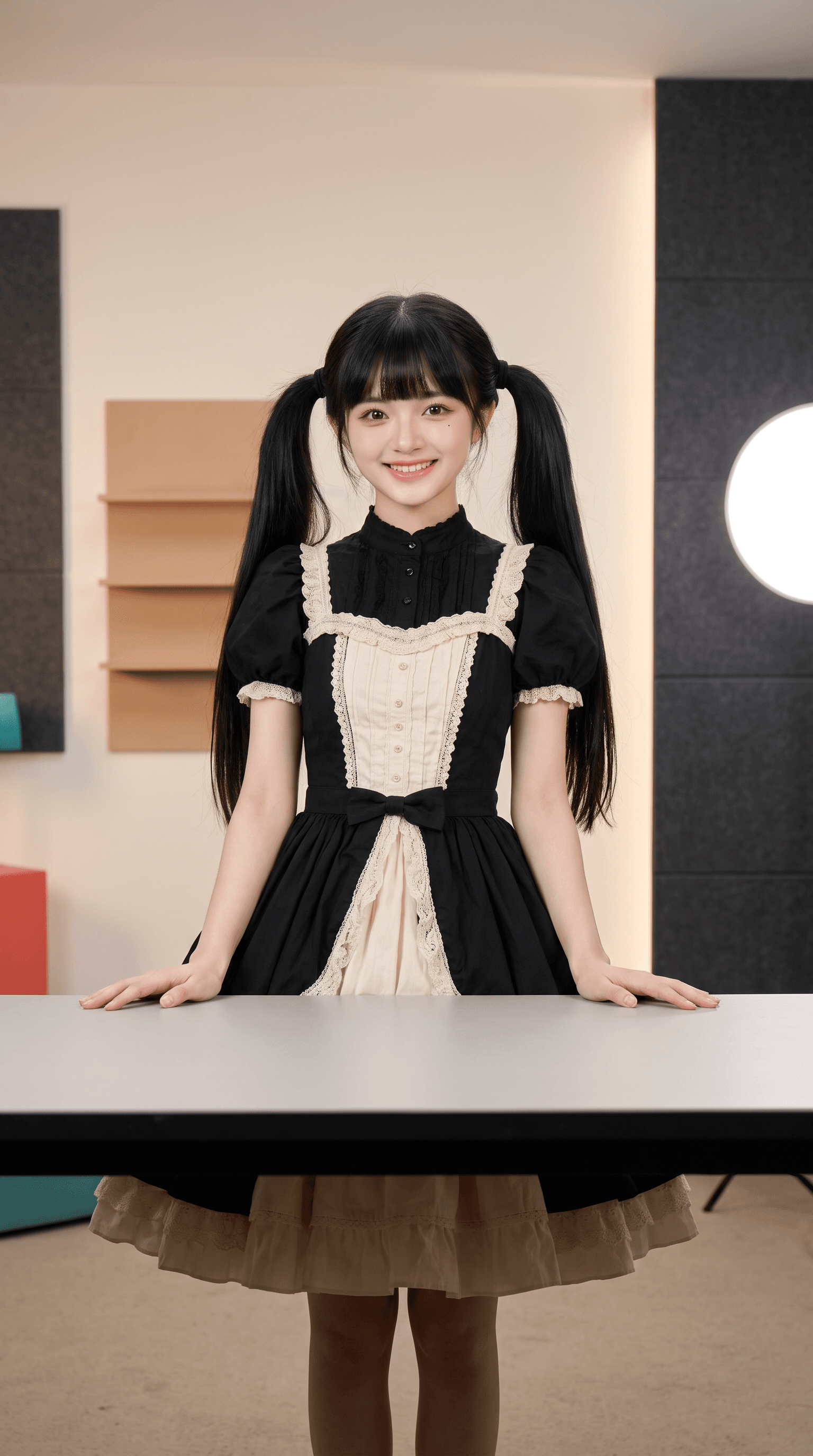
The practical question behind this AI livestream host base scene test was how to turn a portrait reference of Lolo in a black-and-cream dress into a fixed-camera vertical studio scene with the host standing behind an empty table. The answer comes from the prompt decisions and the actual ArtArch Studio output, not the brief alone.
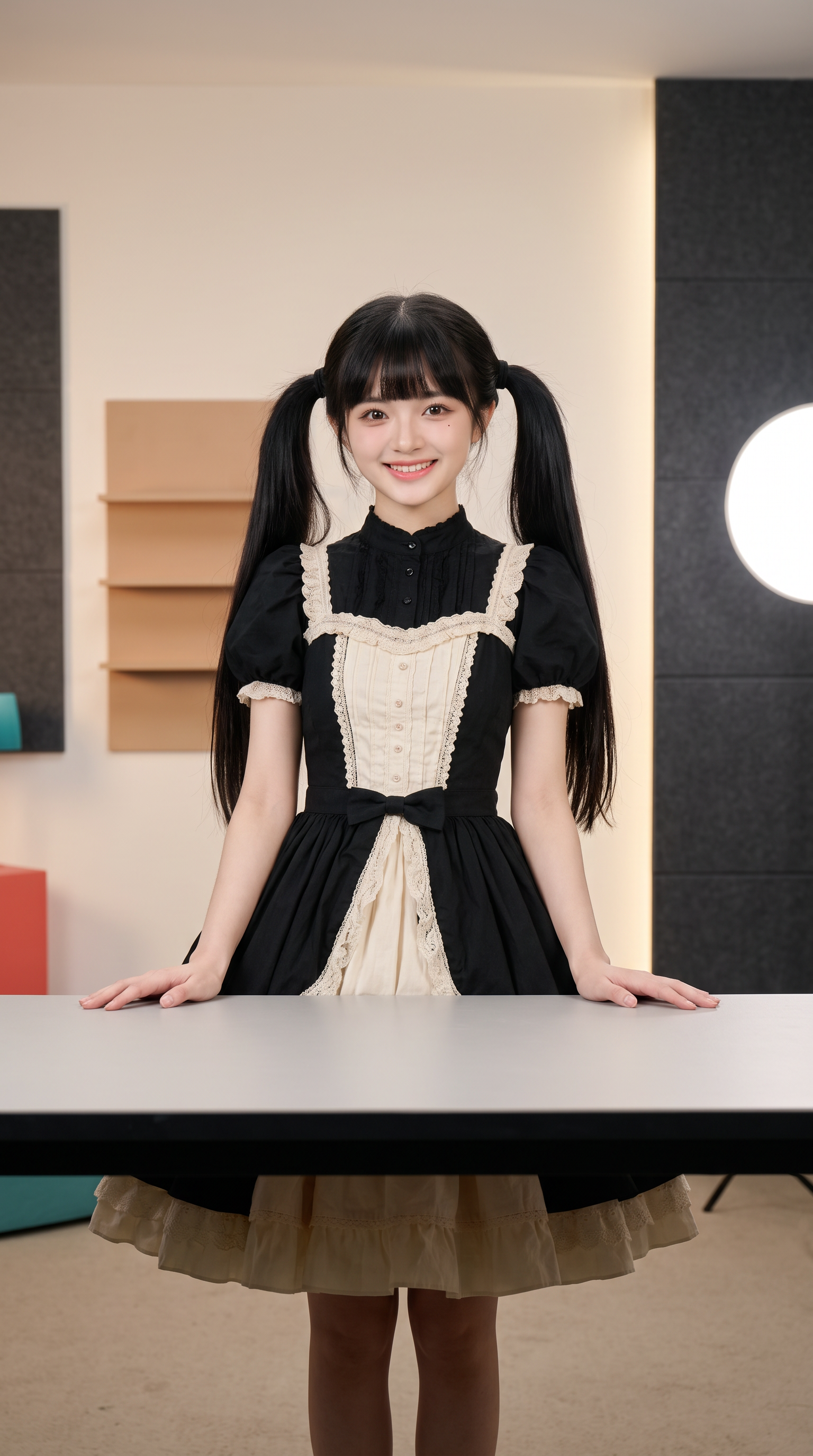
Canvas image: a fixed-camera vertical studio scene with the host standing behind an empty table.
From request to frame
The user supplied a portrait reference of Lolo in a black-and-cream dress. The working instruction was direct: Keep the face, twin ponytails, and outfit while replacing the background with a restrained commerce studio.
The visible result
The resulting frame leaves a wide matte tabletop in front of the host. Her hands sit near the table edges, and the shelves and round practical light stay secondary.
The next production step follows directly from that evidence: Create the empty host scene first. It becomes the composition authority for every product version that follows.
Make a related version
- Start with a portrait reference of Lolo in a black-and-cream dress.
- Write the visible constraint that matters most: Create the empty host scene first. It becomes the composition authority for every product version that follows.
- Generate one reviewable result, inspect still frames as well as playback, and keep the saved canvas media as the production record.
A related brief can support catalog demos, live-shopping rehearsals, product explainers, or reusable digital-host scenes.
Open the source ArtArch Studio canvas to inspect the saved creative context.
Frequently asked questions
What should I prepare first?
Prepare a portrait reference of Lolo in a black-and-cream dress. Use the clearest original files available and decide which one owns identity, product detail, or endpoint composition.
What should I inspect in the result?
Check the result against this visible target: a fixed-camera vertical studio scene with the host standing behind an empty table. Review framing, subject identity, props, text, and the first and last frames when video is involved.
Can I reuse the same setup?
Yes. Keep the canvas media and the decision that controlled it: Create the empty host scene first. It becomes the composition authority for every product version that follows.
Click the template card on this page, enter the experience page, and try the template with your own brief.
Keep exploring
More in Creative Agent

Designing a Three-Scene AI Character State Machine
three-scene AI character state machine case study with saved ArtArch Studio media, prompt decisions, visible results, and practical production notes.

Extracting First and Last Frames to Plan AI Video Transitions
AI video transitions case study with saved ArtArch Studio media, prompt decisions, visible results, and practical production notes.

Fan-Dance-to-Idle AI Transition With a Clean Endpoint
fan-dance-to-idle AI transition case study with saved ArtArch Studio media, prompt decisions, visible results, and practical production notes.
An Idle-to-Fan-Dance AI Transition With the Prop as the Cue
idle-to-fan-dance AI transition case study with saved ArtArch Studio media, prompt decisions, visible results, and practical production notes.