

ArtArch Newsroom
Producer's NoteAI Fantasy World Generator for Cinematic Concept Scenes
Use a text prompt to create a cinematic fantasy world with epic landscapes, sky cities, ancient ruins, dragons, and world trees.
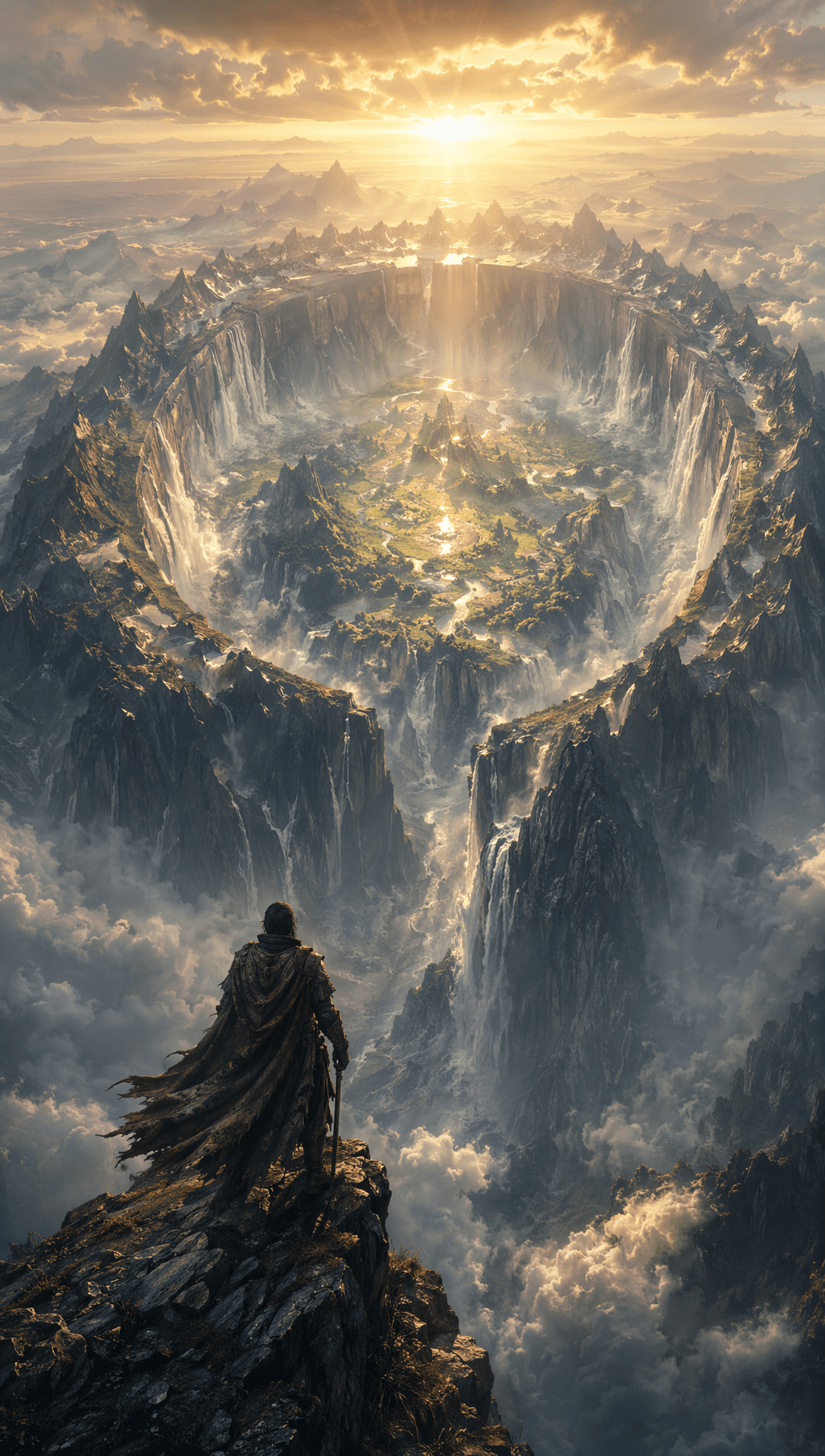
Enter a simple text prompt to create a cinematic fantasy world. This AI fantasy world generator turns a short idea into an epic landscape scene with dramatic clouds and room for details such as sky cities, ancient ruins, dragons, and world trees.
Build a world from one clear idea
The template is made for prompts that describe a place rather than a single object. You can set the mood of the landscape, name a landmark, or introduce a fantasy element that gives the scene its scale. The result is a vertical concept-art composition with layered terrain, a broad sky, and a strong focal point.
The visual language stays cinematic. Mountain ranges, high cliffs, cloud banks, and distant structures create depth, while sunlight and dramatic clouds give the scene a clear atmosphere. A prompt about a floating settlement can feel different from one about a ruined valley, even though both use the same world-building workflow.
Three scenes to try
A sky city above the clouds
Describe a city suspended over a mountain range, then add the light or weather you want around it. The finished scene can place the architecture high in the frame, with cloud layers and distant peaks establishing the height.
An ancient ruin in a wild valley
Use a prompt about broken towers, a forgotten road, or a valley surrounded by cliffs. This gives the composition a clear destination and lets the landscape carry the history of the setting.
A dragon-sized landmark
Make a dragon part of the world rather than the whole prompt. A creature above a forest, near a world tree, or crossing a canyon gives the scene a scale reference while the environment remains the main subject.
A simple creation flow
- Enter a text prompt describing the fantasy world you want to see.
- Name the main landscape, structure, or creature that should anchor the scene.
- Review the generated cinematic composition from the template card.
Start with one location and one focal detail. Once the setting is clear, add supporting elements such as clouds, ruins, or distant architecture. That order keeps the scene readable and gives the generator a strong visual direction.
Frequently asked questions
What do I provide to the AI fantasy world generator?
You provide a simple text prompt describing a fantasy world, landscape, structure, or scene detail.
What can appear in the generated world?
The workflow supports epic landscapes, sky cities, ancient ruins, dragons, world trees, and dramatic clouds as visible scene elements.
How should I structure a fantasy prompt?
Begin with one location or landscape, add a focal landmark, then describe the atmosphere or supporting details you want around it.
Can this fit concept-art planning?
Skira template
Try this template
s2mple
Fantasy World Generator
Keep exploring
More in Producer's Note

AI Watercolor Style Transformation Image From Image
Use an image to create an image centered on 🎨 Watercolor style transformation with this Skira template.

AI She Feigns Dancing Elegantly Video From Image
Use an image to create a video centered on She feigns dancing elegantly with this Skira template.

AI Authentic Talking-head Hair Clip Video From Image
Use an image to create a video centered on Authentic Talking-Head Hair Clip Sales Template with this Skira template.

AI Hot Dance Video From Image
Use an image to create a video centered on Hot Dance with this Skira template.