

ArtArch Newsroom
Creative AgentAI Character Identity Across Three Scenes: Green, Beach, and Banquet
AI character identity across three scenes case study with saved ArtArch Studio media, prompt decisions, visible results, and practical production notes.

This AI character identity across three scenes case study began with one base performer image and two environment directions. The creative agent turned that material into three full-body portraits linked by face shape, bangs, and twin ponytails, and the saved ArtArch Studio media provides the evidence for the notes below.
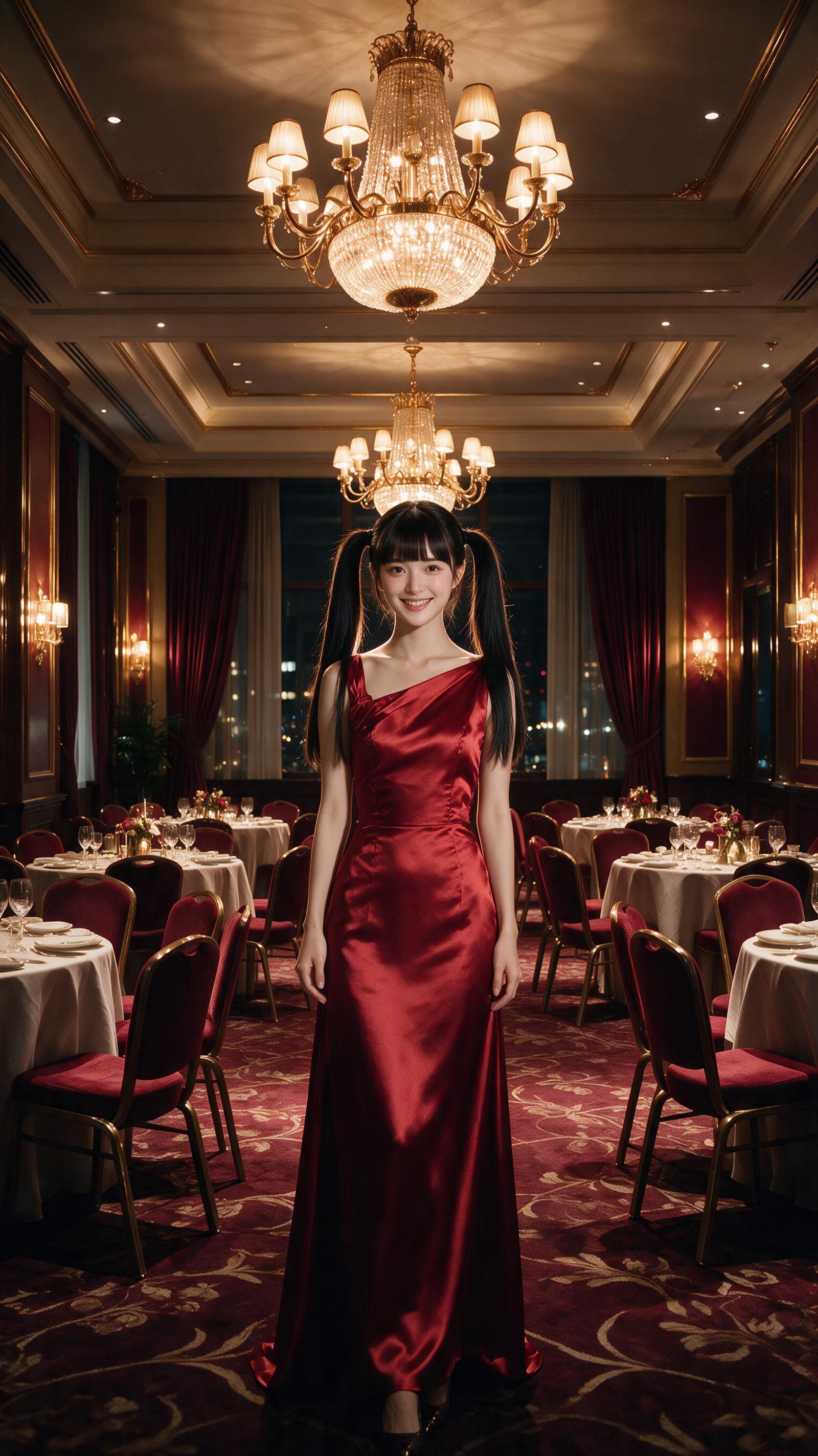
Canvas image: three full-body portraits linked by face shape, bangs, and twin ponytails.
What the brief asked for
Keep identity and framing stable while changing the outfit and surrounding world.
What the output shows
The green, beach, and banquet frames remain recognizably related through the centered camera and hair silhouette. Clothing and light create clear scene separation.
The reusable production rule is specific to what appeared on screen: Choose two or three visible identity anchors and repeat them exactly in each brief.
A practical Studio workflow
- Start with one base performer image and two environment directions.
- Write the visible constraint that matters most: Choose two or three visible identity anchors and repeat them exactly in each brief.
- Generate one reviewable result, inspect still frames as well as playback, and keep the saved canvas media as the production record.
Where this approach fits
The same production choice fits episodic hosts, virtual performers, campaign variants, or branching character stories.
Open the source ArtArch Studio canvas to inspect the saved creative context.
Frequently asked questions
What should I prepare first?
Prepare one base performer image and two environment directions. Use the clearest original files available and decide which one owns identity, product detail, or endpoint composition.
What should I inspect in the result?
Check the result against this visible target: three full-body portraits linked by face shape, bangs, and twin ponytails. Review framing, subject identity, props, text, and the first and last frames when video is involved.
Can I reuse the same setup?
Yes. Keep the canvas media and the decision that controlled it: Choose two or three visible identity anchors and repeat them exactly in each brief.
Use the template card on this page to enter the experience page and try this workflow with your own references.
Keep exploring
More in Creative Agent
Designing a Three-Scene AI Character State Machine
three-scene AI character state machine case study with saved ArtArch Studio media, prompt decisions, visible results, and practical production notes.

Extracting First and Last Frames to Plan AI Video Transitions
AI video transitions case study with saved ArtArch Studio media, prompt decisions, visible results, and practical production notes.

Fan-Dance-to-Idle AI Transition With a Clean Endpoint
fan-dance-to-idle AI transition case study with saved ArtArch Studio media, prompt decisions, visible results, and practical production notes.
An Idle-to-Fan-Dance AI Transition With the Prop as the Cue
idle-to-fan-dance AI transition case study with saved ArtArch Studio media, prompt decisions, visible results, and practical production notes.