

ArtArch Newsroom
Creative AgentCreating a Clean AI Banquet Environment Reference
AI banquet environment reference case study with saved ArtArch Studio media, prompt decisions, visible results, and practical production notes.
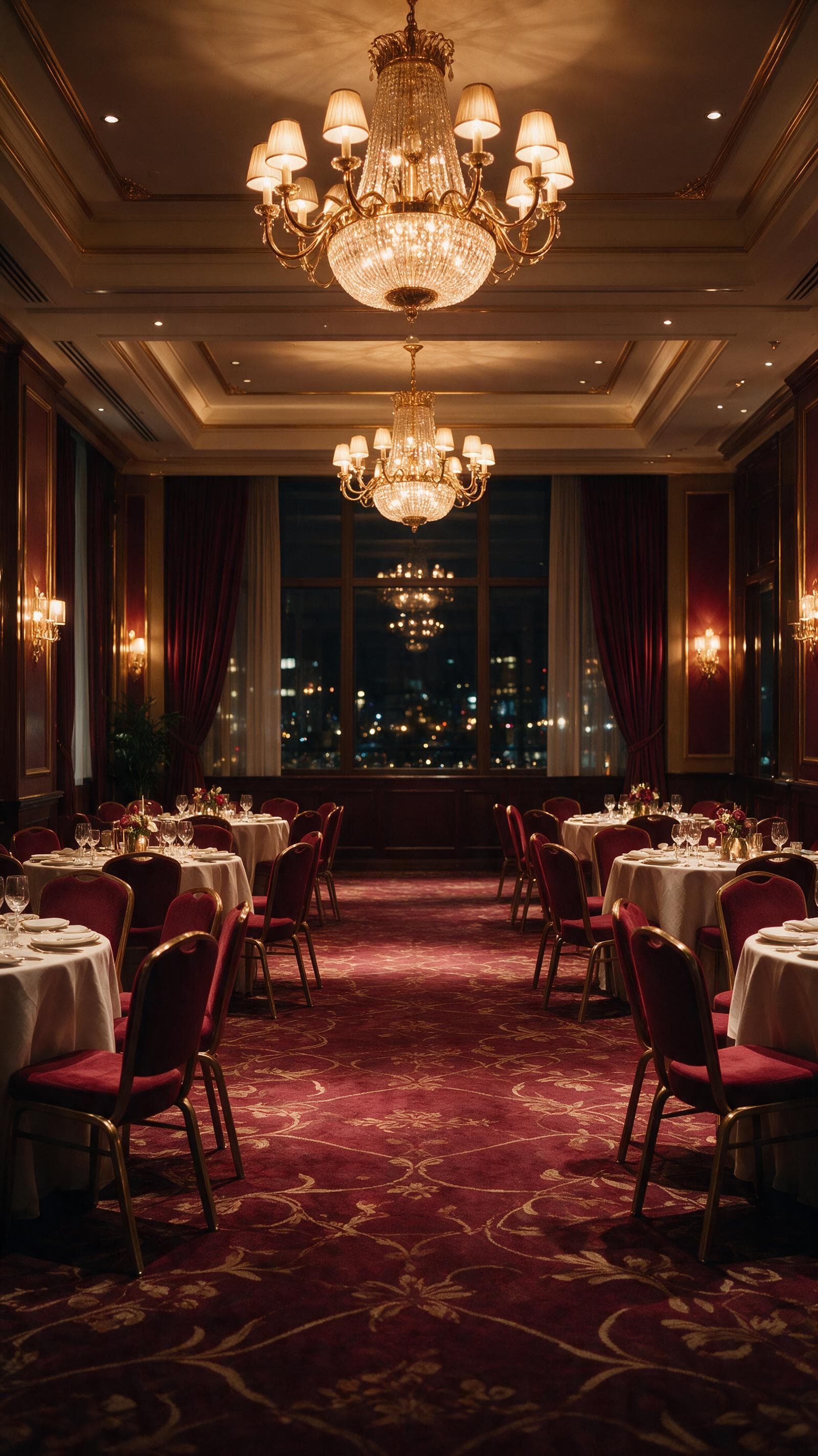
This AI banquet environment reference example uses a location-only prompt for a formal hotel interior as its production input. Its target was a vertical hall with chandeliers, side tables, deep windows, and ruby-gold color, and the saved canvas shows which parts of that target held up in the rendered frame or clip.
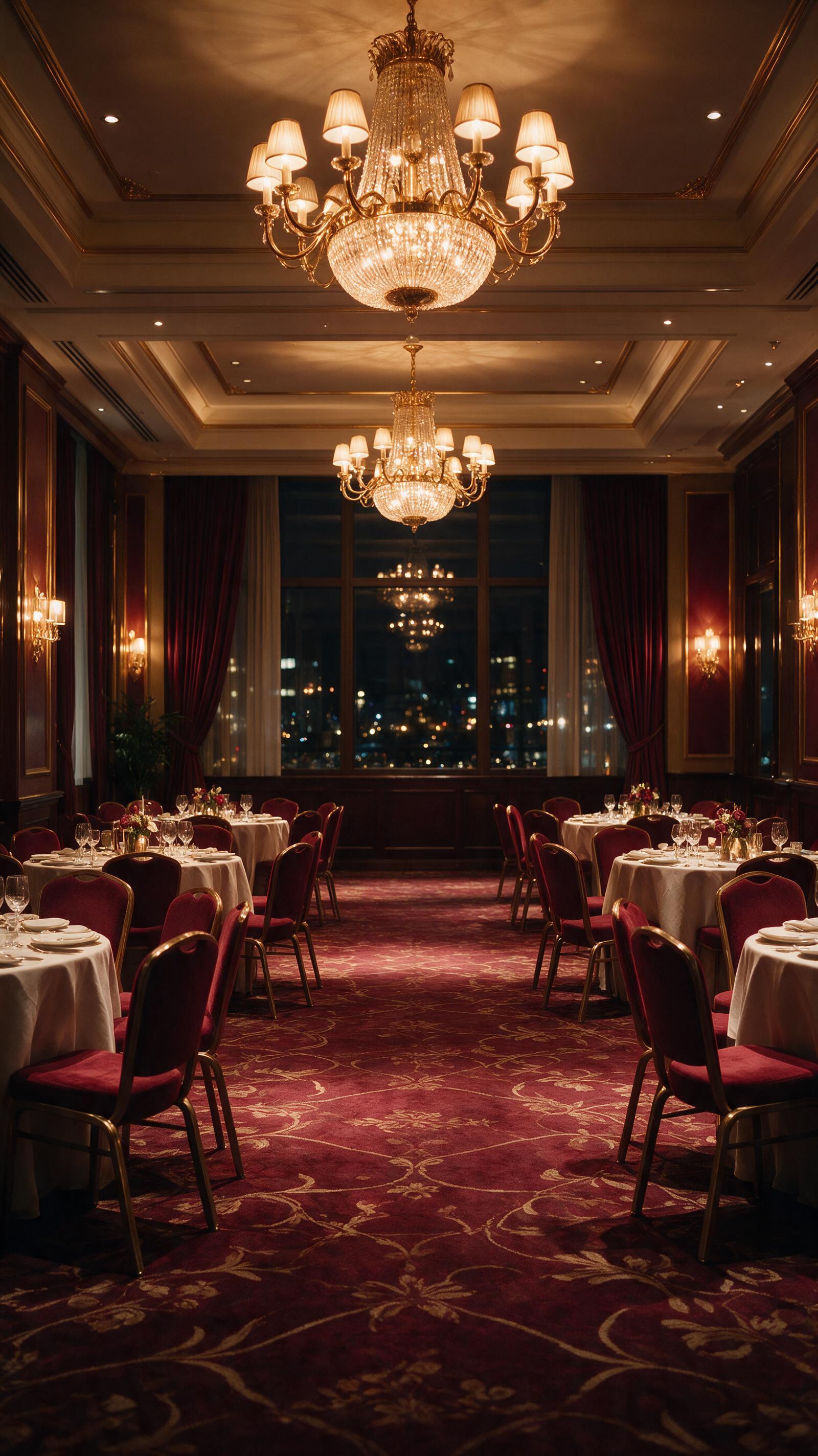
Canvas image: a vertical hall with chandeliers, side tables, deep windows, and ruby-gold color.
A useful way to read this test
The source request focused on a location-only prompt for a formal hotel interior. The agent converted it into one visible goal: Leave the center aisle open and keep people out of the frame.
What changed on screen
The environment image establishes ceiling height, chandelier placement, table layout, and the warm evening palette before a performer enters.
The visible target was a vertical hall with chandeliers, side tables, deep windows, and ruby-gold color. For a related run, keep this production decision: A separate room plate makes later wardrobe and pose decisions easier to compare.
Try the same decision path
- Start with a location-only prompt for a formal hotel interior.
- Write the visible constraint that matters most: A separate room plate makes later wardrobe and pose decisions easier to compare.
- Generate one reviewable result, inspect still frames as well as playback, and keep the saved canvas media as the production record.
The approach transfers to event openers, formal dance clips, hospitality visuals, or scene continuity planning.
Open the source ArtArch Studio canvas to inspect the saved creative context.
Frequently asked questions
What should I prepare first?
Prepare a location-only prompt for a formal hotel interior. Use the clearest original files available and decide which one owns identity, product detail, or endpoint composition.
What should I inspect in the result?
Check the result against this visible target: a vertical hall with chandeliers, side tables, deep windows, and ruby-gold color. Review framing, subject identity, props, text, and the first and last frames when video is involved.
Can I reuse the same setup?
Yes. Keep the canvas media and the decision that controlled it: A separate room plate makes later wardrobe and pose decisions easier to compare.
Click the template card on this page, enter the experience page, and try the template with your own brief.
Keep exploring
More in Creative Agent

Designing a Three-Scene AI Character State Machine
three-scene AI character state machine case study with saved ArtArch Studio media, prompt decisions, visible results, and practical production notes.

Extracting First and Last Frames to Plan AI Video Transitions
AI video transitions case study with saved ArtArch Studio media, prompt decisions, visible results, and practical production notes.

Fan-Dance-to-Idle AI Transition With a Clean Endpoint
fan-dance-to-idle AI transition case study with saved ArtArch Studio media, prompt decisions, visible results, and practical production notes.
An Idle-to-Fan-Dance AI Transition With the Prop as the Cue
idle-to-fan-dance AI transition case study with saved ArtArch Studio media, prompt decisions, visible results, and practical production notes.