

ArtArch Newsroom
Producer's Note213 Dance Challenge Video from a Photo
Create a 213 dance challenge video from a photo, styling the subject in a pink top and white pleated skirt for a vertical routine with music.
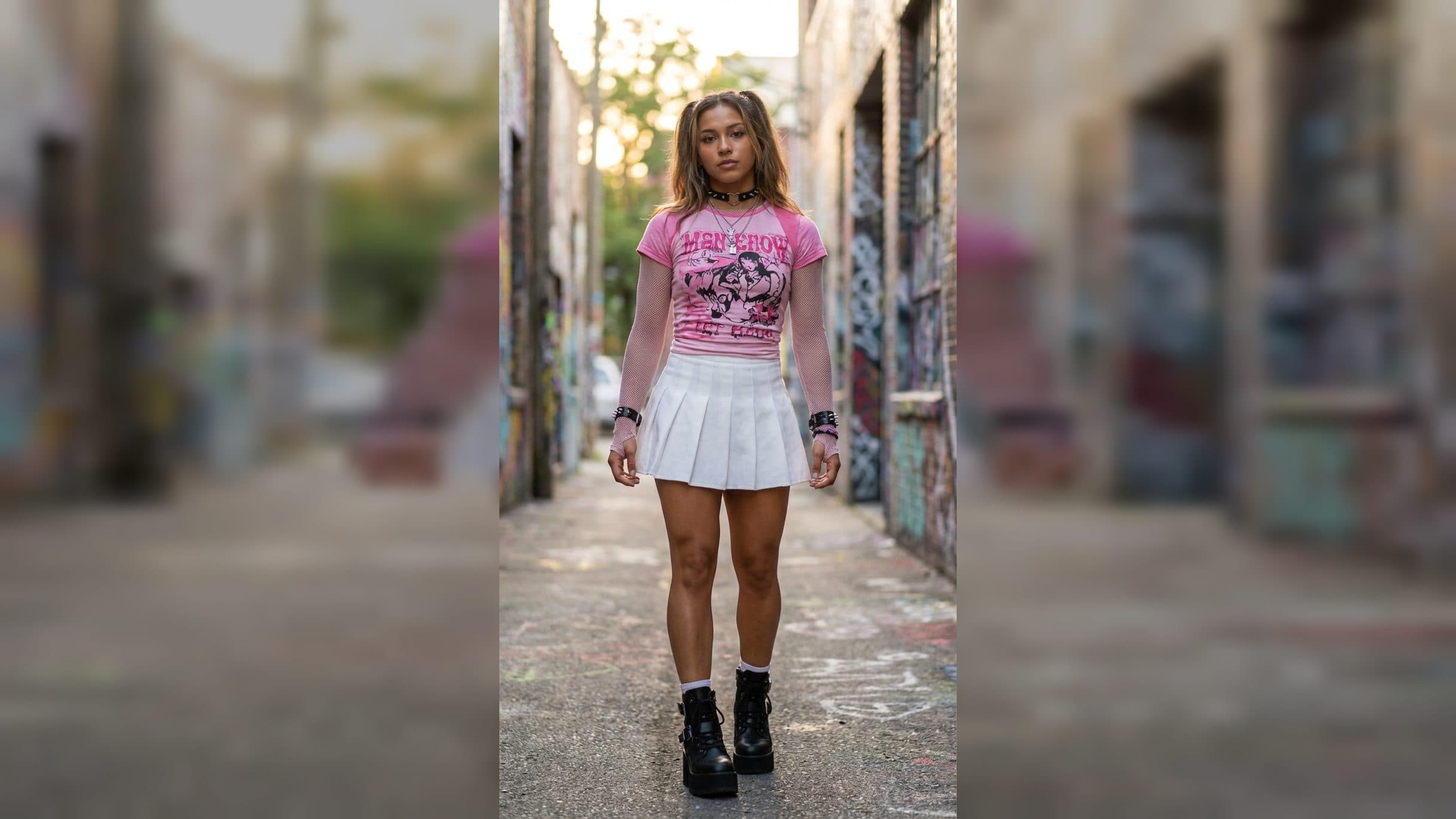
Upload one subject image to create a 213 dance challenge video from a photo. The finished vertical video styles the subject in a pink top and white pleated skirt, places them into the template's set dance routine, and pairs the performance with fixed music.
Give the dancer a defined fashion look
The styling combines a fitted pink top with a white pleated skirt. The subject has a warm tan complexion and a toned silhouette, creating a clear fashion direction before the movement begins. The look is built for a 9:16 portrait composition, keeping the performer as the central focus.
This outfit is part of the template result. Your upload is the subject image. The pink-and-white color contrast, subculture-inspired styling, dance action, and music are already established for the final clip.
The vertical frame gives the dancer enough height for the full figure to read on screen. It also makes the result easy to inspect from face to footwear: identity at the top, outfit through the center, and stance at the bottom.
Choose a photo that supports full-body movement
Use an image with one clearly visible person and an unobstructed face. A full-body or three-quarter portrait gives the template useful information about the subject's proportions, posture, hair, and overall silhouette. Keep hands and legs visible when possible, since the final result centers on a dance performance.
A simple background in the upload keeps attention on the person. Clear separation between the subject and their surroundings also helps you compare the face, hair, and body shape in the finished vertical clip.
Create the dance in three steps:
- Upload the subject image you want to use.
- Select the 213 dance challenge template and create the video.
- Review the subject identity, pink top, white pleated skirt, full-body framing, dance performance, and music.
Plan the post around the fixed routine
A dance-challenge creator can use a portrait to join the 213 routine in a consistent vertical format. The template supplies the choreography and music, while the uploaded image defines who appears on screen.
A fashion account can build the post around the pink top and white skirt combination. The full-body composition keeps the outfit visible through the performance and gives the look more context than a still image alone.
A character or fan account can place a recognizable subject into the dance. A source image with a readable face, hairstyle, and silhouette gives viewers visual details to follow as the character moves.
A group of friends can create separate versions from individual portraits, then present them as a coordinated challenge set. The shared clothing direction, portrait frame, routine, and music connect the clips while each subject remains the focus of their own video.
Frequently asked questions
What do I upload?
Keep exploring
More in Producer's Note

AI Watercolor Style Transformation Image From Image
Use an image to create an image centered on 🎨 Watercolor style transformation with this Skira template.

AI She Feigns Dancing Elegantly Video From Image
Use an image to create a video centered on She feigns dancing elegantly with this Skira template.

AI Authentic Talking-head Hair Clip Video From Image
Use an image to create a video centered on Authentic Talking-Head Hair Clip Sales Template with this Skira template.

AI Hot Dance Video From Image
Use an image to create a video centered on Hot Dance with this Skira template.